
- ✔ Verified by VirusTotal
- ✔ 100% Original Product & Virus-Free
- ✔ Lifetime Free Updates on Single Purchase
- ✔ Unlimited Website Usage
- ✔ Prices in USD (Tax Included)
🔥 Limited-Time Deal — Ends Soon!
FooEvents Seating Extension 19.2
$57.00 Original price was: $57.00.$2.99Current price is: $2.99.
Instant Access
7 Day Money Back Guarantee
Online Support 24/7
Secure Payment
Description
🎟️ FooEvents Seating Extension – Smart Seat Selection for WordPress Events
The FooEvents Seating Extension is a powerful add-on for FooEvents that makes managing event seating simple and professional. It lets your guests select their own seats from an interactive seating chart during checkout, giving them a personalized and seamless booking experience. Perfect for theaters, conferences, concerts, and banquets.
🪑 Key Features
🧩 Design Flexible Seating Plans
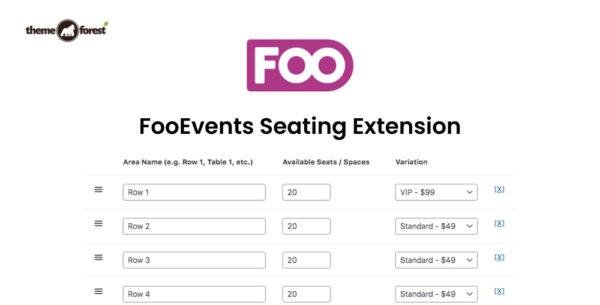
Easily create seating groups like rows, tables, or zones using the intuitive seating chart builder. Assign a set number of chairs, and even link seats to product variations for VIP or tiered pricing options.
🖼️ Visual Seat Selection
Attendees can choose their seats from a customizable visual seating map at checkout. Match seat colors to your website design for a seamless, branded experience.
🧭 Assigned & Managed Seating
Control which seats are available or blocked manually. This allows organizers to reserve seats, limit sections, or manage special arrangements effortlessly.
💰 Dynamic Pricing Options
Sell premium or discounted seats based on location, type, or VIP level by linking them with WooCommerce product variations.
🎫 Automatic Ticket Integration
The selected row and seat number automatically appear on the attendee’s event ticket, ensuring clarity and convenience for guests.
💼 What We Offer
100% GPL-licensed, clean, and secure version
Seamless integration with FooEvents and WooCommerce
Fully responsive and easy-to-use visual seat map
Perfect for concerts, theaters, weddings, and conferences
Boosts attendee satisfaction and event organization
🚀 Conclusion
The FooEvents Seating Extension transforms how you manage event seating. With its interactive seat selection, visual mapping, and flexible pricing, it delivers a professional and engaging experience for attendees while simplifying your event management process. Whether you’re hosting a small workshop or a large-scale concert, this plugin makes every seat count.
Be the first to review “FooEvents Seating Extension 19.2” Cancel reply
How to Install
Follow these quick steps to install from a .zip file or directly from your WP dashboard.
-
1
Go to Plugins → Add New
In your WordPress dashboard, open Plugins and click Add New.
-
2
Click Upload Plugin
Press Upload Plugin → Choose File and select the downloaded
plugin-name.zip. -
3
Install & Activate
Click Install Now, then Activate. You’re done!
-
4
(Optional) Enter License / Use Shortcode
Open Plugins → Your Plugin → Settings to enter your license. Add the box on the product page with:
[plugin_info_box]
Alternative: Install from WordPress directory
Go to Plugins → Add New, search the plugin name, click Install then Activate.
Manual (FTP) method
Unzip locally → upload the folder to /wp-content/plugins/ using FTP → activate from Plugins.
-
1
Go to Appearance → Themes
Click Add New → Upload Theme.
-
2
Upload the .zip file
Select
theme-name.zip, click Install Now, then Activate. -
3
Install Required Plugins
If prompted, click Begin installing plugins and activate them.
-
4
(Optional) Import Starter Content
Use the theme’s Demo Import (if provided) to load sample pages and settings.
Manual (FTP) theme install
Unzip the theme → upload to /wp-content/themes/ → activate from Appearance → Themes.




Reviews
There are no reviews yet.