
- ✔ Verified by VirusTotal
- ✔ 100% Original Product & Virus-Free
- ✔ Lifetime Free Updates on Single Purchase
- ✔ Unlimited Website Usage
- ✔ Prices in USD (Tax Included)
🔥 Limited-Time Deal — Ends Soon!
FullEvents – Event Plugin WordPress 1.3.0
$39.00 Original price was: $39.00.$2.99Current price is: $2.99.
Instant Access
7 Day Money Back Guarantee
Online Support 24/7
Secure Payment
Description
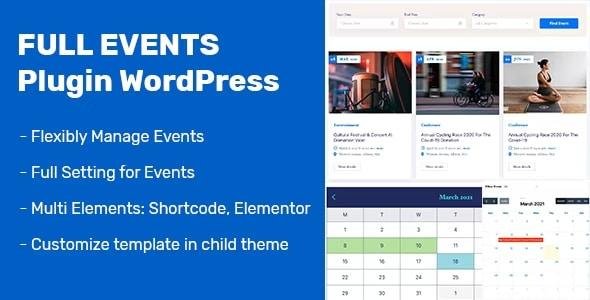
FullEvents Plugin is a fully-featured WordPress event management plugin designed to work with any WordPress theme. It allows event organizers to display event listings in a visually attractive and highly functional way, all without needing coding skills. Its intuitive interface and advanced features make it easy to create, manage, and showcase events while optimizing the user experience for visitors.
Key Features
1. Single Event View
Beautifully designed event pages that leave a strong first impression.
Displays essential event details: title, organizer name, date, time, venue, location, and description.
2. Event Listing Layouts
Box Layout: Showcases events with large, eye-catching images.
Line Layout: Displays events in chronological order.
Options to display listings with or without a sidebar for better user navigation.
3. Advanced Search Form
Filter events by start date, end date, and category with ease.
Integrated calendar selection for convenient date-based filtering.
4. AJAX Filtering
Enables users to search for events without reloading the page.
Smooth and fast filtering enhances user experience.
5. User-Friendly Admin Dashboard
Create, edit, delete, or cancel events with just a few clicks.
No coding required; designed for simplicity and ease of use.
6. Event Categories
Add unlimited event categories (e.g., music, sports, dance).
Assign events to categories to allow visitors to quickly filter by type.
7. Calendar Options
Single Calendar: Click on a day to see events scheduled for that specific day.
Full Calendar: Displays all events on a calendar at once, no clicks required.
8. Theme Compatibility
Works seamlessly with all WordPress themes.
Fully responsive and optimized for mobile devices.
FullEvents Plugin is ideal for event organizers, venues, and website owners who want a visually appealing and functional event management system without relying on external tools or coding knowledge.
Be the first to review “FullEvents – Event Plugin WordPress 1.3.0” Cancel reply
How to Install
Follow these quick steps to install from a .zip file or directly from your WP dashboard.
-
1
Go to Plugins → Add New
In your WordPress dashboard, open Plugins and click Add New.
-
2
Click Upload Plugin
Press Upload Plugin → Choose File and select the downloaded
plugin-name.zip. -
3
Install & Activate
Click Install Now, then Activate. You’re done!
-
4
(Optional) Enter License / Use Shortcode
Open Plugins → Your Plugin → Settings to enter your license. Add the box on the product page with:
[plugin_info_box]
Alternative: Install from WordPress directory
Go to Plugins → Add New, search the plugin name, click Install then Activate.
Manual (FTP) method
Unzip locally → upload the folder to /wp-content/plugins/ using FTP → activate from Plugins.
-
1
Go to Appearance → Themes
Click Add New → Upload Theme.
-
2
Upload the .zip file
Select
theme-name.zip, click Install Now, then Activate. -
3
Install Required Plugins
If prompted, click Begin installing plugins and activate them.
-
4
(Optional) Import Starter Content
Use the theme’s Demo Import (if provided) to load sample pages and settings.
Manual (FTP) theme install
Unzip the theme → upload to /wp-content/themes/ → activate from Appearance → Themes.




Reviews
There are no reviews yet.