
- ✔ Verified by VirusTotal
- ✔ 100% Original Product & Virus-Free
- ✔ Lifetime Free Updates on Single Purchase
- ✔ Unlimited Website Usage
- ✔ Prices in USD (Tax Included)
🔥 Limited-Time Deal — Ends Soon!
GamiPress Admin Emails 1.0.7
$58.00 Original price was: $58.00.$2.99Current price is: $2.99.
Instant Access
7 Day Money Back Guarantee
Online Support 24/7
Secure Payment
Description
✉️ GamiPress Admin Emails – GPL Version
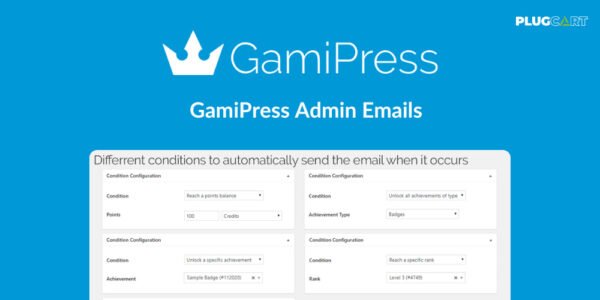
GamiPress Admin Emails is a GPL-distributed plugin that lets you send automatic emails to website administrators whenever a user earns a points balance, unlocks an achievement, or reaches a rank. It’s clean, secure, and fully customizable, helping admins stay informed of user progress in real time.
With this plugin, you can personalize email content using a variety of tags, display user-specific information, and define conditions to notify only the right admin roles.
✨ Key Features
📨 Automatic Admin Notifications
Send emails automatically when a user earns points, achievements, or reaches a rank
Set conditional triggers for precise notifications
🔖 Customizable Email Content
Use a wide range of tags to display user points, achievements, and rank
Tags can be used in the email subject, body, or as shortcode attributes
Execute shortcodes directly in email content
👥 Role-Based Email Delivery
Define which user roles receive admin emails
Roles created by other plugins are automatically recognized
Default sends to administrators if no roles are selected
🛠️ Easy Setup & Testing
Configure conditional emails in minutes
Send test emails to preview notifications
Settings accessible via GamiPress → Settings → Add-ons tab
✅ What We Offer
Automatic and conditional admin notifications
Fully customizable emails with dynamic tags
Role-based delivery to target specific users
Shortcode support and user data integration
Easy-to-configure settings in WordPress
🎯 Conclusion
GamiPress Admin Emails ensures administrators are instantly informed when users achieve points, unlock badges, or reach ranks. Perfect for gamified websites, it provides precise, automated, and customizable notifications to keep your team updated in real time.
Be the first to review “GamiPress Admin Emails 1.0.7” Cancel reply
How to Install
Follow these quick steps to install from a .zip file or directly from your WP dashboard.
- 1
Go to Plugins → Add New
In your WordPress dashboard, open Plugins and click Add New.
- 2
Click Upload Plugin
Press Upload Plugin → Choose File and select the downloaded
plugin-name.zip. - 3
Install & Activate
Click Install Now, then Activate. You’re done!
- 4
(Optional) Enter License / Use Shortcode
Open Plugins → Your Plugin → Settings to enter your license. Add the box on the product page with:
[plugin_info_box]
Alternative: Install from WordPress directory
Go to Plugins → Add New, search the plugin name, click Install then Activate.
Manual (FTP) method
Unzip locally → upload the folder to /wp-content/plugins/ using FTP → activate from Plugins.
- 1
Go to Appearance → Themes
Click Add New → Upload Theme.
- 2
Upload the .zip file
Select
theme-name.zip, click Install Now, then Activate. - 3
Install Required Plugins
If prompted, click Begin installing plugins and activate them.
- 4
(Optional) Import Starter Content
Use the theme’s Demo Import (if provided) to load sample pages and settings.
Manual (FTP) theme install
Unzip the theme → upload to /wp-content/themes/ → activate from Appearance → Themes.




Reviews
There are no reviews yet.