
- ✔ Verified by VirusTotal
- ✔ 100% Original Product & Virus-Free
- ✔ Lifetime Free Updates on Single Purchase
- ✔ Unlimited Website Usage
- ✔ Prices in USD (Tax Included)
🔥 Limited-Time Deal — Ends Soon!
GamiPress Badgr 1.1.6
$39.00 Original price was: $39.00.$2.99Current price is: $2.99.
Instant Access
7 Day Money Back Guarantee
Online Support 24/7
Secure Payment
Description
🏆 GamiPress Badgr – Open Badge Integration for WordPress
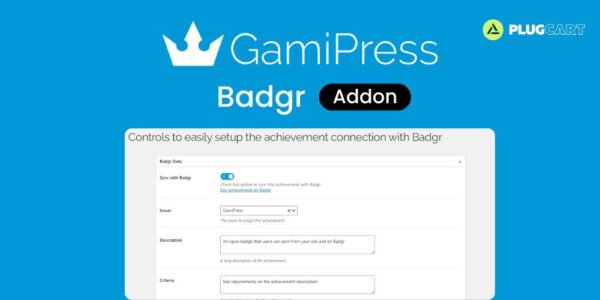
💡 GamiPress Badgr is a powerful WordPress add-on that lets you connect your GamiPress achievements with the Badgr digital credentials platform. Badgr, created by Concentric Sky and based on Mozilla’s Open Badge standard, enables the creation and issuance of verifiable, shareable digital badges for learning achievements.
⚡ With this add-on, you can sync any achievement earned on your website with Badgr, making your achievements Open Badge compatible. Users can display and share their achievements across platforms like Canvas and Microsoft Teams, creating a connected learning ecosystem.
🛠️ The plugin offers widgets, shortcodes, and blocks to place Badgr sync forms anywhere on your site, allowing users to connect their accounts and automatically sync achievements. Import all existing badges from your Badgr issuers, and configure new fields and attributes to display only synced achievements. Automatic issuing ensures that any synced achievement earned on your site is reflected on Badgr in real time.
🌐 GamiPress Badgr makes it easy to manage accounts, authorize connections, and import achievements efficiently. With support for multiple Badgr regions and issuers, this add-on provides complete flexibility for educational websites, e-learning platforms, and gamified communities. Enhance your user engagement and make learning achievements verifiable, portable, and shareable with GamiPress Badgr.
✨ Key Features
🔗 Sync GamiPress achievements with Badgr automatically
🏅 Make achievements Open Badge compatible
🧩 Widget, shortcode, and block to place Badgr sync forms
📤 Import all badges from Badgr issuers
⚡ Automatic achievement issuing on Badgr
🖼️ Display only synced achievements on site
🌍 Support for multiple Badgr account regions
🛠️ New fields & attributes for synced achievements
🛠️ What We Offer
💡 Seamless integration with GamiPress and Badgr
🎯 User account sync and achievement management
⚙️ Easy setup through WordPress admin settings
🌍 Compatible with multiple learning ecosystems
🔒 GPL-compliant, secure, and developer-friendly
✅ Conclusion
🚀 GamiPress Badgr is the ultimate solution to connect GamiPress achievements with Badgr, enabling verifiable, shareable Open Badges. Perfect for e-learning websites, gamified communities, and educational platforms, it ensures achievements are recognized across systems and displayed efficiently on your WordPress site.
Be the first to review “GamiPress Badgr 1.1.6” Cancel reply
How to Install
Follow these quick steps to install from a .zip file or directly from your WP dashboard.
-
1
Go to Plugins → Add New
In your WordPress dashboard, open Plugins and click Add New.
-
2
Click Upload Plugin
Press Upload Plugin → Choose File and select the downloaded
plugin-name.zip. -
3
Install & Activate
Click Install Now, then Activate. You’re done!
-
4
(Optional) Enter License / Use Shortcode
Open Plugins → Your Plugin → Settings to enter your license. Add the box on the product page with:
[plugin_info_box]
Alternative: Install from WordPress directory
Go to Plugins → Add New, search the plugin name, click Install then Activate.
Manual (FTP) method
Unzip locally → upload the folder to /wp-content/plugins/ using FTP → activate from Plugins.
-
1
Go to Appearance → Themes
Click Add New → Upload Theme.
-
2
Upload the .zip file
Select
theme-name.zip, click Install Now, then Activate. -
3
Install Required Plugins
If prompted, click Begin installing plugins and activate them.
-
4
(Optional) Import Starter Content
Use the theme’s Demo Import (if provided) to load sample pages and settings.
Manual (FTP) theme install
Unzip the theme → upload to /wp-content/themes/ → activate from Appearance → Themes.




Reviews
There are no reviews yet.