
- ✔ Verified by VirusTotal
- ✔ 100% Original Product & Virus-Free
- ✔ Lifetime Free Updates on Single Purchase
- ✔ Unlimited Website Usage
- ✔ Prices in USD (Tax Included)
🔥 Limited-Time Deal — Ends Soon!
GamiPress Email Digests – WordPress Plugin 1.1.0
$58.00 Original price was: $58.00.$2.99Current price is: $2.99.
Instant Access
7 Day Money Back Guarantee
Online Support 24/7
Secure Payment
Description
✉️ GamiPress Email Digests – GPL Version
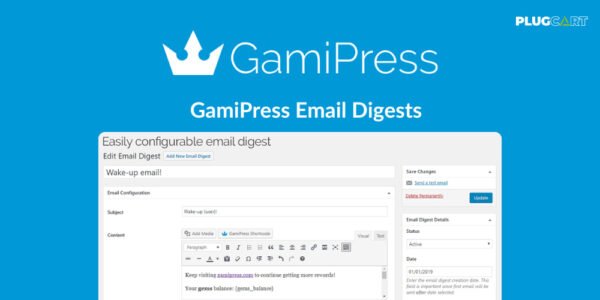
GamiPress Email Digests is a GPL-distributed plugin that allows you to send automated email digests to your users periodically. Keep your users engaged by delivering updates on points, achievements, and ranks on a daily, weekly, monthly, or yearly schedule.
With customizable content and a smart sending mechanism, Email Digests ensures high performance even for websites with large user bases.
✨ Key Features
📨 Periodic Email Digests
Send emails automatically to users on a daily, weekly, monthly, or yearly basis
Customize the exact day, month, or day of the week for sending
🔖 Customizable Content with Tags
Include user-specific information such as current points balance, last achievements, and rank
Tags available for all GamiPress types
Personalize emails for each user
⚡ Smart Sending Mechanism
Gradual email delivery prevents website overload
Ensures smooth operation for large user lists
🛠️ Easy Setup & Testing
Build email digests in minutes
Send test emails to preview content
Full record of all sent emails
✅ What We Offer
Fully automated and customizable user email digests
Multiple periodicity options for engagement
User-specific dynamic content with GamiPress tags
Smart sending mechanism for performance
Simple setup with test email and email log functionality
🎯 Conclusion
GamiPress Email Digests helps you stay connected with your users and boost engagement by sending personalized updates on achievements, points, and ranks. It’s an essential tool for gamified WordPress websites looking to enhance user retention and interaction.
Be the first to review “GamiPress Email Digests – WordPress Plugin 1.1.0” Cancel reply
How to Install
Follow these quick steps to install from a .zip file or directly from your WP dashboard.
-
1
Go to Plugins → Add New
In your WordPress dashboard, open Plugins and click Add New.
-
2
Click Upload Plugin
Press Upload Plugin → Choose File and select the downloaded
plugin-name.zip. -
3
Install & Activate
Click Install Now, then Activate. You’re done!
-
4
(Optional) Enter License / Use Shortcode
Open Plugins → Your Plugin → Settings to enter your license. Add the box on the product page with:
[plugin_info_box]
Alternative: Install from WordPress directory
Go to Plugins → Add New, search the plugin name, click Install then Activate.
Manual (FTP) method
Unzip locally → upload the folder to /wp-content/plugins/ using FTP → activate from Plugins.
-
1
Go to Appearance → Themes
Click Add New → Upload Theme.
-
2
Upload the .zip file
Select
theme-name.zip, click Install Now, then Activate. -
3
Install Required Plugins
If prompted, click Begin installing plugins and activate them.
-
4
(Optional) Import Starter Content
Use the theme’s Demo Import (if provided) to load sample pages and settings.
Manual (FTP) theme install
Unzip the theme → upload to /wp-content/themes/ → activate from Appearance → Themes.




Reviews
There are no reviews yet.