
- ✔ Verified by VirusTotal
- ✔ 100% Original Product & Virus-Free
- ✔ Lifetime Free Updates on Single Purchase
- ✔ Unlimited Website Usage
- ✔ Prices in USD (Tax Included)
🔥 Limited-Time Deal — Ends Soon!
GamiPress Leaderboards – WordPress Plugin 1.5.2
$58.00 Original price was: $58.00.$2.99Current price is: $2.99.
Instant Access
7 Day Money Back Guarantee
Online Support 24/7
Secure Payment
Description
GamiPress Leaderboards – Add Gamified Rankings to Your WordPress Site 🏆
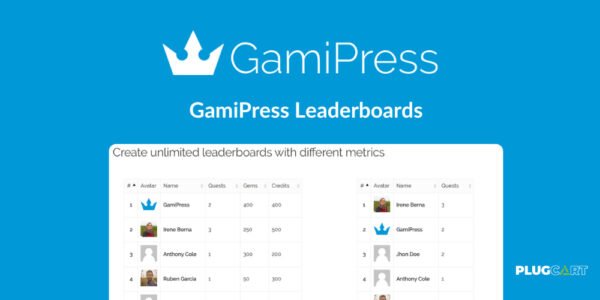
GamiPress Leaderboards is a powerful add-on that lets you create, configure, and display leaderboards on your WordPress website. Perfect for gamification, engagement, and motivating users, this plugin integrates seamlessly with GamiPress, giving you full control over how users are ranked and displayed.
With leaderboards, you can boost engagement, encourage competition, and reward achievements across your site, making it ideal for communities, learning platforms, and online contests.
Key Features of GamiPress Leaderboards ✨
Unlimited Leaderboards & Custom Metrics 🔹
Create unlimited leaderboards for any type of competition or ranking
Rank users based on points types, achievements earned, or user rank
Fully customizable metrics to suit your gamification strategy
Time-Based Filtering & Custom Periods ⏱️
Filter leaderboards by predefined periods: today, yesterday, current week/month/year
Set custom time ranges for unique campaigns or competitions
Keep rankings relevant and updated in real-time
Fully Responsive & Interactive Design 📱
Leaderboards automatically adapt to any screen size
Display options configurable for each leaderboard individually
Users can filter and sort leaderboard entries without refreshing the page
Flexible Display Options 🎨
Place leaderboards anywhere with shortcodes, blocks, or widgets
Show a user’s specific position on a leaderboard using shortcode or block
Drag and drop to reorder leaderboard columns
Performance & Customization ⚡
Lazy loading for large leaderboards to improve performance
Setup caching for leaderboard results to boost loading speed
Option to hide administrators from leaderboards
Fully extendable to match your site’s gamification goals
Why Use GamiPress Leaderboards? 🚀
GamiPress Leaderboards transforms your WordPress website into a gamified, engaging environment. Users are motivated to participate, compete, and earn rewards, which leads to:
Increased user engagement and activity
Higher retention and participation rates
A more interactive and fun community
Customizable gamification tailored to your site’s needs
Whether you run an educational platform, a community forum, or a gaming website, GamiPress Leaderboards makes it easy to showcase achievements, track progress, and reward top performers.
Be the first to review “GamiPress Leaderboards – WordPress Plugin 1.5.2” Cancel reply
How to Install
Follow these quick steps to install from a .zip file or directly from your WP dashboard.
-
1
Go to Plugins → Add New
In your WordPress dashboard, open Plugins and click Add New.
-
2
Click Upload Plugin
Press Upload Plugin → Choose File and select the downloaded
plugin-name.zip. -
3
Install & Activate
Click Install Now, then Activate. You’re done!
-
4
(Optional) Enter License / Use Shortcode
Open Plugins → Your Plugin → Settings to enter your license. Add the box on the product page with:
[plugin_info_box]
Alternative: Install from WordPress directory
Go to Plugins → Add New, search the plugin name, click Install then Activate.
Manual (FTP) method
Unzip locally → upload the folder to /wp-content/plugins/ using FTP → activate from Plugins.
-
1
Go to Appearance → Themes
Click Add New → Upload Theme.
-
2
Upload the .zip file
Select
theme-name.zip, click Install Now, then Activate. -
3
Install Required Plugins
If prompted, click Begin installing plugins and activate them.
-
4
(Optional) Import Starter Content
Use the theme’s Demo Import (if provided) to load sample pages and settings.
Manual (FTP) theme install
Unzip the theme → upload to /wp-content/themes/ → activate from Appearance → Themes.




Reviews
There are no reviews yet.