
- ✔ Verified by VirusTotal
- ✔ 100% Original Product & Virus-Free
- ✔ Lifetime Free Updates on Single Purchase
- ✔ Unlimited Website Usage
- ✔ Prices in USD (Tax Included)
🔥 Limited-Time Deal — Ends Soon!
GamiPress Progress Map 1.1.5
$58.00 Original price was: $58.00.$2.99Current price is: $2.99.
Instant Access
7 Day Money Back Guarantee
Online Support 24/7
Secure Payment
Description
GamiPress Progress 🎮 – Visualize Your Users’ Achievements
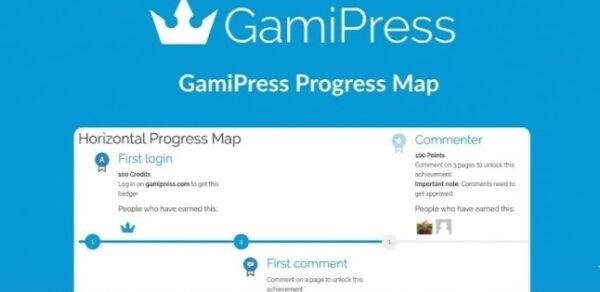
GamiPress Progress is a powerful add-on for WordPress that allows you to show your users their progression in achievements, points, and ranks. Motivate your community by letting users see exactly how close they are to earning rewards and leveling up.
Key Features of GamiPress Progress 🏆
1. Visualize Progress Easily 📊
Display the completion of achievements, steps, points, awards, or ranks
Users see their progress in real-time on the frontend
Choose between text, progress bar, radial progress bar, or images
2. Flexible Display Options 🖥️
Block: Display progress anywhere in posts or pages
Shortcode: Embed progress wherever you need
Widget: Show progression in any sidebar or widget area
3. Custom Goals & Tracking 🎯
Track progress based on custom goals, including points amount, achievements unlocked, and current rank
Motivate users to complete tasks and level up in your gamified system
4. Advanced Controls & Attributes ⚙️
Customize the look and feel of progress bars with live preview
New fields in GamiPress blocks, shortcodes, and widgets to show or hide specific progress elements
Benefits of Using GamiPress Progress 🌟
Enhanced User Engagement: Users stay motivated as they visually track progress
Boost Retention: Gamification keeps users coming back for more
Flexible Customization: Fully adjust the design and display to match your site
Seamless Integration: Works perfectly with all GamiPress elements
With GamiPress Progress, you can turn your WordPress site into a fully engaging gamification platform, showing users their journey, motivating them to participate, and rewarding them for their achievements
Be the first to review “GamiPress Progress Map 1.1.5” Cancel reply
How to Install
Follow these quick steps to install from a .zip file or directly from your WP dashboard.
-
1
Go to Plugins → Add New
In your WordPress dashboard, open Plugins and click Add New.
-
2
Click Upload Plugin
Press Upload Plugin → Choose File and select the downloaded
plugin-name.zip. -
3
Install & Activate
Click Install Now, then Activate. You’re done!
-
4
(Optional) Enter License / Use Shortcode
Open Plugins → Your Plugin → Settings to enter your license. Add the box on the product page with:
[plugin_info_box]
Alternative: Install from WordPress directory
Go to Plugins → Add New, search the plugin name, click Install then Activate.
Manual (FTP) method
Unzip locally → upload the folder to /wp-content/plugins/ using FTP → activate from Plugins.
-
1
Go to Appearance → Themes
Click Add New → Upload Theme.
-
2
Upload the .zip file
Select
theme-name.zip, click Install Now, then Activate. -
3
Install Required Plugins
If prompted, click Begin installing plugins and activate them.
-
4
(Optional) Import Starter Content
Use the theme’s Demo Import (if provided) to load sample pages and settings.
Manual (FTP) theme install
Unzip the theme → upload to /wp-content/themes/ → activate from Appearance → Themes.




Reviews
There are no reviews yet.