
- ✔ Verified by VirusTotal
- ✔ 100% Original Product & Virus-Free
- ✔ Lifetime Free Updates on Single Purchase
- ✔ Unlimited Website Usage
- ✔ Prices in USD (Tax Included)
🔥 Limited-Time Deal — Ends Soon!
Global Gallery – WordPress Responsive Gallery 9.2.5
$35.00 Original price was: $35.00.$2.99Current price is: $2.99.
Instant Access
7 Day Money Back Guarantee
Online Support 24/7
Secure Payment
Description
Global Gallery Plugin – Features Overview
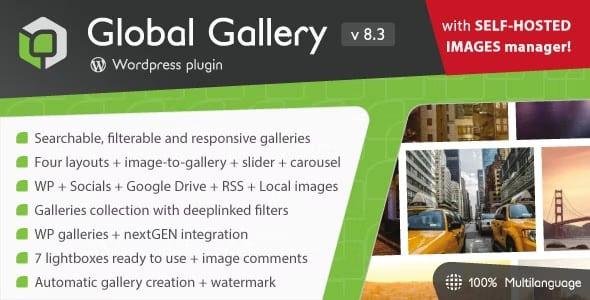
Global Gallery is a powerful WordPress plugin designed to create searchable, filterable, fully responsive, and adaptive galleries. It supports unlimited image sources, multiple gallery layouts, sliders, carousels, and lightboxes—perfect for photographers, agencies, or websites that need advanced gallery management.
Key Features
1. Unlimited Galleries
Each gallery can store thousands of images.
Automatic population and cache updates.
2. Flexible Gallery Layouts
4 Layout Options:
Standard (fixed image sizes)
Columnized
Masonry
Photostring (justified layout)
Image-to-Gallery system with 6 different layouts and multiple customization options.
3. Advanced Search & Filter
Gallery image tags filter and search system.
Automatic sorting by title, author, or date (date sorting for WordPress sources).
4. Sliders & Carousels
Responsive image sliders with lightbox support.
Image carousels with multi-column or image-centric mode and lightbox support.
5. Visual Gallery Builder
Drag & drop sorting.
Thumbnail cropping management.
SEO-friendly deeplink engine for galleries and collections.
6. Self-Hosted Image Management
Direct folder creation and file upload.
IPTC metadata read/update.
Self-hosted image sitemap support.
7. Multiple Image Sources Supported
WordPress Media Library
WordPress categories or custom post types
Flickr (sets, photostreams, tags)
Pinterest boards
Google Drive
Twitter accounts and hashtags
Real Media Library folders
nextGEN Gallery plugin galleries
Tumblr blogs
Self-hosted images
ANY RSS feed (including Facebook and Instagram via Zapier)
8. Lightboxes & Display Options
7 ready-to-use lightboxes.
Fully responsive and adaptive design for all devices.
9. Automatic Management
Auto gallery population.
Automatic cache updates.
Sorting and organization automation.
Global Gallery is ideal for creating professional, SEO-friendly, and highly customizable galleries that integrate with almost any image source, making it perfect for creative websites, portfolios, and online publications.
Be the first to review “Global Gallery – WordPress Responsive Gallery 9.2.5” Cancel reply
How to Install
Follow these quick steps to install from a .zip file or directly from your WP dashboard.
- 1
Go to Plugins → Add New
In your WordPress dashboard, open Plugins and click Add New.
- 2
Click Upload Plugin
Press Upload Plugin → Choose File and select the downloaded
plugin-name.zip. - 3
Install & Activate
Click Install Now, then Activate. You’re done!
- 4
(Optional) Enter License / Use Shortcode
Open Plugins → Your Plugin → Settings to enter your license. Add the box on the product page with:
[plugin_info_box]
Alternative: Install from WordPress directory
Go to Plugins → Add New, search the plugin name, click Install then Activate.
Manual (FTP) method
Unzip locally → upload the folder to /wp-content/plugins/ using FTP → activate from Plugins.
- 1
Go to Appearance → Themes
Click Add New → Upload Theme.
- 2
Upload the .zip file
Select
theme-name.zip, click Install Now, then Activate. - 3
Install Required Plugins
If prompted, click Begin installing plugins and activate them.
- 4
(Optional) Import Starter Content
Use the theme’s Demo Import (if provided) to load sample pages and settings.
Manual (FTP) theme install
Unzip the theme → upload to /wp-content/themes/ → activate from Appearance → Themes.




Reviews
There are no reviews yet.