
- ✔ Verified by VirusTotal
- ✔ 100% Original Product & Virus-Free
- ✔ Lifetime Free Updates on Single Purchase
- ✔ Unlimited Website Usage
- ✔ Prices in USD (Tax Included)
🔥 Limited-Time Deal — Ends Soon!
Gravity Forms Bulk Add Fields Addon – By JetSloth 1.2.3
$57.00 Original price was: $57.00.$2.99Current price is: $2.99.
Instant Access
7 Day Money Back Guarantee
Online Support 24/7
Secure Payment
Description
🚀 Gravity Forms Bulk
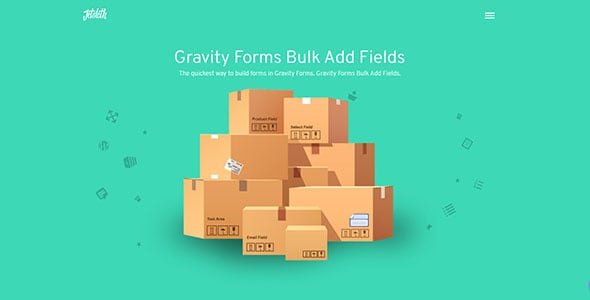
The Gravity Forms Bulk Add Fields Addon by JetSloth is the ultimate time-saver for anyone managing long or complex Gravity Forms. ⏱️
Instead of adding fields one by one, this addon lets you bulk add dozens of fields at once, customize their labels, reorder them instantly, and save valuable time — all within a few clicks.
Perfect for developers, marketers, and site owners who frequently build large forms, this tool makes form creation fast, simple, and efficient.
⚙️ Gravity Forms Bulk Add Fields GPL Features
⚡ Add Multiple Fields Instantly
Bulk create 30+ fields in seconds without repetitive clicks. Add fields to new or existing forms easily using a simple, user-friendly interface.
🧱 Supports All Field Types
Compatible with standard, advanced, and add-on fields — including Products, Quizzes, and Surveys. Add your favorite fields directly through the Quick Add modal.
🎯 Quick Label Editing
Edit all field labels before adding them. Save time by naming and organizing fields as you go — no need to edit each field later.
🔄 Drag-and-Drop Field Ordering
Reorder your fields quickly before adding them to the form. Maintain full control of your form structure with an intuitive drag-and-drop interface.
🧮 Smart Add-On Integration
The addon automatically scans your installed Gravity Forms extensions and makes compatible fields available for bulk adding — ensuring seamless workflow.
🧰 Easy Setup & Familiar Interface
Designed with the same simplicity as Gravity Forms, so you’ll feel right at home using it. No learning curve — just productivity.
💡 What We Offer
✅ GPL-licensed version — 100% clean and legal
✅ Lightning-fast form building experience
✅ Support for all Gravity Forms field types
✅ Time-saving drag-and-drop interface
✅ Easy installation and configuration
🏁 Conclusion
The Gravity Forms Bulk Add Fields Addon by JetSloth is the perfect solution for anyone who wants to build large, detailed forms without the repetitive hassle.
With just a few clicks, you can add, label, and organize multiple fields instantly — helping you save hours of work and focus on what matters most.
Be the first to review “Gravity Forms Bulk Add Fields Addon – By JetSloth 1.2.3” Cancel reply
How to Install
Follow these quick steps to install from a .zip file or directly from your WP dashboard.
-
1
Go to Plugins → Add New
In your WordPress dashboard, open Plugins and click Add New.
-
2
Click Upload Plugin
Press Upload Plugin → Choose File and select the downloaded
plugin-name.zip. -
3
Install & Activate
Click Install Now, then Activate. You’re done!
-
4
(Optional) Enter License / Use Shortcode
Open Plugins → Your Plugin → Settings to enter your license. Add the box on the product page with:
[plugin_info_box]
Alternative: Install from WordPress directory
Go to Plugins → Add New, search the plugin name, click Install then Activate.
Manual (FTP) method
Unzip locally → upload the folder to /wp-content/plugins/ using FTP → activate from Plugins.
-
1
Go to Appearance → Themes
Click Add New → Upload Theme.
-
2
Upload the .zip file
Select
theme-name.zip, click Install Now, then Activate. -
3
Install Required Plugins
If prompted, click Begin installing plugins and activate them.
-
4
(Optional) Import Starter Content
Use the theme’s Demo Import (if provided) to load sample pages and settings.
Manual (FTP) theme install
Unzip the theme → upload to /wp-content/themes/ → activate from Appearance → Themes.




Reviews
There are no reviews yet.