
- ✔ Verified by VirusTotal
- ✔ 100% Original Product & Virus-Free
- ✔ Lifetime Free Updates on Single Purchase
- ✔ Unlimited Website Usage
- ✔ Prices in USD (Tax Included)
🔥 Limited-Time Deal — Ends Soon!
Gravity Forms integration for wpDataTables 1.8
$195.00 Original price was: $195.00.$2.99Current price is: $2.99.
Instant Access
7 Day Money Back Guarantee
Online Support 24/7
Secure Payment
Description
Gravity Forms integration for wpDataTables
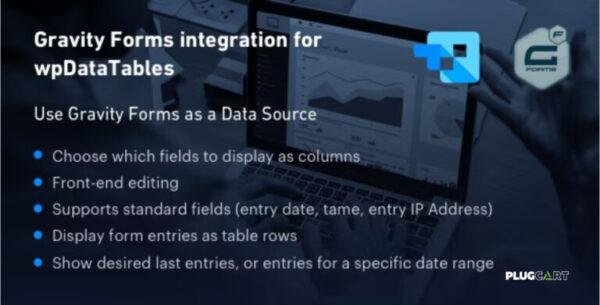
This plugin is an add-on that builds a bridge between the wpDataTables plugin which renders awesome interactive responsive tables and charts and Gravity Form’s advanced form builder. The form entries will be rendered as rows, form fields will be treated as columns.
When you activate it, you will have one more data source in the wpDataTables’ table creation wizard – Gravity Form.
Please note that only forms that do have 1 or more entries can be rendered in a table.
Gravity Forms integration for wpDataTables GPL Features:
- Choose which fields to display as columns – the table creation wizard will show all the form fields, it’s up to you to choose which ones to show in your table.
- Server-side processing – if there are a lot of entries in the form, the table may start working slowly. Using Server-side processing you can make the table Ajax-based, and load only a limited amount of rows at a time.
- Front-end editing – if you turn it on, you will be able to edit the Gravity Forms entries directly from wpDataTable (standard Gravity Form will appear in a modal).
- Display entry metadata – see in a table all the entry’s additional information – entry date and time, user, user’s IP address
- Configure the output – you can choose whether you want to display all records, only the last XX records, or, for example, only the records for the last 2 weeks – it’s fully configurable
- Toggle deleted entries – you can define whether you want to include the deleted entries as well.
- Use all of the wpDataTables power – once you create the table you can work with it as with all wpDataTables – make it responsive, add formula columns, render charts, etc.
Be the first to review “Gravity Forms integration for wpDataTables 1.8” Cancel reply
How to Install
Follow these quick steps to install from a .zip file or directly from your WP dashboard.
-
1
Go to Plugins → Add New
In your WordPress dashboard, open Plugins and click Add New.
-
2
Click Upload Plugin
Press Upload Plugin → Choose File and select the downloaded
plugin-name.zip. -
3
Install & Activate
Click Install Now, then Activate. You’re done!
-
4
(Optional) Enter License / Use Shortcode
Open Plugins → Your Plugin → Settings to enter your license. Add the box on the product page with:
[plugin_info_box]
Alternative: Install from WordPress directory
Go to Plugins → Add New, search the plugin name, click Install then Activate.
Manual (FTP) method
Unzip locally → upload the folder to /wp-content/plugins/ using FTP → activate from Plugins.
-
1
Go to Appearance → Themes
Click Add New → Upload Theme.
-
2
Upload the .zip file
Select
theme-name.zip, click Install Now, then Activate. -
3
Install Required Plugins
If prompted, click Begin installing plugins and activate them.
-
4
(Optional) Import Starter Content
Use the theme’s Demo Import (if provided) to load sample pages and settings.
Manual (FTP) theme install
Unzip the theme → upload to /wp-content/themes/ → activate from Appearance → Themes.




Reviews
There are no reviews yet.