
- ✔ Verified by VirusTotal
- ✔ 100% Original Product & Virus-Free
- ✔ Lifetime Free Updates on Single Purchase
- ✔ Unlimited Website Usage
- ✔ Prices in USD (Tax Included)
🔥 Limited-Time Deal — Ends Soon!
Gravity Forms Supercharge Add-On 1.4.2
$84.00 Original price was: $84.00.$2.99Current price is: $2.99.
Instant Access
7 Day Money Back Guarantee
Online Support 24/7
Secure Payment
Description
Gravity Forms Supercharge Add-On (GPL)
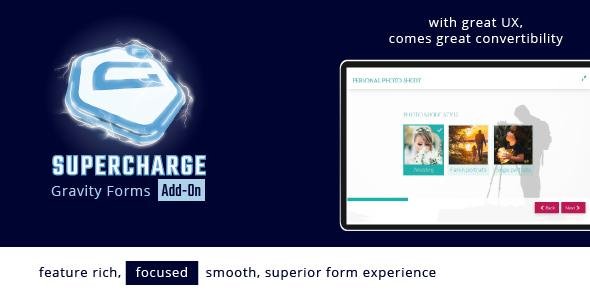
The Gravity Forms Supercharge Add-On enhances your existing Gravity Forms, turning them into highly interactive, one-field-at-a-time, conversion-optimized forms. With this add-on, you can create unique, fast-progressing forms with advanced styling and behavior options that dramatically improve user experience.
Key Features
1. Integration & Embed Options
Works with regular Gravity Forms embeds via shortcode or block.
Create unique Supercharge-only URLs for forms.
Isolate forms from conflicting theme or plugin styles.
Maximize forms to take over the page.
Open forms in popups or seamless iframes.
2. Responsive & Adaptive Design
Set different frame sizes for small, medium, or large screens.
Automatically maximize forms on specific screen sizes.
Responsive columns for field choices.
Use Island Mode for card-like container styles.
Set fields to Thin, Medium, or Wide.
3. Field Styling & Customization
Add icons, images, and GIFs to radio/checkbox choices.
Includes 2,000+ icons in 4 sets, with custom font support.
Easy font selector and finder; use custom fonts.
7×2 choice styles and 4×2 placement styles for icons.
Over 9 presets and 1-click styling theme creation.
Adaptive color presets and full custom color support.
Background images and colors for forms.
Thorough styling for field labels, descriptions, inputs, and buttons.
Live button style previewer with 10 shading options.
4. Navigation & Progression
7 layouts for form navigation, 6 layouts under fields.
Show navigation under field, on frame, or combination.
Customize navigation texts and icons.
Detached or attached submit button support.
5. Validation & Field Control
Live soft validation for required fields.
Soft validation uses Gravity Forms custom messages per field.
Animated validation for better user attention.
Automatic top bar display showing field labels while scrolling.
Control top bar visibility for sections and fields.
4 top label styles.
6. Sections & Conditional Logic
Use Sections to group fields.
Section labels can always show in the top bar.
Supports conditional fields.
Dynamically populate live merge tags using hidden fields.
7. Styling & Themes
Create and export/import styling themes.
9 prebuilt presets for quick design start.
Adaptive theme system for quick changes using color palettes.
Thorough control over inputs, field labels, buttons, and descriptions.
8. Additional Features
Splash Screen field type.
Live merge tags integration.
Control rating fields icons per field.
2,000+ icons included plus support for custom icon fonts.
Google Fonts integration with auto-adding option.
Summary:
The Gravity Forms Supercharge Add-On transforms basic forms into modern, interactive, and visually appealing conversion-focused forms. It provides one-field-at-a-time progression, advanced styling, navigation options, live validation, conditional logic, and theme management, all designed to boost user engagement and form completion rates.
Be the first to review “Gravity Forms Supercharge Add-On 1.4.2” Cancel reply
How to Install
Follow these quick steps to install from a .zip file or directly from your WP dashboard.
-
1
Go to Plugins → Add New
In your WordPress dashboard, open Plugins and click Add New.
-
2
Click Upload Plugin
Press Upload Plugin → Choose File and select the downloaded
plugin-name.zip. -
3
Install & Activate
Click Install Now, then Activate. You’re done!
-
4
(Optional) Enter License / Use Shortcode
Open Plugins → Your Plugin → Settings to enter your license. Add the box on the product page with:
[plugin_info_box]
Alternative: Install from WordPress directory
Go to Plugins → Add New, search the plugin name, click Install then Activate.
Manual (FTP) method
Unzip locally → upload the folder to /wp-content/plugins/ using FTP → activate from Plugins.
-
1
Go to Appearance → Themes
Click Add New → Upload Theme.
-
2
Upload the .zip file
Select
theme-name.zip, click Install Now, then Activate. -
3
Install Required Plugins
If prompted, click Begin installing plugins and activate them.
-
4
(Optional) Import Starter Content
Use the theme’s Demo Import (if provided) to load sample pages and settings.
Manual (FTP) theme install
Unzip the theme → upload to /wp-content/themes/ → activate from Appearance → Themes.




Reviews
There are no reviews yet.