
- ✔ Verified by VirusTotal
- ✔ 100% Original Product & Virus-Free
- ✔ Lifetime Free Updates on Single Purchase
- ✔ Unlimited Website Usage
- ✔ Prices in USD (Tax Included)
🔥 Limited-Time Deal — Ends Soon!
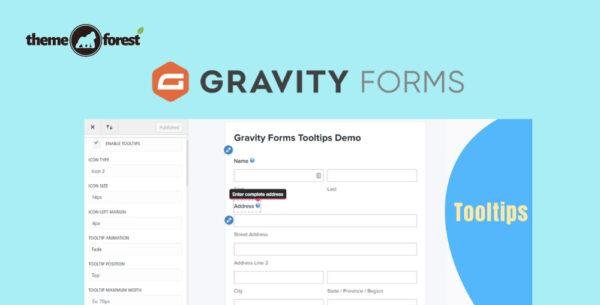
Gravity Forms Tooltips Addon – By JetSloth 1.2.10
$57.00 Original price was: $57.00.$2.99Current price is: $2.99.
Instant Access
7 Day Money Back Guarantee
Online Support 24/7
Secure Payment
Description
🛠️ Gravity Forms Tooltips Add-On – By JetSloth (Latest Version)
Enhance your Gravity Forms with beautiful, customizable tooltips that improve communication and provide additional context to users as they complete your forms. The Gravity Forms Tooltips Add-On by JetSloth makes it simple to add styled, dynamic tooltips to any form field—helping reduce confusion, improve usability, and boost conversion rates.
This is a GPL-distributed version. Clean, secure, and legally redistributed under the GPL license. No official vendor support is included.
✨ Why Use Gravity Forms Tooltips?
Forms can sometimes overwhelm users with too many fields or unclear instructions. With tooltips, you can provide inline help text right where users need it, without cluttering your form design. Simply hover over the tooltip icon to reveal guidance, explanations, or additional context.
Perfect for:
✔️ Contact forms with specific field requirements
✔️ Order and booking forms that need detailed explanations
✔️ Membership or registration forms with strict data formats
✔️ Surveys and quizzes where clarifications are needed
🎨 Key Features
✅ Easy Tooltip Integration
Add styled tooltips to any Gravity Forms field with a few clicks.
Works seamlessly with JetSloth plugins (Color Picker, Image Choices, Collapsible Sections, etc.).
✅ Advanced Customization Options
Control tooltip icon style, size, and position.
Customize font size, font color, and background color for tooltip text.
Add global settings to apply styles across all forms or override them per form.
Apply custom CSS for full design flexibility.
✅ Seamless User Experience
Tooltips appear only when needed, keeping forms clean and minimal.
Improve clarity without cluttering field labels or descriptions.
Provide helpful hints to increase form completion rates.
⚡ Benefits of Using Tooltips in Forms
Reduce user confusion with inline help.
Prevent form abandonment by offering real-time guidance.
Increase accuracy of user input (fewer invalid entries).
Enhance overall user experience and accessibility.
🔧 Technical Details
Plugin Name: Gravity Forms Tooltips Add-On (by JetSloth)
Version: Latest Release
License: GPL (clean, secure, and legally redistributed)
Support: No official vendor support included
📦 What You Get
Professional tooltips integration for Gravity Forms
Global + form-specific customization
Compatibility with all JetSloth Gravity Forms add-ons
Lightweight and optimized for speed
Be the first to review “Gravity Forms Tooltips Addon – By JetSloth 1.2.10” Cancel reply
How to Install
Follow these quick steps to install from a .zip file or directly from your WP dashboard.
-
1
Go to Plugins → Add New
In your WordPress dashboard, open Plugins and click Add New.
-
2
Click Upload Plugin
Press Upload Plugin → Choose File and select the downloaded
plugin-name.zip. -
3
Install & Activate
Click Install Now, then Activate. You’re done!
-
4
(Optional) Enter License / Use Shortcode
Open Plugins → Your Plugin → Settings to enter your license. Add the box on the product page with:
[plugin_info_box]
Alternative: Install from WordPress directory
Go to Plugins → Add New, search the plugin name, click Install then Activate.
Manual (FTP) method
Unzip locally → upload the folder to /wp-content/plugins/ using FTP → activate from Plugins.
-
1
Go to Appearance → Themes
Click Add New → Upload Theme.
-
2
Upload the .zip file
Select
theme-name.zip, click Install Now, then Activate. -
3
Install Required Plugins
If prompted, click Begin installing plugins and activate them.
-
4
(Optional) Import Starter Content
Use the theme’s Demo Import (if provided) to load sample pages and settings.
Manual (FTP) theme install
Unzip the theme → upload to /wp-content/themes/ → activate from Appearance → Themes.

Reviews
There are no reviews yet.