
- ✔ Verified by VirusTotal
- ✔ 100% Original Product & Virus-Free
- ✔ Lifetime Free Updates on Single Purchase
- ✔ Unlimited Website Usage
- ✔ Prices in USD (Tax Included)
🔥 Limited-Time Deal — Ends Soon!
GravityView GravityExport 2.6.0
$71.00 Original price was: $71.00.$2.99Current price is: $2.99.
Instant Access
7 Day Money Back Guarantee
Online Support 24/7
Secure Payment
Description
📊 GravityView GravityExport – Latest Version
This is a GPL-distributed version. No official support. Clean, secure, and legally redistributed under the GPL license.
🌟 Introduction
GravityView GravityExport makes data sharing, analysis, and reporting effortless. With this addon, you can export Gravity Forms data to Excel, CSV, or PDF using a secure, shareable download link. Forget about logging in or granting admin access — simply configure a report and share it instantly.
Whether you need automated exports, secure storage, or professional client reporting, GravityExport is your all-in-one solution.
⚡ Key Features of GravityExport
🔗 Secure Shareable Links – Export Gravity Forms data without login access.
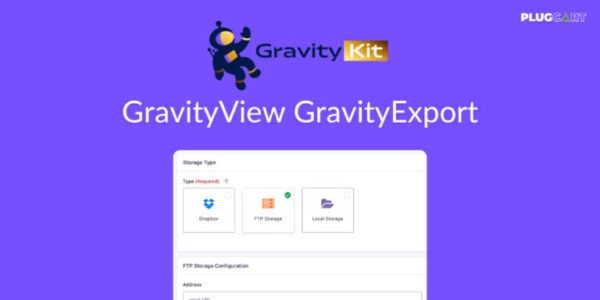
📥 Automatic Exports – Send reports to Dropbox, FTP, or local storage.
🔒 Safe & Secure – Data is transferred securely with no risk of leaks.
📊 Conditional Logic Filters – Build powerful, custom reports with ease.
📝 Export Formats – Export directly to Excel (.xlsx), CSV, or PDF.
🖌️ Customizable Output – Add styles, split values into rows, or modify templates.
🛠️ Hooks & Actions – Extend and override export functions as needed.
🚀 Quick Setup – Intuitive interface for creating and sharing reports in minutes.
💡 Why Choose GravityExport?
✅ No extra plugins needed – All-in-one reporting solution.
✅ Save time – Skip data conversion, export in the right format instantly.
✅ Impress clients – Provide professional, dynamic reports on demand.
✅ Team-friendly – Share private and public reports with different users.
✅ Automated workflows – Reports update automatically as new entries come in.
🎯 Use Cases
📈 Agencies – Share detailed form submissions with clients in real time.
🛒 E-commerce – Track order form submissions with auto-updating exports.
🏫 Education – Export student applications, surveys, or feedback securely.
🏢 Enterprises – Generate PDF reports for internal audits and compliance.
✅ Conclusion
The GravityView GravityExport addon transforms the way you handle Gravity Forms data. From secure sharing to automated exports and customizable reporting, it’s the perfect tool to save time, enhance professionalism, and streamline data workflows.
Be the first to review “GravityView GravityExport 2.6.0” Cancel reply
How to Install
Follow these quick steps to install from a .zip file or directly from your WP dashboard.
-
1
Go to Plugins → Add New
In your WordPress dashboard, open Plugins and click Add New.
-
2
Click Upload Plugin
Press Upload Plugin → Choose File and select the downloaded
plugin-name.zip. -
3
Install & Activate
Click Install Now, then Activate. You’re done!
-
4
(Optional) Enter License / Use Shortcode
Open Plugins → Your Plugin → Settings to enter your license. Add the box on the product page with:
[plugin_info_box]
Alternative: Install from WordPress directory
Go to Plugins → Add New, search the plugin name, click Install then Activate.
Manual (FTP) method
Unzip locally → upload the folder to /wp-content/plugins/ using FTP → activate from Plugins.
-
1
Go to Appearance → Themes
Click Add New → Upload Theme.
-
2
Upload the .zip file
Select
theme-name.zip, click Install Now, then Activate. -
3
Install Required Plugins
If prompted, click Begin installing plugins and activate them.
-
4
(Optional) Import Starter Content
Use the theme’s Demo Import (if provided) to load sample pages and settings.
Manual (FTP) theme install
Unzip the theme → upload to /wp-content/themes/ → activate from Appearance → Themes.




Reviews
There are no reviews yet.