
- ✔ Verified by VirusTotal
- ✔ 100% Original Product & Virus-Free
- ✔ Lifetime Free Updates on Single Purchase
- ✔ Unlimited Website Usage
- ✔ Prices in USD (Tax Included)
🔥 Limited-Time Deal — Ends Soon!
Hide My WP – Amazing Security Plugin for WordPress! 8.2.13
$57.00 Original price was: $57.00.$2.99Current price is: $2.99.
Instant Access
7 Day Money Back Guarantee
Online Support 24/7
Secure Payment
Description
Hide My WP – Amazing Security Plugin GPL Version
This is a GPL-distributed version of Hide My WP, 100% clean, secure, and legally redistributed under the GPL license. Please note: this package does not include official developer support.
🌟 Overview
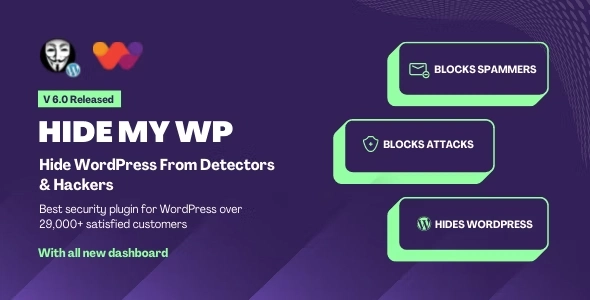
Hide My WP is the number one WordPress security plugin trusted by over 26,000 users worldwide. It protects your site from attackers, spammers, and theme detectors by hiding your WordPress core files, admin URLs, and login pages. With advanced protection against XSS, SQL Injection, and other common security threats, Hide My WP makes your website invisible to hackers while keeping it fully functional.
Join more than 23,000 satisfied customers with the Hide My WP Premium GPL Latest Version and secure your WordPress like a pro.
🚀 Key Features of Hide My WP
🛡 Core WordPress Protection
Hide wp-login.php and wp-admin URL
Rename theme and plugin directories
Minify theme files and remove WordPress meta info
Change upload URL, AJAX URL, and wp-includes folder
🔒 Advanced Security & Threat Prevention
Block XSS, SQL Injection, and other attacks
Hide or disable feeds, author permalinks, categories, and tags
Disable archives, pages, posts, and default WordPress queries
🌍 Customization & Stealth Features
Replace words in HTML output
Compress HTML and remove source code comments
Custom 404 pages and cleaned body/menu classes
Change default WordPress email sender
📊 Monitoring & Alerts
Notify when someone is exploring your site
Capture visitor details: IP, user agent, referrer, username
Keep your WordPress completely invisible to untrusted users
💡 Why Choose Hide My WP?
Protect your WordPress site from hackers and bots
Keep your site invisible while fully functional
Ideal for agencies, developers, and serious site owners
Avoid the risks of nulled or duplicate versions
📌 Use Cases
🛒 E-Commerce Stores – Protect WooCommerce and checkout pages
🏨 Business & Membership Sites – Hide admin and login URLs
📈 Blogs & Portfolios – Secure themes, plugins, and core files
🎓 Educational Platforms – Keep student portals and submissions safe
🎯 Conclusion
With Hide My WP Amazing Security Plugin (GPL), your WordPress website becomes invisible, secure, and protected. From advanced threat detection to URL hiding and HTML output control, Hide My WP gives you complete stealth and peace of mind.
Be the first to review “Hide My WP – Amazing Security Plugin for WordPress! 8.2.13” Cancel reply
How to Install
Follow these quick steps to install from a .zip file or directly from your WP dashboard.
-
1
Go to Plugins → Add New
In your WordPress dashboard, open Plugins and click Add New.
-
2
Click Upload Plugin
Press Upload Plugin → Choose File and select the downloaded
plugin-name.zip. -
3
Install & Activate
Click Install Now, then Activate. You’re done!
-
4
(Optional) Enter License / Use Shortcode
Open Plugins → Your Plugin → Settings to enter your license. Add the box on the product page with:
[plugin_info_box]
Alternative: Install from WordPress directory
Go to Plugins → Add New, search the plugin name, click Install then Activate.
Manual (FTP) method
Unzip locally → upload the folder to /wp-content/plugins/ using FTP → activate from Plugins.
-
1
Go to Appearance → Themes
Click Add New → Upload Theme.
-
2
Upload the .zip file
Select
theme-name.zip, click Install Now, then Activate. -
3
Install Required Plugins
If prompted, click Begin installing plugins and activate them.
-
4
(Optional) Import Starter Content
Use the theme’s Demo Import (if provided) to load sample pages and settings.
Manual (FTP) theme install
Unzip the theme → upload to /wp-content/themes/ → activate from Appearance → Themes.


Reviews
There are no reviews yet.