
- ✔ Verified by VirusTotal
- ✔ 100% Original Product & Virus-Free
- ✔ Lifetime Free Updates on Single Purchase
- ✔ Unlimited Website Usage
- ✔ Prices in USD (Tax Included)
🔥 Limited-Time Deal — Ends Soon!
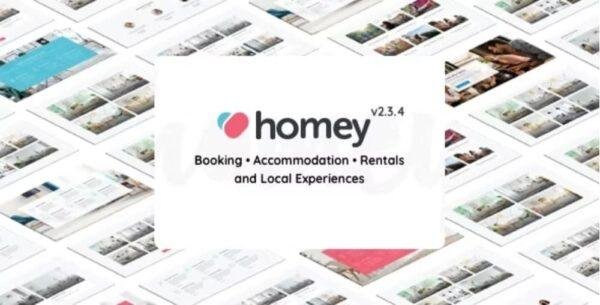
Homey Theme – Booking and Rentals WordPress Theme 2.4.5
$69.00 Original price was: $69.00.$2.99Current price is: $2.99.
Instant Access
7 Day Money Back Guarantee
Online Support 24/7
Secure Payment
Description
🏠 Homey Theme – Booking & Rentals WordPress Theme (GPL Version)
💡 Overview
Homey Theme is a powerful and user-friendly Booking and Rentals WordPress Theme designed for managing residential and commercial rental businesses online. Distributed under the GPL license, it’s 100% clean, secure, and fully functional — giving you all premium features without official support.
With its modern design, drag-and-drop builder, and advanced booking system, Homey offers an unmatched experience for both property owners and guests. It supports multi-language setups via the Weglot plugin, making it ideal for global rental platforms.
⚙️ Key Features
🧩 Drag-and-Drop Builder for easy customization
📱 Responsive & Mobile-Friendly layout
🏘️ Front-End Property Submission system
💰 Advanced Pricing Options – nightly, weekly, monthly & hourly rates
🗓️ Booking Management System with instant booking & calendar sync
💬 Built-In Messaging System between hosts & guests
🔎 Advanced Search Filters with custom fields
💵 Multi-Currency Support for global users
💳 Integrated Payments via PayPal, Stripe & WooCommerce
🧾 Invoices, Fees, and Tax Management
📅 iCal Synchronization for seamless booking updates
✉️ Automated Email Notifications for users
🌐 Weglot Integration for multilingual support
⭐ User Profiles & Roles for hosts, guests, and admins
🎯 What We Offer
We provide the Homey Theme GPL Version, identical to the original premium version sold by the developer. It’s secure, malware-free, and can be used on unlimited domains. You get complete control to build your own Airbnb-style rental platform or booking business without any restrictions.
🏁 Conclusion
The Homey WordPress Theme is the ultimate choice for creating a professional rental or booking website. Whether you manage vacation homes, offices, apartments, or commercial properties, Homey gives you the tools to automate bookings, handle payments, and offer a seamless user experience — all with full flexibility under the GPL license.
Be the first to review “Homey Theme – Booking and Rentals WordPress Theme 2.4.5” Cancel reply
How to Install
Follow these quick steps to install from a .zip file or directly from your WP dashboard.
- 1
Go to Plugins → Add New
In your WordPress dashboard, open Plugins and click Add New.
- 2
Click Upload Plugin
Press Upload Plugin → Choose File and select the downloaded
plugin-name.zip. - 3
Install & Activate
Click Install Now, then Activate. You’re done!
- 4
(Optional) Enter License / Use Shortcode
Open Plugins → Your Plugin → Settings to enter your license. Add the box on the product page with:
[plugin_info_box]
Alternative: Install from WordPress directory
Go to Plugins → Add New, search the plugin name, click Install then Activate.
Manual (FTP) method
Unzip locally → upload the folder to /wp-content/plugins/ using FTP → activate from Plugins.
- 1
Go to Appearance → Themes
Click Add New → Upload Theme.
- 2
Upload the .zip file
Select
theme-name.zip, click Install Now, then Activate. - 3
Install Required Plugins
If prompted, click Begin installing plugins and activate them.
- 4
(Optional) Import Starter Content
Use the theme’s Demo Import (if provided) to load sample pages and settings.
Manual (FTP) theme install
Unzip the theme → upload to /wp-content/themes/ → activate from Appearance → Themes.




Reviews
There are no reviews yet.