
- ✔ Verified by VirusTotal
- ✔ 100% Original Product & Virus-Free
- ✔ Lifetime Free Updates on Single Purchase
- ✔ Unlimited Website Usage
- ✔ Prices in USD (Tax Included)
🔥 Limited-Time Deal — Ends Soon!
Hotel Booking Theme | Resort | Hotel | Accommodation Theme 2.9
$54.00 Original price was: $54.00.$2.99Current price is: $2.99.
Instant Access
7 Day Money Back Guarantee
Online Support 24/7
Secure Payment
Description
🏨 Hotel Booking WordPress Theme – Travel & Accommodation Solution
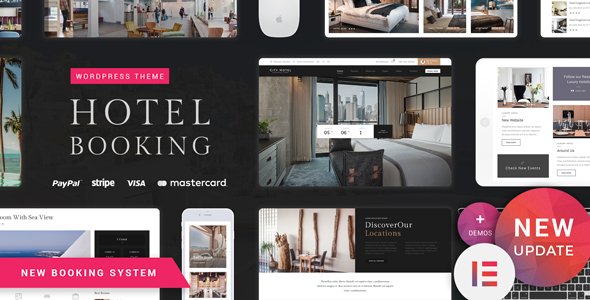
Hotel Booking is a clean, modern, and feature-rich Hotel WordPress Theme designed for hotels, resorts, chalets, B&Bs, vacation rentals, and all tourism-related businesses. With a powerful online booking system, dedicated room pages, and advanced search filters, it’s the perfect solution for showcasing accommodations and managing reservations with ease.
✨ Why Choose Hotel Booking?
🛎️ All-in-one hotel solution – manage rooms, bookings & payments.
📱 Fully responsive & mobile-ready for seamless guest experience.
🎨 Built with Elementor Page Builder + custom widgets.
🛒 WooCommerce integration to manage reservations & payments.
📅 Booking & reservation plugin included with addons for free.
🌍 WPML compatible for multilingual hotel websites.
⚡ Regular updates & SEO-optimized for higher visibility.
🛠 Hotel Booking Theme Features
🏡 Accommodation & Booking System
Single room pages with descriptions, galleries & services list.
Multi-step reservation module for a smooth booking process.
PayPal & multiple payment gateways.
Guest accounts with booking history.
Custom booking plugin with free addons.
Calendar-based booking with availability management.
Developer mode for safe testing.
🎨 Design & Layout
Multiple hotel demos & layouts.
One-click demo importer.
Elementor page builder + custom widgets.
Revolution Slider included (free).
Smooth transitions & custom Google Maps design.
Custom headers, footers & sidebars.
📦 Additional Features
WooCommerce-ready for online payments.
Events Calendar integration for hotel activities.
Contact Form 7 support.
SEO-friendly & optimized code.
Cross-browser compatibility.
Translation-ready & WPML support.
Regular updates & detailed documentation.
🎯 Perfect For:
Luxury Hotels & Resorts 🏖️
Bed & Breakfast (B&B) 🛏️
Hostels & Motels 🏕️
Chalets & Vacation Rentals 🏡
Apartments & Holiday Homes 🏢
Travel & Tourism Agencies ✈️
⚡ With Hotel Booking WordPress Theme, you get a complete hotel management system — online reservations, room management, custom booking options, WooCommerce integration, and flexible design tools. Whether you’re running a luxury resort or a small B&B, this theme makes building a professional hospitality website easy and effective.
Be the first to review “Hotel Booking Theme | Resort | Hotel | Accommodation Theme 2.9” Cancel reply
How to Install
Follow these quick steps to install from a .zip file or directly from your WP dashboard.
-
1
Go to Plugins → Add New
In your WordPress dashboard, open Plugins and click Add New.
-
2
Click Upload Plugin
Press Upload Plugin → Choose File and select the downloaded
plugin-name.zip. -
3
Install & Activate
Click Install Now, then Activate. You’re done!
-
4
(Optional) Enter License / Use Shortcode
Open Plugins → Your Plugin → Settings to enter your license. Add the box on the product page with:
[plugin_info_box]
Alternative: Install from WordPress directory
Go to Plugins → Add New, search the plugin name, click Install then Activate.
Manual (FTP) method
Unzip locally → upload the folder to /wp-content/plugins/ using FTP → activate from Plugins.
-
1
Go to Appearance → Themes
Click Add New → Upload Theme.
-
2
Upload the .zip file
Select
theme-name.zip, click Install Now, then Activate. -
3
Install Required Plugins
If prompted, click Begin installing plugins and activate them.
-
4
(Optional) Import Starter Content
Use the theme’s Demo Import (if provided) to load sample pages and settings.
Manual (FTP) theme install
Unzip the theme → upload to /wp-content/themes/ → activate from Appearance → Themes.




Reviews
There are no reviews yet.