
- ✔ Verified by VirusTotal
- ✔ 100% Original Product & Virus-Free
- ✔ Lifetime Free Updates on Single Purchase
- ✔ Unlimited Website Usage
- ✔ Prices in USD (Tax Included)
🔥 Limited-Time Deal — Ends Soon!
Hotel Master Booking WordPress 4.2.2
$62.00 Original price was: $62.00.$2.99Current price is: $2.99.
Instant Access
7 Day Money Back Guarantee
Online Support 24/7
Secure Payment
Description
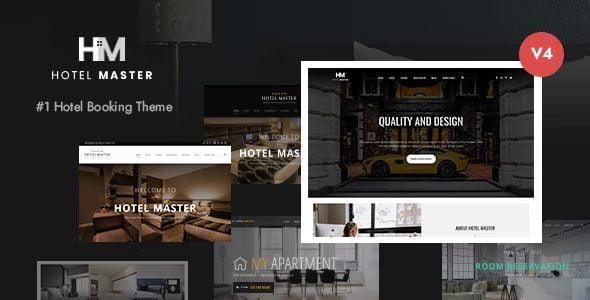
Hotel Master Theme
Is a premium Hotel & Resort Booking WordPress Theme designed for hotels, hostels, resorts, apartments, BnBs, and vacation rentals. With its powerful room reservation system, Hotel Master makes it easy for guests to check availability, browse rooms, apply filters, and book online — all with a smooth AJAX-based process that requires no page refresh.
Packed with professional booking features, Hotel Master is perfect for hospitality businesses that want a fast, user-friendly, and secure booking system. Guests can modify their selections during the booking process, and site owners can easily manage reservations, create discounts, and offer coupon codes for promotions.
✨ Why Choose Hotel Master Theme?
🛏️ Advanced Booking System – Guests can browse rooms, adjust parameters, and re-select rooms without reloading pages.
🎟️ Coupon & Discount Management – Built-in coupon post type with options for % discounts, fixed amounts, and expiration dates.
🏘️ Multi-Purpose for Hospitality – Suitable for hotels, resorts, hostels, BnBs, and apartments.
📅 iCal Sync – Sync bookings with external platforms like Airbnb, VRBO, and HomeAway (for single-room setups).
📌 Booking Management Flexibility – Block specific dates, set mandatory additional services, and apply special discounts for consecutive nights.
🖥️ 5 Prebuilt Demos – Classic, Apartment, Modern, Dark, and Hostel.
🛒 WooCommerce Compatible – Accept secure online payments.
📱 Responsive & Retina Ready – Optimized for desktop, tablet, and mobile.
🌍 SEO & Translation Ready – WPML support for multilingual hotel websites.
🏆 Hotel Master Key Features
AJAX Room Booking System ⚡
Coupon System with Advanced Options 🎟️
5 Ready-to-Use Demos 🚀
Consecutive Nights Discount 🛌
Block Rooms on Specific Dates 📅
Redesigned Transaction Page for Admins 🧾
Apartment & BnB Demo Templates 🏘️
WooCommerce Integration 🛒
Responsive & Modern Design 📱
iCal Sync with Airbnb/VRBO/HomeAway 🌍
One-Click Demo Import 🖱️
Customizable Booking Bar & Room Details 🎨
Regular Updates + Lifetime GPL Version 🔄
🚀 Who Can Use Hotel Master?
Hotels & Resorts 🏨
Hostels & Lodges 🛏️
BnB & Guest Houses 🏘️
Apartments & Vacation Rentals 🏡
Hospitality Agencies 🌍
With Hotel Master Theme, you can transform your hospitality business into a seamless online booking platform, making it easier for guests to reserve rooms and boosting your direct bookings.
🔑 SEO Keywords
Hotel Master Theme, Hotel Booking WordPress Theme, Hostel WordPress Theme, Resort WordPress Theme, Apartment Booking WordPress Theme, BnB WordPress Template, Vacation Rental WordPress Theme, WooCommerce Hotel Booking Theme, iCal Sync Hotel Theme
Be the first to review “Hotel Master Booking WordPress 4.2.2” Cancel reply
How to Install
Follow these quick steps to install from a .zip file or directly from your WP dashboard.
-
1
Go to Plugins → Add New
In your WordPress dashboard, open Plugins and click Add New.
-
2
Click Upload Plugin
Press Upload Plugin → Choose File and select the downloaded
plugin-name.zip. -
3
Install & Activate
Click Install Now, then Activate. You’re done!
-
4
(Optional) Enter License / Use Shortcode
Open Plugins → Your Plugin → Settings to enter your license. Add the box on the product page with:
[plugin_info_box]
Alternative: Install from WordPress directory
Go to Plugins → Add New, search the plugin name, click Install then Activate.
Manual (FTP) method
Unzip locally → upload the folder to /wp-content/plugins/ using FTP → activate from Plugins.
-
1
Go to Appearance → Themes
Click Add New → Upload Theme.
-
2
Upload the .zip file
Select
theme-name.zip, click Install Now, then Activate. -
3
Install Required Plugins
If prompted, click Begin installing plugins and activate them.
-
4
(Optional) Import Starter Content
Use the theme’s Demo Import (if provided) to load sample pages and settings.
Manual (FTP) theme install
Unzip the theme → upload to /wp-content/themes/ → activate from Appearance → Themes.




Reviews
There are no reviews yet.