
- ✔ Verified by VirusTotal
- ✔ 100% Original Product & Virus-Free
- ✔ Lifetime Free Updates on Single Purchase
- ✔ Unlimited Website Usage
- ✔ Prices in USD (Tax Included)
🔥 Limited-Time Deal — Ends Soon!
Hotel Theme Zante Hotel Booking WordPress Theme 1.3.5.4
$59.00 Original price was: $59.00.$2.99Current price is: $2.99.
Instant Access
7 Day Money Back Guarantee
Online Support 24/7
Secure Payment
Description
Hotel Theme
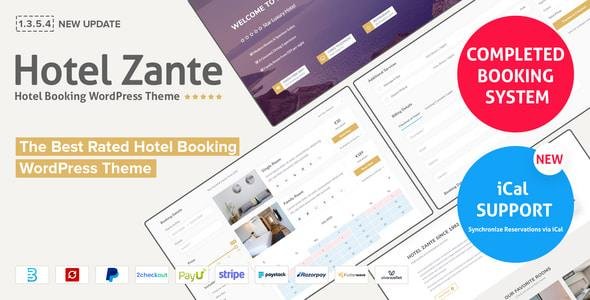
Hotel Zante Theme is a stylish and modern Hotel & Accommodation WordPress Theme crafted for hotels, resorts, hostels, apartments, and vacation rentals. Powered by Eagle Booking system, Zante offers a seamless online booking and reservation experience that makes it easy for guests to check availability, book rooms, and manage their stays.
Built with the Bootstrap framework and featuring a 100% responsive design, Hotel Zante ensures that your website looks flawless on desktops, tablets, and mobiles. With 4 homepage variations, Visual Composer ($46), Revolution Slider ($26), and powerful theme options, you can easily customize your site without coding knowledge.
✨ Hotel Theme Why Choose Hotel Zante Theme?
🛏️ Flexible Booking System – Set minimum/maximum stays, seasonal pricing, special offers, and block dates for events.
🖥️ 4 Homepage Layouts – Unique, light, and modern designs to match your hotel’s brand.
📅 Room Reservation Made Easy – Guests can choose check-in/check-out dates with 3 checkout options.
🎨 Unlimited Customization – Unlimited colors, custom widgets, isotope gallery filters, and more.
📱 Responsive & Retina Ready – Optimized for all devices.
🌍 Multilingual & Translation Ready – Compatible with WPML, Loco Translate, and Polylang.
⚡ SEO & Performance Optimized – Clean code with HTML5 & CSS3 standards.
💌 MailChimp Integration – Build newsletters and guest engagement campaigns.
🏆 Hotel Theme Hotel Zante Theme Features
Eagle Booking System for hotels & resorts 🛎️
Visual Composer Page Builder ($46 value) 🖱️
Revolution Slider ($26 value) 🎞️
4+ Custom Widgets & Multiple Shortcodes 🧩
Unlimited Colors & Advanced Theme Options 🎨
Wide & Boxed Layout Options 📐
Translation Ready (.pot included) 🌍
W3C Valid HTML5 & CSS3 Standards ✅
Cross-Browser Compatible 🌐
Google Fonts + Font Awesome Icons 🔤
Isotope Filter & Sortable Gallery 📸
Clear Documentation + Easy Setup 🚀
🚀 Who Can Use Hotel Zante?
Luxury Hotels & Resorts 🏨
Hostels & Guest Houses 🛏️
Vacation Rentals & Apartments 🏘️
Bed & Breakfast (BnB) Owners 🍳
Holiday Homes & Lodges 🌴
With Hotel Zante Theme, you can build a modern, elegant, and conversion-focused hotel booking website that provides guests with an effortless reservation experience while boosting your direct bookings.
🔑 SEO Keywords
Hotel Zante Theme, Hotel WordPress Theme, Resort WordPress Theme, Hostel WordPress Theme, Apartment Booking WordPress Theme, Vacation Rental WordPress Theme, Eagle Booking WordPress Theme, WooCommerce Hotel Theme, Booking System WordPress Theme
Be the first to review “Hotel Theme Zante Hotel Booking WordPress Theme 1.3.5.4” Cancel reply
How to Install
Follow these quick steps to install from a .zip file or directly from your WP dashboard.
- 1
Go to Plugins → Add New
In your WordPress dashboard, open Plugins and click Add New.
- 2
Click Upload Plugin
Press Upload Plugin → Choose File and select the downloaded
plugin-name.zip. - 3
Install & Activate
Click Install Now, then Activate. You’re done!
- 4
(Optional) Enter License / Use Shortcode
Open Plugins → Your Plugin → Settings to enter your license. Add the box on the product page with:
[plugin_info_box]
Alternative: Install from WordPress directory
Go to Plugins → Add New, search the plugin name, click Install then Activate.
Manual (FTP) method
Unzip locally → upload the folder to /wp-content/plugins/ using FTP → activate from Plugins.
- 1
Go to Appearance → Themes
Click Add New → Upload Theme.
- 2
Upload the .zip file
Select
theme-name.zip, click Install Now, then Activate. - 3
Install Required Plugins
If prompted, click Begin installing plugins and activate them.
- 4
(Optional) Import Starter Content
Use the theme’s Demo Import (if provided) to load sample pages and settings.
Manual (FTP) theme install
Unzip the theme → upload to /wp-content/themes/ → activate from Appearance → Themes.




Reviews
There are no reviews yet.