
- ✔ Verified by VirusTotal
- ✔ 100% Original Product & Virus-Free
- ✔ Lifetime Free Updates on Single Purchase
- ✔ Unlimited Website Usage
- ✔ Prices in USD (Tax Included)
🔥 Limited-Time Deal — Ends Soon!
If-So Dynamic Content WordPress Plugin 1.9.4
$57.00 Original price was: $57.00.$2.99Current price is: $2.99.
Instant Access
7 Day Money Back Guarantee
Online Support 24/7
Secure Payment
Description
If-So Dynamic 🌟 – Dynamic Content for WordPress to Boost Engagement & Conversions
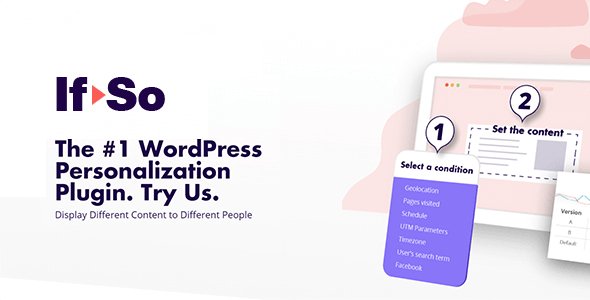
If-So is a simple yet powerful WordPress plugin that allows you to personalize your website content based on visitor behavior, profile, or interactions. By showing the right message to the right visitor at the right time, If-So helps you increase engagement, reduce bounce rates, and boost conversions.
People are not the same, so why show them the same content? With If-So, you can create a dynamic and personalized experience for each visitor without writing a single line of code.
🎯 If-So Dynamic Why Users Love If-So
1️⃣ Set Dynamic Content in Minutes ⏱️
Add or replace content quickly using an intuitive interface.
No coding skills are required—perfect for marketers, designers, and site owners.
2️⃣If-So Dynamic Minimal Page Load Delay ⚡
Personalized content loads seamlessly without slowing down your website.
Maintain a smooth user experience while delivering dynamic content.
3️⃣ Engage Visitors with Targeted Messages 🎯
Grab attention with short messages in the visitor’s language.
First impressions count: a native-language message can reduce bounce rate significantly.
🛠️ If-So Dynamic Key Features of If-So
Visitor-Based Personalization 👥
New vs Returning Visitors – Show different content based on visitor history.
Logged-in users – Personalize content for registered users.
Geolocation & Language 🌍
Detect visitor location and serve tailored messages.
Show content in the visitor’s browser language for better engagement.
Campaign Tracking & Marketing Integration 📈
Trigger dynamic content using UTM parameters, Google Ads, referrer, or advertising platforms.
Integrate with marketing campaigns to boost conversions.
Device & Interaction Targeting 📱💻
Display content based on device type (desktop, tablet, mobile).
Show messages based on pages visited or page URL.
Scheduling & Control 🗓️
Start and End Date for content visibility.
Schedule dynamic content for campaigns, promotions, or seasonal messages.
A/B Testing & Optimization ⚖️
Run A/B tests for different versions of content to see what converts best.
Optimize messages based on visitor engagement and behavior.
Dynamic Links & Call-to-Actions 🔗
Create dynamic links that adapt based on visitor type or campaign.
Increase clicks, conversions, and overall engagement.
💡 Why Use If-So
Personalized content increases visitor engagement and sales.
Reduce bounce rate by showing relevant messages in the visitor’s language.
Easy to use for marketers and developers with zero coding.
Optimize campaigns using UTM parameters, A/B testing, and dynamic targeting.
Flexible targeting for geolocation, device, referrer, logged-in status, and more.
Conclusion 🌟
If-So is the ultimate WordPress solution for dynamic content personalization. By targeting visitors based on behavior, geolocation, device, campaign parameters, or return visits, you can create a unique user experience that converts better.
Transform your WordPress website into a personalized, engaging, and high-converting platform with If-So – Dynamic Content for WordPress.
Be the first to review “If-So Dynamic Content WordPress Plugin 1.9.4” Cancel reply
How to Install
Follow these quick steps to install from a .zip file or directly from your WP dashboard.
-
1
Go to Plugins → Add New
In your WordPress dashboard, open Plugins and click Add New.
-
2
Click Upload Plugin
Press Upload Plugin → Choose File and select the downloaded
plugin-name.zip. -
3
Install & Activate
Click Install Now, then Activate. You’re done!
-
4
(Optional) Enter License / Use Shortcode
Open Plugins → Your Plugin → Settings to enter your license. Add the box on the product page with:
[plugin_info_box]
Alternative: Install from WordPress directory
Go to Plugins → Add New, search the plugin name, click Install then Activate.
Manual (FTP) method
Unzip locally → upload the folder to /wp-content/plugins/ using FTP → activate from Plugins.
-
1
Go to Appearance → Themes
Click Add New → Upload Theme.
-
2
Upload the .zip file
Select
theme-name.zip, click Install Now, then Activate. -
3
Install Required Plugins
If prompted, click Begin installing plugins and activate them.
-
4
(Optional) Import Starter Content
Use the theme’s Demo Import (if provided) to load sample pages and settings.
Manual (FTP) theme install
Unzip the theme → upload to /wp-content/themes/ → activate from Appearance → Themes.




Reviews
There are no reviews yet.