
- ✔ Verified by VirusTotal
- ✔ 100% Original Product & Virus-Free
- ✔ Lifetime Free Updates on Single Purchase
- ✔ Unlimited Website Usage
- ✔ Prices in USD (Tax Included)
🔥 Limited-Time Deal — Ends Soon!
Independent Analytics Pro 2.12.2
$58.00 Original price was: $58.00.$2.99Current price is: $2.99.
Instant Access
7 Day Money Back Guarantee
Online Support 24/7
Secure Payment
Description
📊 Independent Analytics Pro – Latest Version (GPL License)
This is a GPL-distributed version. No official support included. 100% clean, secure, and legally redistributed under the GPL license.
🚀 It’s Time to Ditch the Old Analytics
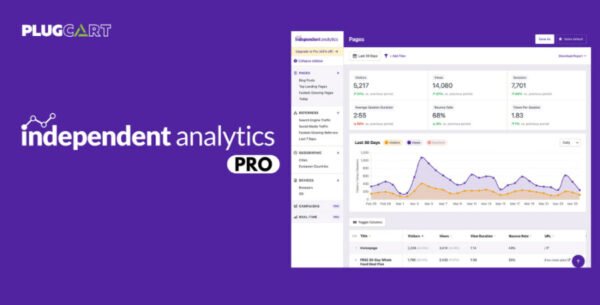
Independent Analytics Pro is a modern, privacy-friendly analytics plugin for WordPress that gives you clear, actionable insights — right inside your dashboard.
Unlike traditional tracking tools, it doesn’t rely on external scripts or cookies, ensuring faster performance and full GDPR compliance out of the box.
Whether you run a blog, eCommerce site, or business website, Independent Analytics makes it easy to monitor traffic, analyze user engagement, and make data-driven decisions — all without compromising privacy or site speed.
🧭 Key Features
⚡ Built for WordPress
Designed exclusively for WordPress — no complex setup or external services.
View analytics data directly in your WordPress dashboard.
🔒 Privacy & GDPR Compliance
100% cookie-free tracking — no personal data collection.
Fully compliant with GDPR, CCPA, and other data protection laws.
📈 Real-Time Traffic Insights
Track page views, unique visitors, referrers, and traffic sources.
View top-performing pages, posts, and categories in real time.
🛠️ Lightweight & Fast
Zero external requests — does not affect website loading speed.
Built for performance using modern, efficient code.
📊 Powerful Reporting
Get detailed traffic reports with filters, sorting, and comparisons.
Export your analytics data to CSV for deeper analysis.
View performance by author, post type, or taxonomy.
🛒 WooCommerce & eCommerce Friendly
Track store visits and product page engagement.
Gain valuable insights into customer behavior and conversions.
🌍 Why Choose Independent Analytics Pro (GPL Version)?
Clean, secure, and legally distributed under GPL.
No third-party tracking or cloud dependency.
User-friendly, privacy-first analytics for all WordPress websites.
Works perfectly with Classic Editor, Gutenberg, and Elementor.
🏁 Conclusion
Independent Analytics Pro (Latest GPL Version) gives you everything you need to understand your site’s performance — without sacrificing privacy or speed.
Say goodbye to complicated setups, cookies, and slow-loading analytics tools.
With its intuitive dashboard and powerful reporting, you’ll have full control over your website data, all within WordPress.
Be the first to review “Independent Analytics Pro 2.12.2” Cancel reply
How to Install
Follow these quick steps to install from a .zip file or directly from your WP dashboard.
-
1
Go to Plugins → Add New
In your WordPress dashboard, open Plugins and click Add New.
-
2
Click Upload Plugin
Press Upload Plugin → Choose File and select the downloaded
plugin-name.zip. -
3
Install & Activate
Click Install Now, then Activate. You’re done!
-
4
(Optional) Enter License / Use Shortcode
Open Plugins → Your Plugin → Settings to enter your license. Add the box on the product page with:
[plugin_info_box]
Alternative: Install from WordPress directory
Go to Plugins → Add New, search the plugin name, click Install then Activate.
Manual (FTP) method
Unzip locally → upload the folder to /wp-content/plugins/ using FTP → activate from Plugins.
-
1
Go to Appearance → Themes
Click Add New → Upload Theme.
-
2
Upload the .zip file
Select
theme-name.zip, click Install Now, then Activate. -
3
Install Required Plugins
If prompted, click Begin installing plugins and activate them.
-
4
(Optional) Import Starter Content
Use the theme’s Demo Import (if provided) to load sample pages and settings.
Manual (FTP) theme install
Unzip the theme → upload to /wp-content/themes/ → activate from Appearance → Themes.




Reviews
There are no reviews yet.