
- ✔ Verified by VirusTotal
- ✔ 100% Original Product & Virus-Free
- ✔ Lifetime Free Updates on Single Purchase
- ✔ Unlimited Website Usage
- ✔ Prices in USD (Tax Included)
🔥 Limited-Time Deal — Ends Soon!
Instantify – PWA & Google AMP & Instant Articles for WordPress 7.6
$29.00 Original price was: $29.00.$2.99Current price is: $2.99.
Instant Access
7 Day Money Back Guarantee
Online Support 24/7
Secure Payment
Description
⚡ Instantify – PWA, Google AMP & Facebook Instant Articles for WordPress (GPL)
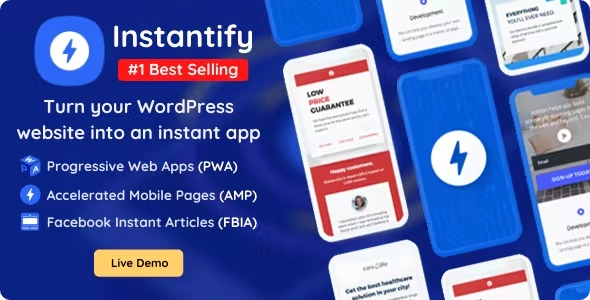
Instantify is an all-in-one WordPress optimization plugin that integrates Progressive Web Apps (PWA), Google Accelerated Mobile Pages (AMP), and Facebook Instant Articles (FBIA) into your site for unmatched speed, performance, and engagement.
With no coding required, you can transform your WordPress site into a lightning-fast, mobile-friendly platform that boosts SEO, drives traffic, and maximizes conversions.
This is a GPL-distributed version:
✅ 100% Clean, Secure, and Legal
✅ Identical to the Original Developer’s Version
❌ No Official Support Included
🚀 Why Use Instantify?
✅ Make your website faster, more secure, and mobile-friendly
✅ Boost SEO rankings and drive organic traffic
✅ Monetize content with Google AdSense & Facebook Ads
✅ Improve social engagement and shareability
✅ Deliver app-like experiences without app stores
🔥 Progressive Web Apps (PWA) Features
Deliver app-like experiences that load instantly and work offline.
Add to Homescreen
Offline Usage & Background Sync
Navigation Tab Bar & Swipe Navigation
Web Share Button & Web Share Target
Installation Overlays
Push Notifications
Persistent Storage
Vibration & Screen Wake Lock
Ajaxify, Preloader & Toast Messages
Pull Down to Refresh
⚡ Accelerated Mobile Pages (Google AMP) Features
Speed up your mobile site and increase rankings with Google AMP.
Auto AMP Generation
Preloaded PWA from AMP
Full Content & Theme Support
Built-in Monetization & Analytics
SEO Optimization
GDPR Compliance
📲 Facebook Instant Articles (FBIA) Features
Deliver lightning-fast, immersive articles directly inside Facebook’s app.
10x Faster Load Times
Engaging & Interactive Content
Simple, Scalable, and Shareable
Monetizable with Ads
Customizable Designs
GDPR Compliance
🌟 The Ultimate All-in-One Solution
With Instantify, your WordPress site will be optimized across every platform—web, mobile, and social—helping you achieve faster load speeds, higher rankings, and better user engagement without any technical hassle.
Be the first to review “Instantify – PWA & Google AMP & Instant Articles for WordPress 7.6” Cancel reply
How to Install
Follow these quick steps to install from a .zip file or directly from your WP dashboard.
-
1
Go to Plugins → Add New
In your WordPress dashboard, open Plugins and click Add New.
-
2
Click Upload Plugin
Press Upload Plugin → Choose File and select the downloaded
plugin-name.zip. -
3
Install & Activate
Click Install Now, then Activate. You’re done!
-
4
(Optional) Enter License / Use Shortcode
Open Plugins → Your Plugin → Settings to enter your license. Add the box on the product page with:
[plugin_info_box]
Alternative: Install from WordPress directory
Go to Plugins → Add New, search the plugin name, click Install then Activate.
Manual (FTP) method
Unzip locally → upload the folder to /wp-content/plugins/ using FTP → activate from Plugins.
-
1
Go to Appearance → Themes
Click Add New → Upload Theme.
-
2
Upload the .zip file
Select
theme-name.zip, click Install Now, then Activate. -
3
Install Required Plugins
If prompted, click Begin installing plugins and activate them.
-
4
(Optional) Import Starter Content
Use the theme’s Demo Import (if provided) to load sample pages and settings.
Manual (FTP) theme install
Unzip the theme → upload to /wp-content/themes/ → activate from Appearance → Themes.



Reviews
There are no reviews yet.