
- ✔ Verified by VirusTotal
- ✔ 100% Original Product & Virus-Free
- ✔ Lifetime Free Updates on Single Purchase
- ✔ Unlimited Website Usage
- ✔ Prices in USD (Tax Included)
🔥 Limited-Time Deal — Ends Soon!
JetBlocks For Elementor 1.3.20
$49.00 Original price was: $49.00.$2.99Current price is: $2.99.
Instant Access
7 Day Money Back Guarantee
Online Support 24/7
Secure Payment
Description
JetBlocks for Elementor – Latest GPL Version
This is a GPL-distributed version of JetBlocks for Elementor. It is 100% clean, secure, and legally redistributed under the GPL license. Please note: this package includes no official developer support.
🌟 Overview
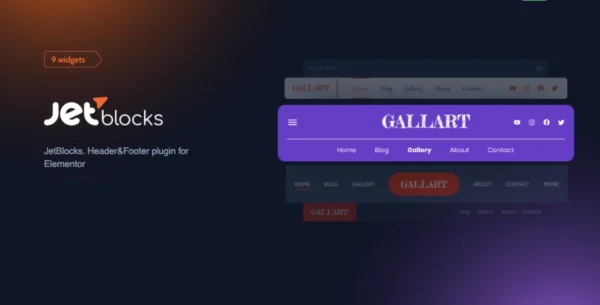
JetBlocks is a must-have Elementor add-on for anyone who wants to build dynamic, professional headers and footers without touching a single line of code. With a set of powerful widgets—from login forms to navigation menus—you can enrich your site’s top and bottom sections with all the essential functionality your visitors need.
Seamlessly integrated with Elementor Pro, JetBlocks ensures you can create fully customized headers and footers that blend perfectly with your site’s design and branding.
🎨 JetBlocks Widgets at a Glance
🖼 Site Logo
Display your brand’s identity with a customizable site logo widget, perfectly styled for your theme.
🔑 Auth Links
Add user-friendly authentication links like Login/Logout and Profile access.
🔐 Login Form
Easily add a beautiful, functional login form to your header or footer.
📝 Registration Form
Grow your community by integrating a user registration form directly on your site.
🍔 Hamburger Panel
Create a modern, responsive hamburger menu panel, perfect for mobile-friendly navigation.
🧭 Nav Menu
Design and display multi-level navigation menus, styled to match your brand.
🔍 Search
Provide your visitors with a powerful search widget that helps them find content instantly.
🛒 Shopping Cart
Add a WooCommerce cart icon in your header with dropdown functionality for a seamless shopping experience.
🚀 Why JetBlocks is Essential
Perfect for Elementor Pro – Designed to sync flawlessly with Elementor 2.0+ for maximum compatibility.
Header & Footer Made Easy – Build custom designs in just a few clicks.
Multiple Styling Options – Adjust typography, colors, backgrounds, spacing, and more.
No Coding Required – Add powerful widgets with drag-and-drop simplicity.
Professional Look – Create modern, user-focused navigation areas that improve UX and boost engagement.
💡 Use Cases
Bloggers who need custom headers with search & menus.
WooCommerce store owners adding a shopping cart widget.
Membership sites needing login/registration forms in headers.
Business sites that require clean, branded headers & footers.
Be the first to review “JetBlocks For Elementor 1.3.20” Cancel reply
How to Install
Follow these quick steps to install from a .zip file or directly from your WP dashboard.
-
1
Go to Plugins → Add New
In your WordPress dashboard, open Plugins and click Add New.
-
2
Click Upload Plugin
Press Upload Plugin → Choose File and select the downloaded
plugin-name.zip. -
3
Install & Activate
Click Install Now, then Activate. You’re done!
-
4
(Optional) Enter License / Use Shortcode
Open Plugins → Your Plugin → Settings to enter your license. Add the box on the product page with:
[plugin_info_box]
Alternative: Install from WordPress directory
Go to Plugins → Add New, search the plugin name, click Install then Activate.
Manual (FTP) method
Unzip locally → upload the folder to /wp-content/plugins/ using FTP → activate from Plugins.
-
1
Go to Appearance → Themes
Click Add New → Upload Theme.
-
2
Upload the .zip file
Select
theme-name.zip, click Install Now, then Activate. -
3
Install Required Plugins
If prompted, click Begin installing plugins and activate them.
-
4
(Optional) Import Starter Content
Use the theme’s Demo Import (if provided) to load sample pages and settings.
Manual (FTP) theme install
Unzip the theme → upload to /wp-content/themes/ → activate from Appearance → Themes.


Reviews
There are no reviews yet.