
- ✔ Verified by VirusTotal
- ✔ 100% Original Product & Virus-Free
- ✔ Lifetime Free Updates on Single Purchase
- ✔ Unlimited Website Usage
- ✔ Prices in USD (Tax Included)
🔥 Limited-Time Deal — Ends Soon!
JetElements Widgets Addon for Elementor Page Builder 2.7.10.1
$22.00 Original price was: $22.00.$2.99Current price is: $2.99.
Instant Access
7 Day Money Back Guarantee
Online Support 24/7
Secure Payment
Description
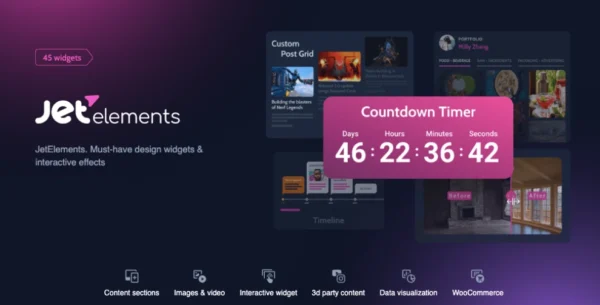
JetElements Widgets Addon for Elementor Page Builder 2.7.10.1
JetElements for Elementor – Latest GPL Version
Supercharge your Elementor experience with JetElements, a revolutionary addon packed with versatile widgets and powerful modules. This is a GPL-distributed version—clean, secure, and legally redistributed under the GPL license. Please note: no official support is included.
Built for users of all levels, JetElements makes it easy to create stunning websites with ready-to-use content blocks, WooCommerce integration, and endless customization options—all without touching a single line of code. Whether you’re building a blog, portfolio, or eCommerce store, JetElements helps you design faster and smarter.
🌟 Why JetElements Stands Out
Comprehensive Modules Collection – Access a full library of advanced modules, including carousels, pricing tables, countdown timers, and animated boxes.
WooCommerce Elements – Effortlessly integrate products, categories, and carts into your Elementor pages for a seamless shopping experience.
Pre-Styled Blocks & Templates – Save time with pre-designed homepages, content blocks, and styled layouts ready in just a few clicks.
Full Customization Control – Modify styles, typography, colors, and backgrounds with flexible options tailored to every module.
User-Friendly & No Coding Needed – Perfect for beginners while still powerful enough for professional developers.
🛠️ Key Features of JetElements
WooCommerce Integration – Add product grids, single product showcases, categories, and carts with ease.
Content-Rich Widgets – Pricing tables, animated boxes, countdown timers, sliders, image carousels, and more.
Contact Form 7 Support – Seamlessly embed and style forms directly inside Elementor.
Multilingual & RTL Support – Fully compatible with WPML and right-to-left languages for global audiences.
Responsive Design – Every widget adapts beautifully across desktops, tablets, and mobiles.
Pre-Made Layouts – Import homepage templates instantly for faster website launches.
🎨 Customization Without Limits
Every JetElements module comes with a wide array of styling options:
Gradient backgrounds
Custom fonts & typography
Inspiring hover effects
Advanced color schemes
This makes it simple to design unique, visually engaging content that matches your brand.
🌍 Built for Everyone, Everywhere
JetElements was designed to work seamlessly with Elementor and integrates smoothly with other popular plugins:
WPML for multilingual websites
Contact Form 7 for easy form embedding
WooCommerce for online stores
Combined with pre-made templates and blocks, you’ll save time while still achieving professional results.
Be the first to review “JetElements Widgets Addon for Elementor Page Builder 2.7.10.1” Cancel reply
How to Install
Follow these quick steps to install from a .zip file or directly from your WP dashboard.
-
1
Go to Plugins → Add New
In your WordPress dashboard, open Plugins and click Add New.
-
2
Click Upload Plugin
Press Upload Plugin → Choose File and select the downloaded
plugin-name.zip. -
3
Install & Activate
Click Install Now, then Activate. You’re done!
-
4
(Optional) Enter License / Use Shortcode
Open Plugins → Your Plugin → Settings to enter your license. Add the box on the product page with:
[plugin_info_box]
Alternative: Install from WordPress directory
Go to Plugins → Add New, search the plugin name, click Install then Activate.
Manual (FTP) method
Unzip locally → upload the folder to /wp-content/plugins/ using FTP → activate from Plugins.
-
1
Go to Appearance → Themes
Click Add New → Upload Theme.
-
2
Upload the .zip file
Select
theme-name.zip, click Install Now, then Activate. -
3
Install Required Plugins
If prompted, click Begin installing plugins and activate them.
-
4
(Optional) Import Starter Content
Use the theme’s Demo Import (if provided) to load sample pages and settings.
Manual (FTP) theme install
Unzip the theme → upload to /wp-content/themes/ → activate from Appearance → Themes.

Reviews
There are no reviews yet.