
- ✔ Verified by VirusTotal
- ✔ 100% Original Product & Virus-Free
- ✔ Lifetime Free Updates on Single Purchase
- ✔ Unlimited Website Usage
- ✔ Prices in USD (Tax Included)
🔥 Limited-Time Deal — Ends Soon!
JetMenu Create Mega Menu for Elementor 2.4.15
$58.00 Original price was: $58.00.$2.99Current price is: $2.99.
Instant Access
7 Day Money Back Guarantee
Online Support 24/7
Secure Payment
Description
🌟 JetMenu
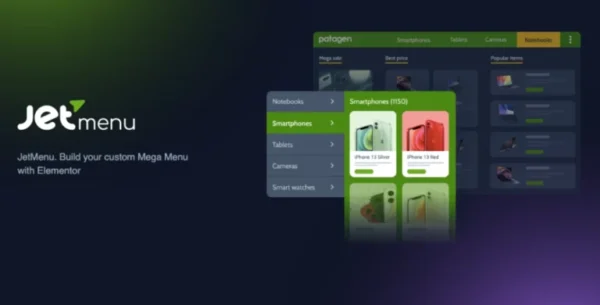
JetMenu is one of the most powerful and flexible mega menu plugins for Elementor. It allows you to build fully responsive, content-rich navigation menus with dropdowns, badges, icons, and custom styling — all without writing a single line of code.
Whether you’re a beginner or a professional developer, JetMenu gives you total creative freedom. Its intuitive interface and versatile customization options let you design mega menus, vertical menus, and mobile-friendly navigations that look stunning on any website.
With JetMenu, building a menu is just as easy as creating a page in Elementor. You can insert images, videos, posts, widgets, or any content module directly inside your navigation structure, making your menu a true extension of your website’s design.
✨ Key Features of JetMenu for Elementor
Easy to Use – Build mega menus with Elementor’s drag-and-drop editor. No coding skills required.
Highly Customizable – Adjust paddings, borders, shadows, icons, and colors for a fully branded look.
Content-Rich Navigation – Add images, blog posts, multimedia content, or even custom widgets inside menu items.
Fully Responsive – JetMenu ensures your navigation looks and works perfectly on desktops, tablets, and smartphones.
Magnificent Badges – Highlight trending, new, or important menu items with stylish, colorful badges.
Vibrant Color Options – Use a wide color palette to design menus that match your brand identity.
Customizable Backgrounds – Apply unique backgrounds, widths, and styles for eye-catching menus.
Mega Menu Module – Easily embed mega menus into any page or section using Elementor.
Vertical Mega Menu Support – Create vertical mega menus for creative layouts and sidebar navigation.
Dummy Data Included – Quickly import demo data to replicate sample menus and save setup time.
Import/Export Options – Save and transfer menu settings across different websites with ease.
Theme Compatibility – Fully compatible with top premium themes like Avada, BeTheme, Enfold, and most free WordPress themes.
🚀 Why Use JetMenu?
Your website’s menu is one of the most important elements for user experience and conversions. JetMenu ensures that your navigation is not only functional but also stylish, engaging, and fully aligned with your website’s design.
With JetMenu, you can:
Build mega menus that showcase products, services, or categories in style.
Create vertical navigation menus for modern websites and unique layouts.
Highlight special promotions, trending posts, or sales with badges and icons.
Make your site stand out with dynamic, responsive, and content-rich navigation.
From corporate sites and eCommerce stores to creative portfolios and blogs, JetMenu adapts perfectly to every need.
🎨 Design Without Limits
JetMenu is designed for both simplicity and flexibility. You can design elegant, minimal menus for clean websites or build colorful, animated mega menus for creative projects. Its wide range of styling options, color palettes, and layout controls gives you complete control over how your navigation looks and feels.
No coding. No complexity. Just click, drag, and customize your way to a professional menu design.
Be the first to review “JetMenu Create Mega Menu for Elementor 2.4.15” Cancel reply
How to Install
Follow these quick steps to install from a .zip file or directly from your WP dashboard.
-
1
Go to Plugins → Add New
In your WordPress dashboard, open Plugins and click Add New.
-
2
Click Upload Plugin
Press Upload Plugin → Choose File and select the downloaded
plugin-name.zip. -
3
Install & Activate
Click Install Now, then Activate. You’re done!
-
4
(Optional) Enter License / Use Shortcode
Open Plugins → Your Plugin → Settings to enter your license. Add the box on the product page with:
[plugin_info_box]
Alternative: Install from WordPress directory
Go to Plugins → Add New, search the plugin name, click Install then Activate.
Manual (FTP) method
Unzip locally → upload the folder to /wp-content/plugins/ using FTP → activate from Plugins.
-
1
Go to Appearance → Themes
Click Add New → Upload Theme.
-
2
Upload the .zip file
Select
theme-name.zip, click Install Now, then Activate. -
3
Install Required Plugins
If prompted, click Begin installing plugins and activate them.
-
4
(Optional) Import Starter Content
Use the theme’s Demo Import (if provided) to load sample pages and settings.
Manual (FTP) theme install
Unzip the theme → upload to /wp-content/themes/ → activate from Appearance → Themes.


Reviews
There are no reviews yet.