
- ✔ Verified by VirusTotal
- ✔ 100% Original Product & Virus-Free
- ✔ Lifetime Free Updates on Single Purchase
- ✔ Unlimited Website Usage
- ✔ Prices in USD (Tax Included)
🔥 Limited-Time Deal — Ends Soon!
JetStyleManager for Elementor 1.3.8
$49.00 Original price was: $49.00.$2.99Current price is: $2.99.
Instant Access
7 Day Money Back Guarantee
Online Support 24/7
Secure Payment
Description
🎨 JetStyleManager for Elementor – Advanced Styling Control
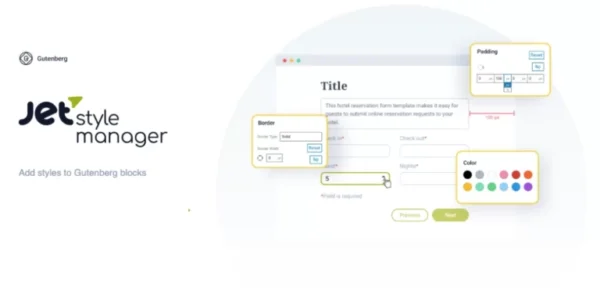
JetStyleManager is a lightweight yet powerful add-on that gives you full design freedom over Gutenberg and Elementor-built content. With an intuitive interface and dozens of styling controls, you can customize every visual aspect of your blocks and JetPlugins without writing a single line of CSS.
Whether you want to tweak margins, adjust typography, or set responsive layouts, JetStyleManager puts all the tools at your fingertips — helping you create unique, stylish, and fully responsive designs.
✨ Why Use JetStyleManager?
⚡ Complete Design Freedom – Manage everything from padding, borders, and alignment to advanced typography and spacing.
📱 Responsive Controls – Adjust styles for desktop, tablet, and mobile devices separately.
🎨 Typography Mastery – Customize font family, size, weight, line height, letter spacing, and colors.
🔧 Zero Coding Needed – Apply advanced styles without writing CSS.
🧩 Seamless with JetPlugins – Add custom styles to any Gutenberg-compatible JetPlugin elements.
🎛 10+ Control Types – Fine-tune every element with multiple style parameters.
🧑🎨 Block-Level Styling – Apply unique designs to each Gutenberg block individually.
🌟 Key Features of JetStyleManager
🎛 Border, padding, margin & dimension controls
🖌 Color picker for text, background, and accents
📐 Alignment & positioning options
📱 Device-specific style adjustments (desktop, tablet, mobile)
✒️ Font customization (size, family, weight, spacing, line height, etc.)
🔄 Custom style application for JetPlugins
⚡ Lightweight & fast – no bloated code
🛠 Perfect for developers, designers, and beginners alike
🚀 Who Is It For?
🖼 Designers & agencies who need precise styling without code.
🛠 Developers who want to speed up client projects with visual style controls.
📝 Content creators using Gutenberg or Elementor to build stylish, responsive layouts.
🏆 Conclusion
JetStyleManager for Elementor is the ultimate tool for granular control over styling and design in Gutenberg and JetPlugins. From typography tweaks to responsive adjustments, it helps you create pixel-perfect layouts quickly and effortlessly.
If you’re looking to push beyond default styling options and unlock next-level customization for your WordPress site, JetStyleManager is a must-have in your toolkit.
Be the first to review “JetStyleManager for Elementor 1.3.8” Cancel reply
How to Install
Follow these quick steps to install from a .zip file or directly from your WP dashboard.
-
1
Go to Plugins → Add New
In your WordPress dashboard, open Plugins and click Add New.
-
2
Click Upload Plugin
Press Upload Plugin → Choose File and select the downloaded
plugin-name.zip. -
3
Install & Activate
Click Install Now, then Activate. You’re done!
-
4
(Optional) Enter License / Use Shortcode
Open Plugins → Your Plugin → Settings to enter your license. Add the box on the product page with:
[plugin_info_box]
Alternative: Install from WordPress directory
Go to Plugins → Add New, search the plugin name, click Install then Activate.
Manual (FTP) method
Unzip locally → upload the folder to /wp-content/plugins/ using FTP → activate from Plugins.
-
1
Go to Appearance → Themes
Click Add New → Upload Theme.
-
2
Upload the .zip file
Select
theme-name.zip, click Install Now, then Activate. -
3
Install Required Plugins
If prompted, click Begin installing plugins and activate them.
-
4
(Optional) Import Starter Content
Use the theme’s Demo Import (if provided) to load sample pages and settings.
Manual (FTP) theme install
Unzip the theme → upload to /wp-content/themes/ → activate from Appearance → Themes.



Reviews
There are no reviews yet.