
- ✔ Verified by VirusTotal
- ✔ 100% Original Product & Virus-Free
- ✔ Lifetime Free Updates on Single Purchase
- ✔ Unlimited Website Usage
- ✔ Prices in USD (Tax Included)
🔥 Limited-Time Deal — Ends Soon!
Kable Theme – Multipurpose WooCommerce Theme 1.6.13
$35.00 Original price was: $35.00.$2.99Current price is: $2.99.
Instant Access
7 Day Money Back Guarantee
Online Support 24/7
Secure Payment
Description
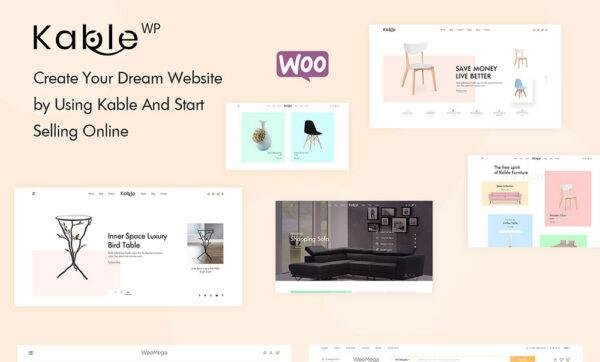
🛍️ Kable – Minimal & Modern WooCommerce WordPress Theme
Kable Theme is a clean, modern, and minimal WooCommerce WordPress theme designed for professional online stores and multi-vendor marketplaces. Built with WPBakery Page Builder and integrated with Slider Revolution, Kable gives you everything you need to create a stylish and conversion-focused eCommerce website without any coding knowledge.
With its minimalist design and product-first approach, Kable ensures your products remain the star of your store while improving user experience and boosting conversions. It is perfect for fashion shops, furniture stores, jewelry stores, cosmetics shops, watch stores, bookstores, sunglasses shops, luxury brands, and vendor-based marketplaces like Amazon, Alibaba, or AliExpress.
✨ Why Choose Kable Theme?
🛒 WooCommerce Ready – Full eCommerce support for online shops & multi-vendor marketplaces.
🎨 Minimal & Product-Focused Design – Keeps products in the spotlight with elegant layouts.
🖱️ WPBakery Page Builder – Drag-and-drop customization with no coding required.
🛍️ Multi-Vendor Support – Build Amazon/Alibaba-style marketplaces with vendor integration.
🤝 BuddyPress Integration – Social networking features for vendor and customer interaction.
🌍 RTL Language & Multisite Support – Perfect for global eCommerce stores.
📱 Mobile Optimized – Fully responsive layouts for seamless shopping on all devices.
⚡ Exclusive Built-in Plugins – Quick View, Currency Switcher, and Newsletter Popup included.
🎞️ Premium Plugins Included – Slider Revolution + WPBakery Visual Composer.
🎨 Flexible Layouts – Boxed, full-width, parallax, masonry, and sidebar options.
🏆 Kable Theme Features
Minimal & Modern Design for Online Stores 🛒
Drag & Drop WPBakery Page Builder 🖱️
WooCommerce Full Functionality Control ⚡
Multi-Vendor & BuddyPress Social Features 🤝
Slider Revolution Integration 🎞️
RTL & Translation Ready 🌍
Child Theme Support for Advanced Customization 🧒
Exclusive Built-in Plugins (Quick View, Currency Switcher, Newsletter Popup)
Newsletter Custom Layouts 💌
Boxed, Float Box & Full-Width Layouts 📐
Mobile-Optimized & Retina Ready 📱
Cross-Browser Compatibility 🌐
Detailed Documentation + Video Tutorials 🎥
Envato Toolkit Easy Updates 🔄
🚀 Who Can Use Kable Theme?
Fashion & Clothing Stores 👗
Jewelry & Luxury Shops 💍
Furniture & Home Decor Stores 🛋️
Bookshops & Electronics Stores 📚💻
Cosmetics & Beauty Brands 💄
Multi-Vendor Marketplaces (like Amazon, Alibaba, Flipkart) 🌍
Affiliate Product Stores 🛒
With Kable Theme, you can build a high-converting, elegant, and scalable WooCommerce website designed to handle everything from small shops to large marketplaces.
🔑 SEO Keywords
Kable Theme, WooCommerce WordPress Theme, Minimal eCommerce Theme, Multi-Vendor WordPress Theme, Amazon Style WordPress Theme, Fashion Store WordPress Theme, Furniture WooCommerce Theme, Jewelry WordPress Template, BuddyPress WooCommerce Theme
Be the first to review “Kable Theme – Multipurpose WooCommerce Theme 1.6.13” Cancel reply
How to Install
Follow these quick steps to install from a .zip file or directly from your WP dashboard.
-
1
Go to Plugins → Add New
In your WordPress dashboard, open Plugins and click Add New.
-
2
Click Upload Plugin
Press Upload Plugin → Choose File and select the downloaded
plugin-name.zip. -
3
Install & Activate
Click Install Now, then Activate. You’re done!
-
4
(Optional) Enter License / Use Shortcode
Open Plugins → Your Plugin → Settings to enter your license. Add the box on the product page with:
[plugin_info_box]
Alternative: Install from WordPress directory
Go to Plugins → Add New, search the plugin name, click Install then Activate.
Manual (FTP) method
Unzip locally → upload the folder to /wp-content/plugins/ using FTP → activate from Plugins.
-
1
Go to Appearance → Themes
Click Add New → Upload Theme.
-
2
Upload the .zip file
Select
theme-name.zip, click Install Now, then Activate. -
3
Install Required Plugins
If prompted, click Begin installing plugins and activate them.
-
4
(Optional) Import Starter Content
Use the theme’s Demo Import (if provided) to load sample pages and settings.
Manual (FTP) theme install
Unzip the theme → upload to /wp-content/themes/ → activate from Appearance → Themes.




Reviews
There are no reviews yet.