
-92%

MinimogWP Theme – The High Converting eCommerce WordPress Theme 3.9.2
Original price was: $59.00.$2.99Current price is: $2.99.

Phlox Pro Elementor MultiPurpose WordPress Theme 5.17.7
Original price was: $39.00.$2.99Current price is: $2.99.

The7 WordPress Theme — Website and eCommerce Builder for WordPress 12.9.1
Original price was: $39.00.$2.99Current price is: $2.99.

XStore Theme Responsive Multi-Purpose WooCommerce Theme 9.5.4
Original price was: $59.00.$2.99Current price is: $2.99.
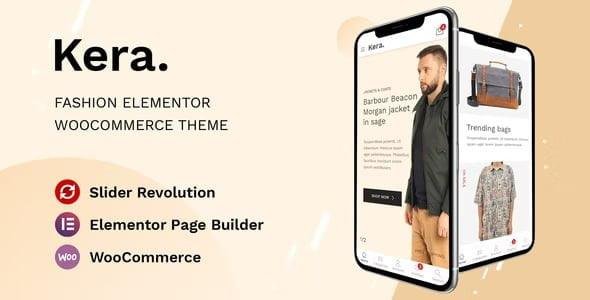
Kera Theme is a modern and stylish Fashion WooCommerce WordPress Theme crafted for fashion designers, clothing brands, boutiques, and online retail stores. With its clean, minimalist layouts and Elementor optimization, Kera makes building a stunning eCommerce store easy – even if you have no coding skills.
Designed with mobile-first performance in mind, Kera delivers an impressive shopping experience across all devices. From a handy mobile menu to quick product search and smooth checkout, every detail is optimized to keep your customers engaged and buying.
With 2+ unique homepage designs, 300+ ready-made pages, and one-click demo import, you can set up your store in minutes. It also supports multi-vendor marketplaces, making it ideal for building platforms like Amazon or AliExpress.
✨ Why Choose Kera Theme?
👗 Fashion & Lifestyle Focused – Tailored for clothing stores, boutiques, and accessories shops.
🖱️ Elementor Page Builder – Drag-and-drop customization with zero coding required.
📱 Mobile-Optimized Design – Seamless shopping experience with an advanced mobile menu.
🛒 WooCommerce Integration – Sell products with advanced features like AJAX search, quick view, wishlist, compare, and product filters.
🎞️ Revolution Slider Included – Create eye-catching sliders and hero sections.
🛍️ Multi-Vendor Marketplace Support – Build large-scale online stores like Amazon, Flipkart, or AliExpress.
🌍 Multi-Language & Currency Support – Expand globally with WPML & currency switcher.
⚡ SEO & Speed Optimized – Clean code and high-performance design for better ranking and fast loading.
🎨 Flexible Customization – Custom CSS/JS, vertical/mega menus, and unlimited color options.
🏆 Kera Theme Features
2+ Pre-Built Homepage Layouts 🏠
300+ Pages & Sections 🚀
One-Click Demo Import
Elementor Compatible 🖱️
WooCommerce 5.7 Ready 🛒
WOOF – Product Filters Integration 🔍
Wishlist, Compare & Quick View Support 💡
Grid & List Shop Layouts 🛍️
Instagram & MailChimp Integration 📸💌
Vertical & Mega Menu Support 🍔
Redux Framework Powered ⚙️
SEO Friendly + Cross-Browser Compatible 🌍
High-Speed Performance ⚡
RTL Language Support 🔄
Fully Responsive & Retina Ready 📱
Who Can Use Kera Theme?
Fashion Designers & Clothing Brands 👗
Boutiques & Lifestyle Stores 👜
Multi-Vendor Fashion Marketplaces 🌍
Accessories, Jewelry & Watch Shops 💍⌚
Cosmetics & Beauty Online Shops 💄
Shoe Stores & Sportswear Retailers 👟
With Kera Theme, you can build a modern, stylish, and conversion-focused fashion eCommerce website that stands out and sells more.
🔑 SEO Keywords
Kera Theme, Fashion WooCommerce Theme, Clothing Store WordPress Theme, Elementor WooCommerce Theme, Multi-Vendor Marketplace Theme, Fashion Boutique WordPress Theme, Online Clothing Shop WordPress Template, RTL WooCommerce Theme