
- ✔ Verified by VirusTotal
- ✔ 100% Original Product & Virus-Free
- ✔ Lifetime Free Updates on Single Purchase
- ✔ Unlimited Website Usage
- ✔ Prices in USD (Tax Included)
🔥 Limited-Time Deal — Ends Soon!
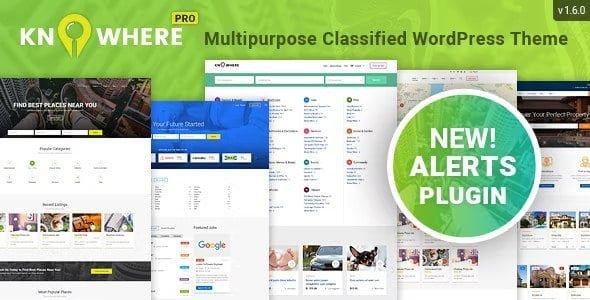
Knowhere Pro Theme Multipurpose Directory WordPress Websites 1.5.9
$59.00 Original price was: $59.00.$2.99Current price is: $2.99.
Instant Access
7 Day Money Back Guarantee
Online Support 24/7
Secure Payment
Description
🌍 Knowhere Pro – Multipurpose Directory & Classifieds WordPress Theme
Knowhere Pro Theme is one of the most advanced and feature-rich Directory WordPress Themes, designed to cover multiple niches including restaurants, cafes, bars, hotels, sightseeing spots, museums, galleries, malls, beauty salons, real estate listings, classified ads, and job boards. It’s a universal directory solution that allows you to create a city portal, property directory, job finder, or classified marketplace – all in one theme.
With 4 powerful demos and dozens of layout variations, Knowhere Pro gives you the flexibility to build unique websites for local business listings, property buy/sell platforms, recruitment portals, and paid ad directories. Equipped with advanced search filters, radius-based search, multi-vendor compatibility, Mapbox maps, and subscription systems, this theme is designed for both functionality and performance.
✨ Why Choose Knowhere Pro Theme?
🌍 All-in-One Directory Solution – Create portals for restaurants, real estate, jobs, classifieds, or activities.
🗺️ Mapbox Maps Integration – Free, customizable maps with street layers & styles.
🖱️ WPBakery Page Builder – Drag-and-drop builder for easy customization.
📊 Advanced Listings Features – Statistics, claim listings, bookmarks, deals, and reviews.
🛒 Monetization Ready – WC Paid Listings, subscription plans, paid ads, and deals-of-the-day support.
👥 Employer & Employee Roles – Perfect for recruitment and job board functionality.
🌍 Multi-Vendor & Classified Support – Build marketplaces like Craigslist or OLX.
📱 Responsive & Retina Ready – Looks sharp and works smoothly on all devices.
⚡ SEO Optimized – Clean code structure with fast loading performance.
🏆 Knowhere Pro Theme Features
4 Premade Demos + Unlimited Custom Layouts
City Portal, Real Estate, Job Board & Classifieds Ready
WC Paid Listings & Simply Paid Listings Integration 💳
Claim Listings + Bookmarks + Social Logins 🔑
Employer & Employee Roles 👥
Radius Filter for Location-Based Search 📍
Multi-Vendor Marketplace Compatibility 🛍️
FacetWP & Job Manager Support ⚙️
Newsletter Plugin Integration 💌
Deals of the Day & Reviews Plugin ⭐
WPML & Translation Ready 🌍
5 Header & Footer Layouts + Sticky Headers
4 Category Layouts + Multiple Listing Page Layouts
Typography, Pricing Tables & Shortcodes
Preloader + Minimal CSS Animations 🎨
Responsive Bootstrap 3 Grid + Valid HTML5
WooCommerce Support 🛒
Blog Pages + Ajax Popups
Google Fonts + Icon Fonts 🎨
Detailed Documentation 📖
🚀 Who Can Use Knowhere Pro?
City Portals & Local Business Directories 🏙️
Real Estate Property Directories 🏡
Job Boards & Recruitment Portals 💼
Classified Ads Marketplaces 📢
Tourism & Travel Listing Sites ✈️
Multi-Vendor Marketplaces 🌍
With Knowhere Pro Theme, you can launch a scalable, monetizable, and feature-rich directory platform that adapts to multiple industries, from restaurants and real estate to job boards and classifieds.
🔑 SEO Keywords
Knowhere Pro Theme, Directory WordPress Theme, Classifieds WordPress Theme, City Portal WordPress Template, Real Estate Directory Theme, Job Board WordPress Theme, Multi-Vendor Directory WordPress Theme, Mapbox Directory Theme
Be the first to review “Knowhere Pro Theme Multipurpose Directory WordPress Websites 1.5.9” Cancel reply
How to Install
Follow these quick steps to install from a .zip file or directly from your WP dashboard.
-
1
Go to Plugins → Add New
In your WordPress dashboard, open Plugins and click Add New.
-
2
Click Upload Plugin
Press Upload Plugin → Choose File and select the downloaded
plugin-name.zip. -
3
Install & Activate
Click Install Now, then Activate. You’re done!
-
4
(Optional) Enter License / Use Shortcode
Open Plugins → Your Plugin → Settings to enter your license. Add the box on the product page with:
[plugin_info_box]
Alternative: Install from WordPress directory
Go to Plugins → Add New, search the plugin name, click Install then Activate.
Manual (FTP) method
Unzip locally → upload the folder to /wp-content/plugins/ using FTP → activate from Plugins.
-
1
Go to Appearance → Themes
Click Add New → Upload Theme.
-
2
Upload the .zip file
Select
theme-name.zip, click Install Now, then Activate. -
3
Install Required Plugins
If prompted, click Begin installing plugins and activate them.
-
4
(Optional) Import Starter Content
Use the theme’s Demo Import (if provided) to load sample pages and settings.
Manual (FTP) theme install
Unzip the theme → upload to /wp-content/themes/ → activate from Appearance → Themes.




Reviews
There are no reviews yet.