
- ✔ Verified by VirusTotal
- ✔ 100% Original Product & Virus-Free
- ✔ Lifetime Free Updates on Single Purchase
- ✔ Unlimited Website Usage
- ✔ Prices in USD (Tax Included)
🔥 Limited-Time Deal — Ends Soon!
KuteShop Theme – Fashion, Electronics & Marketplace Elementor WooCommerce Theme (RTL Supported) 4.2.8
$89.00 Original price was: $89.00.$2.99Current price is: $2.99.
Instant Access
7 Day Money Back Guarantee
Online Support 24/7
Secure Payment
Description
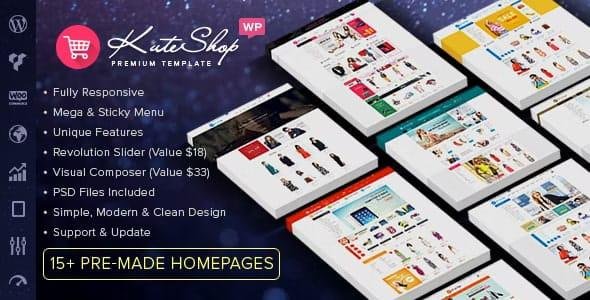
🛒 KuteShop Theme – Multi-Vendor WooCommerce WordPress Theme (GPL Version)
KuteShop is a modern, flexible, and powerful WooCommerce marketplace WordPress theme. Perfect for creating multi-vendor marketplaces like Amazon, eBay, or Envato, it also fits electronics stores, furniture stores, clothing shops, hi-tech stores, and accessory stores.
This GPL-distributed version is clean, secure, and legally shared under the GPL license, giving full access to premium features for building your marketplace with ease.
💡 Key Features of KuteShop Theme
🎨 Multi-Purpose Design & Layouts:
Unique homepage layouts, unlimited colors, multiple page styles, and flexible design options.🛠️ Page Builders Included:
Comes with Visual Composer ($33 value) and Revolution Slider ($18 value) for easy drag-and-drop page building.⚡ Responsive & SEO Optimized:
Fully responsive across devices and optimized for search engines.🛍️ Multi-Vendor Marketplace Support:
Compatible with Dokan, WC Multi-Vendors, WC Marketplace, and WCFM Marketplace plugins.🖥️ WooCommerce Integration:
Features product quick view, wishlist, compare, AJAX tabs, and fully compatible with WooCommerce.🌐 Multilingual Ready:
WPML support allows your store to be translated into multiple languages.📈 Advanced Features:
Mega menu, sticky menu, elegant animations, unlimited headers, and 500+ Google Fonts.💻 Cross-Browser Compatible:
Works seamlessly on Chrome, Firefox, Safari, Opera, and IE9+.⚙️ Powerful Theme Options:
Customize every aspect of your site easily via the theme options panel.
💼 What We Offer
We provide the latest GPL version of KuteShop Theme, giving you all premium tools to create a professional WooCommerce multi-vendor marketplace. Build a visually stunning, fully functional, and responsive online store with vendor management, eCommerce integrations, and modern UI.
✅ Conclusion
KuteShop Theme is the ultimate choice for anyone looking to launch a multi-vendor marketplace or online store. With its responsive design, marketplace support, WooCommerce compatibility, and powerful customization options, KuteShop empowers you to create a professional, high-performing marketplace effortlessly.
Be the first to review “KuteShop Theme – Fashion, Electronics & Marketplace Elementor WooCommerce Theme (RTL Supported) 4.2.8” Cancel reply
How to Install
Follow these quick steps to install from a .zip file or directly from your WP dashboard.
-
1
Go to Plugins → Add New
In your WordPress dashboard, open Plugins and click Add New.
-
2
Click Upload Plugin
Press Upload Plugin → Choose File and select the downloaded
plugin-name.zip. -
3
Install & Activate
Click Install Now, then Activate. You’re done!
-
4
(Optional) Enter License / Use Shortcode
Open Plugins → Your Plugin → Settings to enter your license. Add the box on the product page with:
[plugin_info_box]
Alternative: Install from WordPress directory
Go to Plugins → Add New, search the plugin name, click Install then Activate.
Manual (FTP) method
Unzip locally → upload the folder to /wp-content/plugins/ using FTP → activate from Plugins.
-
1
Go to Appearance → Themes
Click Add New → Upload Theme.
-
2
Upload the .zip file
Select
theme-name.zip, click Install Now, then Activate. -
3
Install Required Plugins
If prompted, click Begin installing plugins and activate them.
-
4
(Optional) Import Starter Content
Use the theme’s Demo Import (if provided) to load sample pages and settings.
Manual (FTP) theme install
Unzip the theme → upload to /wp-content/themes/ → activate from Appearance → Themes.




Reviews
There are no reviews yet.