
- ✔ Verified by VirusTotal
- ✔ 100% Original Product & Virus-Free
- ✔ Lifetime Free Updates on Single Purchase
- ✔ Unlimited Website Usage
- ✔ Prices in USD (Tax Included)
🔥 Limited-Time Deal — Ends Soon!
LearnDash LMS Course Grid Addon 2.0.11
$189.00 Original price was: $189.00.$2.99Current price is: $2.99.
Instant Access
7 Day Money Back Guarantee
Online Support 24/7
Secure Payment
Description
LearnDash LMS Course Grid Addon – Build a Stunning Course Library
This is a GPL-distributed version. No official support. Clean, secure, and legally redistributed under the GPL license.
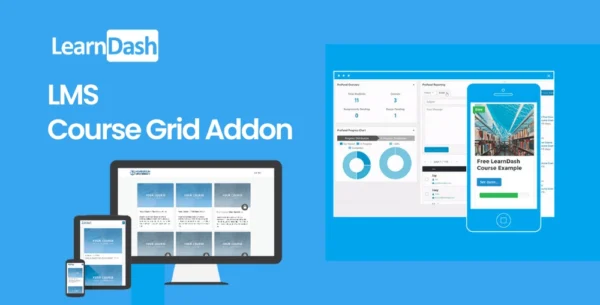
The LearnDash LMS Course Grid Addon is a powerful tool that allows you to showcase your online courses in a modern, organized, and responsive grid layout. Whether you have just a few courses or an entire catalog, this addon makes it easy for learners to browse, filter, and explore your offerings in an attractive way. With built-in support for featured images, short descriptions, videos, and progress tracking, the Course Grid addon enhances the user experience and makes your site look professional.
LearnDash Key Benefits
Create a Responsive Course Library – Display your courses in a grid format that adapts seamlessly to desktops, tablets, and mobile devices.
Customizable Layouts – Choose from one, two, three, four, six, or twelve column layouts depending on your design preferences.
Easy Filtering by Category – Help learners quickly find the right course by filtering through categories.
Showcase Featured Content – Display featured course images, short descriptions, or even embed featured videos instead of static images.
Dynamic Pricing Display – Show real-time course prices and automatically update them as needed.
User Progress & Status – Learners can easily see their enrollment status (“Enrolled” or “Completed”) along with a progress bar to track their journey.
Why Use the Course Grid Addon?
If you offer multiple courses on your WordPress site, presenting them in a clutter-free and engaging way is critical. The Course Grid addon not only organizes your content beautifully but also motivates learners by clearly displaying course details and their progress. Whether you’re running an academy, membership site, or training program, this addon provides the perfect front-end course browsing experience.
Be the first to review “LearnDash LMS Course Grid Addon 2.0.11” Cancel reply
How to Install
Follow these quick steps to install from a .zip file or directly from your WP dashboard.
-
1
Go to Plugins → Add New
In your WordPress dashboard, open Plugins and click Add New.
-
2
Click Upload Plugin
Press Upload Plugin → Choose File and select the downloaded
plugin-name.zip. -
3
Install & Activate
Click Install Now, then Activate. You’re done!
-
4
(Optional) Enter License / Use Shortcode
Open Plugins → Your Plugin → Settings to enter your license. Add the box on the product page with:
[plugin_info_box]
Alternative: Install from WordPress directory
Go to Plugins → Add New, search the plugin name, click Install then Activate.
Manual (FTP) method
Unzip locally → upload the folder to /wp-content/plugins/ using FTP → activate from Plugins.
-
1
Go to Appearance → Themes
Click Add New → Upload Theme.
-
2
Upload the .zip file
Select
theme-name.zip, click Install Now, then Activate. -
3
Install Required Plugins
If prompted, click Begin installing plugins and activate them.
-
4
(Optional) Import Starter Content
Use the theme’s Demo Import (if provided) to load sample pages and settings.
Manual (FTP) theme install
Unzip the theme → upload to /wp-content/themes/ → activate from Appearance → Themes.




Reviews
There are no reviews yet.