
- ✔ Verified by VirusTotal
- ✔ 100% Original Product & Virus-Free
- ✔ Lifetime Free Updates on Single Purchase
- ✔ Unlimited Website Usage
- ✔ Prices in USD (Tax Included)
🔥 Limited-Time Deal — Ends Soon!
LearnDash LMS Integrity Addon 1.2.1
$58.00 Original price was: $58.00.$2.99Current price is: $2.99.
Instant Access
7 Day Money Back Guarantee
Online Support 24/7
Secure Payment
Description
🛡️ LearnDash LMS Integrity Addon – Course Protection Made Easy
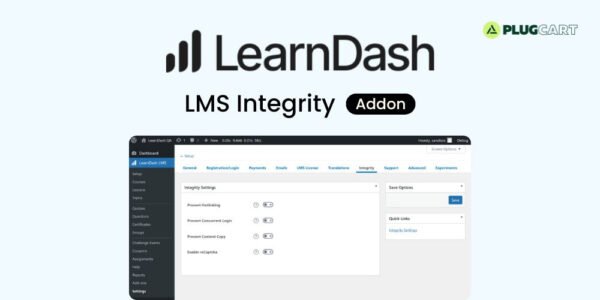
💡 LearnDash LMS Integrity Addon is a must-have plugin for online course creators looking to protect the integrity of their content. Designed for LearnDash, this addon helps prevent unauthorized access, content copying, and concurrent logins, giving course owners better control over their learning platform.
⚡ With hotlink protection, your videos, documents, and course materials are safeguarded from unauthorized embedding or sharing. Concurrent login prevention ensures that users cannot share their accounts, reducing the risk of piracy and maintaining course exclusivity. Anti-copy measures make it harder for users to duplicate or steal your valuable content, helping to maintain the value of your courses.
🛠️ The plugin also integrates seamlessly with reCAPTCHA on LearnDash native login and registration forms, protecting your platform from bots and spam registrations. While no plugin can guarantee 100% prevention of piracy, LearnDash Integrity significantly reduces risks and encourages legitimate access to your courses.
🌐 Easy to install and configure, the Integrity Addon requires LearnDash to be installed and activated. It is perfect for educators, online trainers, and LMS administrators who want a secure and professional e-learning environment.
✨ Key Features
🔒 Hotlink protection for course content
⚡ Prevent concurrent logins to reduce account sharing
✋ Anti-copy functionality for course materials
🛡️ Integrates reCAPTCHA for login and registration forms
✅ Helps maintain course integrity and exclusivity
🌐 Seamless integration with LearnDash LMS
🛠️ Easy to configure and secure
🛠️ What We Offer
💡 Protect your LearnDash courses from piracy
🎯 Maintain exclusivity and control over content
⚙️ Reduce unauthorized access and account sharing
🌍 Secure login and registration with reCAPTCHA
🔒 GPL-compliant, clean, and secure plugin
✅ Conclusion
🚀 LearnDash LMS Integrity Addon is the ultimate solution for course creators who want to protect their content. With hotlink protection, concurrent login prevention, anti-copy measures, and reCAPTCHA integration, it ensures your online courses remain secure and accessible only to authorized learners.
Be the first to review “LearnDash LMS Integrity Addon 1.2.1” Cancel reply
How to Install
Follow these quick steps to install from a .zip file or directly from your WP dashboard.
-
1
Go to Plugins → Add New
In your WordPress dashboard, open Plugins and click Add New.
-
2
Click Upload Plugin
Press Upload Plugin → Choose File and select the downloaded
plugin-name.zip. -
3
Install & Activate
Click Install Now, then Activate. You’re done!
-
4
(Optional) Enter License / Use Shortcode
Open Plugins → Your Plugin → Settings to enter your license. Add the box on the product page with:
[plugin_info_box]
Alternative: Install from WordPress directory
Go to Plugins → Add New, search the plugin name, click Install then Activate.
Manual (FTP) method
Unzip locally → upload the folder to /wp-content/plugins/ using FTP → activate from Plugins.
-
1
Go to Appearance → Themes
Click Add New → Upload Theme.
-
2
Upload the .zip file
Select
theme-name.zip, click Install Now, then Activate. -
3
Install Required Plugins
If prompted, click Begin installing plugins and activate them.
-
4
(Optional) Import Starter Content
Use the theme’s Demo Import (if provided) to load sample pages and settings.
Manual (FTP) theme install
Unzip the theme → upload to /wp-content/themes/ → activate from Appearance → Themes.




Reviews
There are no reviews yet.