
- ✔ Verified by VirusTotal
- ✔ 100% Original Product & Virus-Free
- ✔ Lifetime Free Updates on Single Purchase
- ✔ Unlimited Website Usage
- ✔ Prices in USD (Tax Included)
🔥 Limited-Time Deal — Ends Soon!
LearnDash LMS WordPress Core Plugin 4.25.4
$159.00 Original price was: $159.00.$2.99Current price is: $2.99.
Instant Access
7 Day Money Back Guarantee
Online Support 24/7
Secure Payment
Description
🎓 LearnDash LMS WordPress Plugin
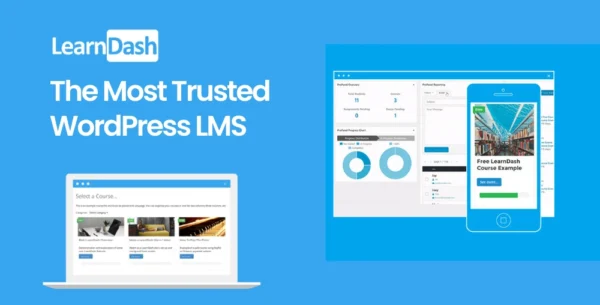
LearnDash LMS is the most trusted WordPress Learning Management System (LMS) that lets you transform your website into a full-featured e-learning platform. It enables course creation, sales, user tracking, quizzes, certificates, points, badges, and more—perfect for anyone serious about offering online courses.
🔹 Key Features of LearnDash LMS
1. Course Creation & Management
Easily create and sell online courses.
Organize lessons, topics, and quizzes.
Track student progress and generate detailed reports.
2. Drip-Feed Content
Release course content according to a predefined schedule.
Keep learners engaged over time with controlled access.
3. Quizzes & Assessments
Create interactive quizzes with multiple question types.
Automatically grade quizzes and provide instant feedback.
4. Certificates, Points & Badges
Reward learners with certificates, points, and badges.
Encourage engagement and course completion through gamification.
5. Engagement Triggers
Automate actions based on learner activity.
Send notifications, unlock content, or assign points as learners progress.
6. Monetization
Flexible pricing models for selling courses.
Integrates with WooCommerce, Stripe, and PayPal for easy payments.
✅ Conclusion
LearnDash LMS WordPress Plugin is a comprehensive solution for creating and selling online courses on WordPress. With features like drip-feed content, quizzes, certificates, and engagement triggers, it provides everything needed to deliver an interactive and rewarding e-learning experience. Whether you’re an educator, trainer, or entrepreneur, LearnDash helps you build a professional online learning platform quickly and efficiently.
Be the first to review “LearnDash LMS WordPress Core Plugin 4.25.4” Cancel reply
How to Install
Follow these quick steps to install from a .zip file or directly from your WP dashboard.
-
1
Go to Plugins → Add New
In your WordPress dashboard, open Plugins and click Add New.
-
2
Click Upload Plugin
Press Upload Plugin → Choose File and select the downloaded
plugin-name.zip. -
3
Install & Activate
Click Install Now, then Activate. You’re done!
-
4
(Optional) Enter License / Use Shortcode
Open Plugins → Your Plugin → Settings to enter your license. Add the box on the product page with:
[plugin_info_box]
Alternative: Install from WordPress directory
Go to Plugins → Add New, search the plugin name, click Install then Activate.
Manual (FTP) method
Unzip locally → upload the folder to /wp-content/plugins/ using FTP → activate from Plugins.
-
1
Go to Appearance → Themes
Click Add New → Upload Theme.
-
2
Upload the .zip file
Select
theme-name.zip, click Install Now, then Activate. -
3
Install Required Plugins
If prompted, click Begin installing plugins and activate them.
-
4
(Optional) Import Starter Content
Use the theme’s Demo Import (if provided) to load sample pages and settings.
Manual (FTP) theme install
Unzip the theme → upload to /wp-content/themes/ → activate from Appearance → Themes.




Reviews
There are no reviews yet.