
- ✔ Verified by VirusTotal
- ✔ 100% Original Product & Virus-Free
- ✔ Lifetime Free Updates on Single Purchase
- ✔ Unlimited Website Usage
- ✔ Prices in USD (Tax Included)
🔥 Limited-Time Deal — Ends Soon!
Let’s Review WordPress Plugin With Affiliate Options 3.4.2
$29.00 Original price was: $29.00.$2.99Current price is: $2.99.
Instant Access
7 Day Money Back Guarantee
Online Support 24/7
Secure Payment
Description
Let’s Review WordPress Plugin With Affiliate Options Latest Version
This is a GPL-distributed version. No official support. Clean, secure, and legally redistributed under the GPL license.
Let’s Review Plugin Introduction
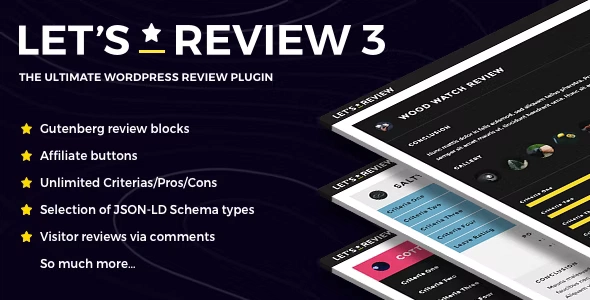
Let’s Review GPL is a WordPress review plugin to add beautiful responsive and modern review boxes with valid JSON-LD schema to your posts. It is Gutenberg ready and adds various exclusive Gutenberg review blocks, making it easier than ever before to add beautiful and comprehensive review boxes.
Let’s review is powerful but ridiculously easy to use, thanks to a logical and well-designed backend system. You will find lots of illustrated options and speedy drag and drop options that allow you to add unlimited criteria, positives, and negatives.
And you can even monetize your reviews thanks to the ability to add unlimited modern affiliate buttons with unique animations to your reviews.
Let’s review allows you to select from numerous format options, including Percentage, points, stars, Custom Icon, and Custom Image. With the Custom Icon option, you can enter any HTML code of icons. The plugin comes with FontAwesome integrated (Can be disabled in plugin options if desired), which means you already have 628 icons to choose from.
With the Custom Image option, you can upload any image of a single thing you want to appear, and the plugin will automatically show it 5 times per criteria and in the final score box, and on top of that, with a bit of magic code, the plugin will automatically create all the animation effects.
WordPress Review Plugin with Affiliate Options
Let’s Review also comes with affiliate options for your reviews, so that can monetize your reviews the help of beautiful affiliate buttons. Add an unlimited number of them to any site you want. The text of each button is customizable too.
User reviews in comments
Increase your visitor’s engagement by allowing them to submit their very own full reviews. The visitor reviews are possible thanks to an elegant integration into the WordPress comments system.
Thumbs up/down (Helpful/Not Helpful) system for visitor comment reviews
Let other visitors decide if a review left by another visitor in the comments is helpful/not helpful with a modern thumbs up/down count system that is beautifully integrated into the comments.
Let’s Review Gutenberg Blocks
Add reviews easier and quicker than ever before via the new Let’s Review Gutenberg blocks. It’s intuitive, easy, and fast to use. No more need for ugly shortcodes!
Set default options for reviews
Thanks to the default options section, you can save time by setting your default options. Including default options for an accent color, format, design, animation type, location, skin color style, and criteria.
Powerful Widget
The plugin also comes with a powerful widget. The Let’s Review widget has lots of options to choose from, including multiple designs options, order options, and filters.
Shortcode tool
Let’s Review comes with multiple powerful shortcodes for you to use. Inserting them is easy as pie thanks to the nifty Let’s Review shortcode tool which is added automatically to the editor toolbar.
Top Class Support
Let’s Review is probably the most powerful review system ever made and released for WordPress. And you can count on top quality support to go with it if you encounter any issues.
Codetipi isn’t the highest-rated top-selling author on all Themeforest for nothing!
Migration Tool
Do you have reviews created with Valenti (theme), 15Zine (theme), Extra Theme/Divi Reviews or WP Product Review (Themeisle plugin)? You can convert all those reviews to Let’s Review reviews in a matter of seconds and with a single click.
Translatable into any language and RTL Ready
Fully translatable into any language (including RTL ones) with the help of .po/.mo files. And the plugin already comes with the completed translation files for French and Spanish. More languages will be added over time as kind users send them in.
Rich Snippets markup inbuilt
Review boxes come with rich snippet markup, meaning that when search engines, such as Google, will show the review data. This is useful to increase CTR from the search engines.
Be the first to review “Let’s Review WordPress Plugin With Affiliate Options 3.4.2” Cancel reply
How to Install
Follow these quick steps to install from a .zip file or directly from your WP dashboard.
-
1
Go to Plugins → Add New
In your WordPress dashboard, open Plugins and click Add New.
-
2
Click Upload Plugin
Press Upload Plugin → Choose File and select the downloaded
plugin-name.zip. -
3
Install & Activate
Click Install Now, then Activate. You’re done!
-
4
(Optional) Enter License / Use Shortcode
Open Plugins → Your Plugin → Settings to enter your license. Add the box on the product page with:
[plugin_info_box]
Alternative: Install from WordPress directory
Go to Plugins → Add New, search the plugin name, click Install then Activate.
Manual (FTP) method
Unzip locally → upload the folder to /wp-content/plugins/ using FTP → activate from Plugins.
-
1
Go to Appearance → Themes
Click Add New → Upload Theme.
-
2
Upload the .zip file
Select
theme-name.zip, click Install Now, then Activate. -
3
Install Required Plugins
If prompted, click Begin installing plugins and activate them.
-
4
(Optional) Import Starter Content
Use the theme’s Demo Import (if provided) to load sample pages and settings.
Manual (FTP) theme install
Unzip the theme → upload to /wp-content/themes/ → activate from Appearance → Themes.




Reviews
There are no reviews yet.