
- ✔ Verified by VirusTotal
- ✔ 100% Original Product & Virus-Free
- ✔ Lifetime Free Updates on Single Purchase
- ✔ Unlimited Website Usage
- ✔ Prices in USD (Tax Included)
🔥 Limited-Time Deal — Ends Soon!
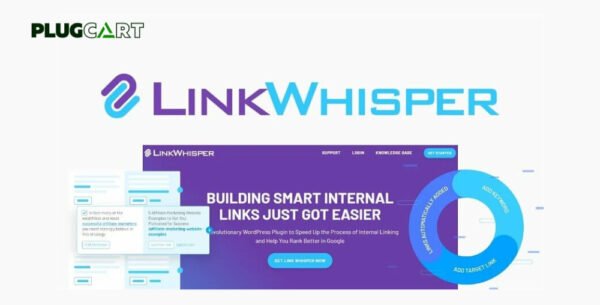
Link Whisper Pro – Quickly Build Smart Internal Links 2.7.4
$49.00 Original price was: $49.00.$2.99Current price is: $2.99.
Instant Access
7 Day Money Back Guarantee
Online Support 24/7
Secure Payment
Description
🔗Link Whisper Pro – Automatic Internal Link Suggestions (Latest GPL Version)
This is a GPL-distributed version of Link Whisper Pro, the intelligent internal linking plugin for WordPress.
Clean, secure, and legally redistributed under the GPL license — no official support included.
Link Whisper Pro is an advanced AI-powered internal linking tool that helps you build powerful internal links faster and smarter.
As you write your content, Link Whisper automatically suggests relevant internal links directly within the WordPress editor, saving you hours of manual link-building work.
It doesn’t just stop at link suggestions — Link Whisper also helps you find orphaned content, fix broken links, and optimize your site’s internal link structure for maximum SEO performance.
💡 AI-Powered Internal Link Suggestions
Automatically suggests relevant internal links as you write articles — directly in the WordPress block editor or Classic Editor.
Instantly view link suggestions for any article
Check boxes to insert links in seconds
Fully compatible with Gutenberg, Classic, and Elementor
🔍 Find & Fix Orphaned Content
Identify posts and pages with few or no incoming internal links.
Boost their visibility by quickly adding links with just one click from the dashboard.
🎯 Keyword-Based Linking
Add target SEO keywords to guide smarter link suggestions.
If you’re using Yoast SEO, Rank Math, or All in One SEO, Link Whisper automatically pulls in your existing focus keywords — no need to set them twice!
⚡ Auto-Linking Feature
Want hands-free link building?
Simply define a keyword and target URL, and Link Whisper will automatically link all past and future mentions of that keyword site-wide to your chosen page.
Perfect for building powerful internal networks around cornerstone content.
📊 In-Depth Link Reporting
Get a full breakdown of your site’s linking structure:
Internal & external link counts per post
Orphaned posts report
Broken link checker
Anchor text insights
Quick edit options for any link directly from the dashboard
🧩 Broken Link Fixing
Easily detect and fix 404s or broken links within your site.
Link Whisper lets you edit or remove links directly from its reporting dashboard without opening each post manually.
💪 Why Use Link Whisper?
✅ Automates tedious internal linking tasks
✅ Improves SEO and site structure
✅ Saves hours of manual link management
✅ Compatible with major SEO plugins
✅ Built-in link analytics and reports
✅ Auto-linking for keywords and URLs
🧭 Ideal For:
Bloggers & content creators
SEO professionals
Affiliate marketers
Niche site owners
WordPress agencies
🔑 Conclusion
The Link Whisper GPL plugin is the smartest internal linking solution for WordPress — combining AI intelligence, SEO automation, and powerful link management tools into one easy-to-use plugin.
Be the first to review “Link Whisper Pro – Quickly Build Smart Internal Links 2.7.4” Cancel reply
How to Install
Follow these quick steps to install from a .zip file or directly from your WP dashboard.
-
1
Go to Plugins → Add New
In your WordPress dashboard, open Plugins and click Add New.
-
2
Click Upload Plugin
Press Upload Plugin → Choose File and select the downloaded
plugin-name.zip. -
3
Install & Activate
Click Install Now, then Activate. You’re done!
-
4
(Optional) Enter License / Use Shortcode
Open Plugins → Your Plugin → Settings to enter your license. Add the box on the product page with:
[plugin_info_box]
Alternative: Install from WordPress directory
Go to Plugins → Add New, search the plugin name, click Install then Activate.
Manual (FTP) method
Unzip locally → upload the folder to /wp-content/plugins/ using FTP → activate from Plugins.
-
1
Go to Appearance → Themes
Click Add New → Upload Theme.
-
2
Upload the .zip file
Select
theme-name.zip, click Install Now, then Activate. -
3
Install Required Plugins
If prompted, click Begin installing plugins and activate them.
-
4
(Optional) Import Starter Content
Use the theme’s Demo Import (if provided) to load sample pages and settings.
Manual (FTP) theme install
Unzip the theme → upload to /wp-content/themes/ → activate from Appearance → Themes.




Reviews
There are no reviews yet.