
- ✔ Verified by VirusTotal
- ✔ 100% Original Product & Virus-Free
- ✔ Lifetime Free Updates on Single Purchase
- ✔ Unlimited Website Usage
- ✔ Prices in USD (Tax Included)
🔥 Limited-Time Deal — Ends Soon!
ListingEasy Theme – Directory Listing 1.9.4
$59.00 Original price was: $59.00.$2.99Current price is: $2.99.
Instant Access
7 Day Money Back Guarantee
Online Support 24/7
Secure Payment
Description
ListingEasy Theme
This is a GPL-distributed version. No official support. Clean, secure, and legally redistributed under the GPL license.
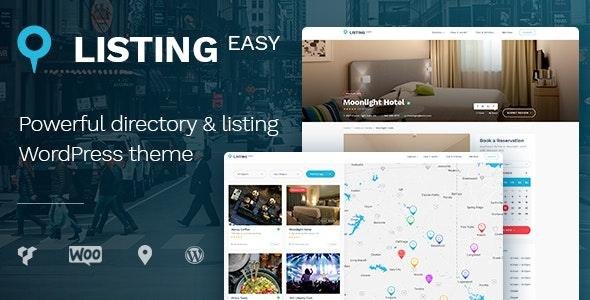
Looking for a functional and intuitive directory and listing WordPress theme? Then Listing Easy is for you. This is an exceptionally extensive and simple to use WordPress theme for businesses like restaurants, cafes, cinemas, and for places like museums, hotels, spas, and more to be added into the global listing of remarkable places to stay.
If you are a venue owner you can add your place to the directory using the simple Add Listing functionality and if you are a traveler and you like sightseeing and entertainment you can use the directory to find a place to take a rest.
ListingEasy Theme Easy Theme Setup That Really Works
Please check this video to see how easily you can set up and import the entire theme demo content. It will take 3 mins. to complete it. Believe us it really works.
ListingEasy Theme One-Stop Solution
The search functionality is simple and intuitive, a visitor just chooses a category and a region and then names a place they want to find, so after they click the search button they instantly get the result. The theme comes with a bunch of pre-made page layouts, a number of readymades and helpful shortcodes, and a drag-and-drop interface based on Visual Composer. Just learn all of the theme’s features below.
ListingEasy GPL Theme Features
- Modern and Clean Design
- HTML5 & CSS3 Valid Code
- Compatible with Latest WordPress
- Fully Responsive & Retina Ready
- High Speed & Extra Optimized
- SEO Friendly. Used Best Practices
- Translation Ready & WPML Compatible
- RTL Support
- One-Click Demo Content Import
- Unique Home Pages
- Different Listing Types
- Listing by Location
- Listing by Region
- Current Location Detection
- Custom Modules for Listing
- Listing Submission Feature
- Different Blog Layouts
- Full-Width Layout
- Standard with Right/Left Sidebar
- Masonry Layout (Righ/Left Sidebar)
- Compatible Plugins (Paid ones, not included). These plugins can be required to extend theme functionality.
- WP Job Manager – Bookmarks
- WP Job Manager – Tags
- WP Job Manager – WooCommerce Paid Listings
- WP Job Manager – Claim Listing
- WP Job Manager Field Editor
- WooCommerce Subscriptions
- WooCommerce Bookings
- ListingEasy Theme Astoundify Claim Listing
- Smooth Scrolling
- Animation Effects
- Custom 404 Page
- Coming Soon Pages
- Contact Form 7 Support
- PSD Files Included
- Extended Documentation
- Free After Sale Help (forum and ticket system)
Be the first to review “ListingEasy Theme – Directory Listing 1.9.4” Cancel reply
How to Install
Follow these quick steps to install from a .zip file or directly from your WP dashboard.
-
1
Go to Plugins → Add New
In your WordPress dashboard, open Plugins and click Add New.
-
2
Click Upload Plugin
Press Upload Plugin → Choose File and select the downloaded
plugin-name.zip. -
3
Install & Activate
Click Install Now, then Activate. You’re done!
-
4
(Optional) Enter License / Use Shortcode
Open Plugins → Your Plugin → Settings to enter your license. Add the box on the product page with:
[plugin_info_box]
Alternative: Install from WordPress directory
Go to Plugins → Add New, search the plugin name, click Install then Activate.
Manual (FTP) method
Unzip locally → upload the folder to /wp-content/plugins/ using FTP → activate from Plugins.
-
1
Go to Appearance → Themes
Click Add New → Upload Theme.
-
2
Upload the .zip file
Select
theme-name.zip, click Install Now, then Activate. -
3
Install Required Plugins
If prompted, click Begin installing plugins and activate them.
-
4
(Optional) Import Starter Content
Use the theme’s Demo Import (if provided) to load sample pages and settings.
Manual (FTP) theme install
Unzip the theme → upload to /wp-content/themes/ → activate from Appearance → Themes.




Reviews
There are no reviews yet.