
- ✔ Verified by VirusTotal
- ✔ 100% Original Product & Virus-Free
- ✔ Lifetime Free Updates on Single Purchase
- ✔ Unlimited Website Usage
- ✔ Prices in USD (Tax Included)
🔥 Limited-Time Deal — Ends Soon!
LoftLoader Pro – Preloader Plugin for WordPress 2.5
$26.00 Original price was: $26.00.$2.99Current price is: $2.99.
Instant Access
7 Day Money Back Guarantee
Online Support 24/7
Secure Payment
Description
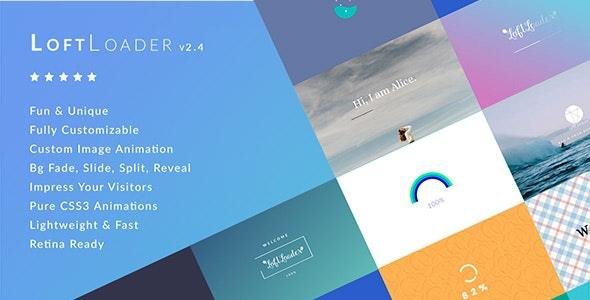
LoftLoader Pro – Preloader Plugin for WordPress
This is a GPL-distributed version. No official support. Clean, secure, and legally redistributed under the GPL license.
Loftloader Pro GPL Features
Display
- Turn on or off preloader.
- Choose to show on global site, or all pages.
- Display on homepage only.
- Show it to visitors once per session.
- Choose to hide loader for selected types: products, portfolios, etc.
- Choose to only show loader for selected post types: products, portfolios, etc. (New Feature)
- Handpick, turn it on for specific pages or posts.
- Manually exclude selected pages/posts (for “Sitewide” and “All Pages”)
Loader
- Display or hide the loader.
- 19 animations to choose.
- 6 support custom images.
- Choose any color.
- Animation loops forever, or just once (ends after page has loaded).
- Use custom HTML as the loader (new feature added in v2.2.2)
Background
- Solid or transparent.
- Unlimited background color.
- 12 transition effects when ending: fade, split horizontally/vertically, slide to left, slide to right, slide up, slide down, shrink & fade, split & reveal vertically, split & reveal horizontally, or split diagonally (please see more information about split diagonally animations).
- Opacity control. Lower the opacity to let visitors see-through.
- Gradient background color.
- Background Image: Repeating pattern, or a full image.
- A new feature added in version 2.2: when using a background image, users can choose to upload a separate background image for mobile devices.
Progress
- Show or hide progress indicators.
- Choose progress bar, counting percentage, or both.
- Set position. Top, middle, bottom, or below the loader.
- Choose any color for it.
- Adjust width and height of the progress bar.
- Choose one from Google fonts, change font size, weight, and letter spacing for percentage.
- Put percentage behind animation, create a unique design.
Custom Welcome Message
- Display custom welcome/loading message.
- Change the font size of the text.
- Choose any color for text.
- Set position. Top, bottom, or before the progress indicator.
- Google font, font-weight, and letter spacing settings.
- Random Message
Load Time
- Set Minimum load time, so prevent the pre-loader from disappearing too fast.
- Set Maximum load time to force the preloader to disappear after x seconds (new feature added in v2.2).
This GPL Product is the EXACT same theme as sold by the developer and the original company.
Read our Terms & Conditions and FAQ before purchase.
Thank you for the visit. We will love to see you again.
Be the first to review “LoftLoader Pro – Preloader Plugin for WordPress 2.5” Cancel reply
How to Install
Follow these quick steps to install from a .zip file or directly from your WP dashboard.
- 1
Go to Plugins → Add New
In your WordPress dashboard, open Plugins and click Add New.
- 2
Click Upload Plugin
Press Upload Plugin → Choose File and select the downloaded
plugin-name.zip. - 3
Install & Activate
Click Install Now, then Activate. You’re done!
- 4
(Optional) Enter License / Use Shortcode
Open Plugins → Your Plugin → Settings to enter your license. Add the box on the product page with:
[plugin_info_box]
Alternative: Install from WordPress directory
Go to Plugins → Add New, search the plugin name, click Install then Activate.
Manual (FTP) method
Unzip locally → upload the folder to /wp-content/plugins/ using FTP → activate from Plugins.
- 1
Go to Appearance → Themes
Click Add New → Upload Theme.
- 2
Upload the .zip file
Select
theme-name.zip, click Install Now, then Activate. - 3
Install Required Plugins
If prompted, click Begin installing plugins and activate them.
- 4
(Optional) Import Starter Content
Use the theme’s Demo Import (if provided) to load sample pages and settings.
Manual (FTP) theme install
Unzip the theme → upload to /wp-content/themes/ → activate from Appearance → Themes.




Reviews
There are no reviews yet.