
- ✔ Verified by VirusTotal
- ✔ 100% Original Product & Virus-Free
- ✔ Lifetime Free Updates on Single Purchase
- ✔ Unlimited Website Usage
- ✔ Prices in USD (Tax Included)
🔥 Limited-Time Deal — Ends Soon!
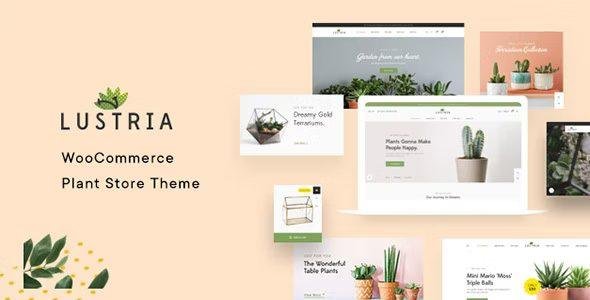
Lustria – MultiPurpose Plant Store WordPress Theme 4.5
$60.00 Original price was: $60.00.$2.99Current price is: $2.99.
Instant Access
7 Day Money Back Guarantee
Online Support 24/7
Secure Payment
Description
🌱 Lustria – MultiPurpose Plant Store WordPress Theme
Lustria GPL Theme is a beautifully crafted WordPress WooCommerce theme designed for gardening shops, houseplant stores, nurseries, and eco-friendly businesses. Whether you’re running a plant nursery, flower shop, gardening tools store, or an organic lifestyle brand, Lustria provides all the tools to grow your business online.
Developed by G5Theme, a trusted Level 11 Envato author, Lustria combines modern design, flexible layouts, and advanced eCommerce features into one powerful package. With 8+ pre-designed homepage demos, one-click demo import, and full WooCommerce integration, you can launch your online store in just a few hours.
🌟 Why Choose Lustria Theme?
🌱 Designed for Plant Stores & Eco Brands – Perfect for houseplants, flowers, trees, gardening supplies, or organic lifestyle products.
⚡ Fast & Easy Setup – 8+ ready-to-use demos and one-click import make building your site effortless.
📱 Mobile & Retina Ready – Delivers pixel-perfect content across all devices.
🎨 Unlimited Customization – Choose from 13+ header layouts, unlimited colors, sidebars, Google Fonts, and advanced skin options.
🛒 Powerful WooCommerce Store – Fully supports product categories, variations, and modern shop features.
🌍 Global Ready – RTL language support, WPML compatibility, and translation files included.
📰 Engaging Content Options – Blog layouts, Mailchimp subscription, sticky headers, and mega menus for smooth navigation.
🌿 Lustria Theme GPL – Full Features List
8+ homepage demos for plant/gardening shops
One-click demo import
WooCommerce ready with full shop functionality
13+ header layouts & customizable mega menu
Responsive & Retina ready
WPBakery Page Builder + Revolution Slider included (save $54)
WPML compatible & RTL support
800+ Google Fonts & unlimited typography options
Unlimited sidebars and colors
Sticky header and sticky sidebar
Smooth scroll & advanced skins options
Blog, shop, and footer widgets included
Cross-browser compatibility (Chrome, Safari, Firefox, Edge, etc.)
Translation ready (.po/.mo files)
Integrated Mailchimp subscription
Child theme included for customization
Built-in HTML5, CSS3 & LESS for speed and flexibility
Custom favicon and advanced CSS ready
🌎 Perfect For:
Plant nurseries & flower shops
Gardening tools & accessories stores
Eco-friendly lifestyle brands
Organic product shops
Home decor & indoor plants stores
With Lustria Theme GPL, you don’t just get a shop template—you get a complete digital ecosystem for plant lovers and eco-conscious brands, combining clean design with powerful WooCommerce features.
Be the first to review “Lustria – MultiPurpose Plant Store WordPress Theme 4.5” Cancel reply
How to Install
Follow these quick steps to install from a .zip file or directly from your WP dashboard.
-
1
Go to Plugins → Add New
In your WordPress dashboard, open Plugins and click Add New.
-
2
Click Upload Plugin
Press Upload Plugin → Choose File and select the downloaded
plugin-name.zip. -
3
Install & Activate
Click Install Now, then Activate. You’re done!
-
4
(Optional) Enter License / Use Shortcode
Open Plugins → Your Plugin → Settings to enter your license. Add the box on the product page with:
[plugin_info_box]
Alternative: Install from WordPress directory
Go to Plugins → Add New, search the plugin name, click Install then Activate.
Manual (FTP) method
Unzip locally → upload the folder to /wp-content/plugins/ using FTP → activate from Plugins.
-
1
Go to Appearance → Themes
Click Add New → Upload Theme.
-
2
Upload the .zip file
Select
theme-name.zip, click Install Now, then Activate. -
3
Install Required Plugins
If prompted, click Begin installing plugins and activate them.
-
4
(Optional) Import Starter Content
Use the theme’s Demo Import (if provided) to load sample pages and settings.
Manual (FTP) theme install
Unzip the theme → upload to /wp-content/themes/ → activate from Appearance → Themes.




Reviews
There are no reviews yet.