
- ✔ Verified by VirusTotal
- ✔ 100% Original Product & Virus-Free
- ✔ Lifetime Free Updates on Single Purchase
- ✔ Unlimited Website Usage
- ✔ Prices in USD (Tax Included)
🔥 Limited-Time Deal — Ends Soon!
Magic Post Thumbnail Pro 6.0.4
$58.00 Original price was: $58.00.$2.99Current price is: $2.99.
Instant Access
7 Day Money Back Guarantee
Online Support 24/7
Secure Payment
Description
🖼️ Magic Post Thumbnail Pro (GPL) – Latest Version
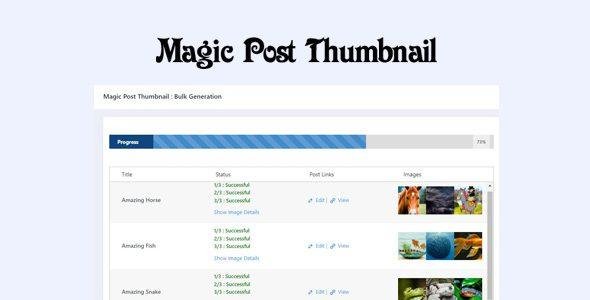
Magic Post Thumbnail Pro GPL is a smart WordPress plugin that automatically generates eye-catching featured images for your posts. By pulling images from popular image banks like Google, Pixabay, Unsplash, Pexels, DALL·E, Envato Elements, and more, it ensures every post has a professional look without manual effort.
This is a GPL-distributed version, 100% clean, secure, and legally redistributed with no official support.
🌟 Key Features
🎨 Automatic Featured Images
Generate featured images automatically based on post title or text analysis
Insert images as thumbnails or inside post content
⚙️ Full Customization
Select image bank, language, post types, image type, and image size
Choose royalty-free/free-to-use images for copyright-safe publishing
🖼️ Flexible Image Generation
Manual mode – Insert images via Gutenberg block
Automatic mode – Generate thumbnails instantly on post publish
🌍 Multiple Image Sources
Works with Google, Pixabay, Unsplash, Pexels, DALL·E AI, Envato Elements, and more
🎯 Benefits
🚀 Save time by auto-creating thumbnails for all posts
🖼️ Ensure every article has a professional, engaging featured image
🔒 Use safe, copyright-cleared image banks
🎨 Customize to match your blog’s style and niche
🤖 Boost SEO & CTR with consistent, eye-catching visuals
🏁 Conclusion
The Magic Post Thumbnail Pro GPL plugin is the perfect solution for bloggers, agencies, and businesses who want to automate image creation, improve post aesthetics, and save time. With multiple sources and customization options, it’s a must-have WordPress tool.
Be the first to review “Magic Post Thumbnail Pro 6.0.4” Cancel reply
How to Install
Follow these quick steps to install from a .zip file or directly from your WP dashboard.
-
1
Go to Plugins → Add New
In your WordPress dashboard, open Plugins and click Add New.
-
2
Click Upload Plugin
Press Upload Plugin → Choose File and select the downloaded
plugin-name.zip. -
3
Install & Activate
Click Install Now, then Activate. You’re done!
-
4
(Optional) Enter License / Use Shortcode
Open Plugins → Your Plugin → Settings to enter your license. Add the box on the product page with:
[plugin_info_box]
Alternative: Install from WordPress directory
Go to Plugins → Add New, search the plugin name, click Install then Activate.
Manual (FTP) method
Unzip locally → upload the folder to /wp-content/plugins/ using FTP → activate from Plugins.
-
1
Go to Appearance → Themes
Click Add New → Upload Theme.
-
2
Upload the .zip file
Select
theme-name.zip, click Install Now, then Activate. -
3
Install Required Plugins
If prompted, click Begin installing plugins and activate them.
-
4
(Optional) Import Starter Content
Use the theme’s Demo Import (if provided) to load sample pages and settings.
Manual (FTP) theme install
Unzip the theme → upload to /wp-content/themes/ → activate from Appearance → Themes.




Reviews
There are no reviews yet.