
- ✔ Verified by VirusTotal
- ✔ 100% Original Product & Virus-Free
- ✔ Lifetime Free Updates on Single Purchase
- ✔ Unlimited Website Usage
- ✔ Prices in USD (Tax Included)
🔥 Limited-Time Deal — Ends Soon!
Majesty Theme – Restaurant WooCommerce WordPress Theme 2.0.7
$59.00 Original price was: $59.00.$2.99Current price is: $2.99.
Instant Access
7 Day Money Back Guarantee
Online Support 24/7
Secure Payment
Description
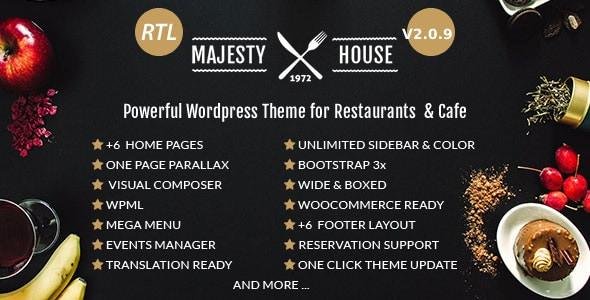
🍴 Majesty – Restaurant WooCommerce WordPress Theme (GPL)
Majesty Theme GPL is a stylish, multipurpose restaurant WordPress theme designed for restaurants, bakeries, cafes, catering businesses, and personal chefs. With a sleek and modern layout, Majesty offers both One-Page & Multi-Page designs and comes bundled with powerful tools like WooCommerce, WPBakery Page Builder, Restaurant Reservations, Events Manager, and OpenTable support.
Whether you want to create a professional food delivery store, an online restaurant reservation system, or simply showcase your menu in style, Majesty makes it possible without coding knowledge.
🌟 Why Choose Majesty Theme?
🍕 Restaurant-Focused – Perfect for cafés, bakeries, catering services, and fine-dining websites.
🛒 WooCommerce Ready – Sell food, bakery items, or any product with integrated WooCommerce features.
📋 Flexible Food Menu Options – Build menus with or without WooCommerce using WPBakery.
🎨 Modern Design Options – 10+ Home layouts, 8 blog layouts, multiple header styles & 6+ predefined color schemes.
📱 Mobile & Retina Ready – 100% responsive for iPhone, iPad, and all devices.
🌍 Global Ready – RTL Support, WPML compatible, and fully translatable.
⚡ One-Click Demo Import – Get your site running in minutes with ready-made demos.
🎉 Events & Reservations – Manage restaurant reservations, bookings, and events with ease.
🛠️ Majesty WordPress Theme GPL – Features List
🎨 Layouts & Design
One Page & Multi-Page designs.
10+ Homepage layouts.
8 Blog layouts.
Boxed & Wide layouts.
Dark & Light menu styles.
6 Predefined color schemes + Unlimited colors.
600+ Google Fonts + Font Awesome Icons.
Retina Ready + Bootstrap 3.3.4 framework.
🍽️ Restaurant-Specific Features
Restaurant Reservations system.
OpenTable integration.
Food menus with or without WooCommerce.
Events Manager support.
Countdown timer for offers/events.
🛒 WooCommerce Integration
Stylish WooCommerce pages (Shop, Cart, Checkout).
All WooCommerce shortcodes & widgets supported.
Menu display using Visual Composer elements.
🔧 Theme Options & Customization
WPBakery Page Builder included.
Redux Framework-powered advanced theme options.
23+ custom web elements for WPBakery.
28 shortcodes included.
Unlimited Sidebars with WooSidebar plugin.
Built-in breadcrumbs & sharing system.
Custom backgrounds (Color, Image, Parallax, Video, YouTube BG).
Splash Screen (3 styles).
📦 Extra Features
One-click demo installer.
One-click theme updates.
Built-in Coming Soon pages (3 styles).
Translation ready (.po & .mo files).
Child theme included.
SEO Optimized & cross-browser compatible.
Logo PSD included.
🌍 Perfect For:
Restaurants 🍽️
Bakeries 🥖
Cafes ☕
Catering Businesses 🎉
Personal Chefs 👨🍳
Food Delivery Stores 🚴
With Majesty Restaurant WordPress Theme GPL, you get a complete food business solution — from menu showcases to online reservations and WooCommerce-powered eCommerce.
Be the first to review “Majesty Theme – Restaurant WooCommerce WordPress Theme 2.0.7” Cancel reply
How to Install
Follow these quick steps to install from a .zip file or directly from your WP dashboard.
-
1
Go to Plugins → Add New
In your WordPress dashboard, open Plugins and click Add New.
-
2
Click Upload Plugin
Press Upload Plugin → Choose File and select the downloaded
plugin-name.zip. -
3
Install & Activate
Click Install Now, then Activate. You’re done!
-
4
(Optional) Enter License / Use Shortcode
Open Plugins → Your Plugin → Settings to enter your license. Add the box on the product page with:
[plugin_info_box]
Alternative: Install from WordPress directory
Go to Plugins → Add New, search the plugin name, click Install then Activate.
Manual (FTP) method
Unzip locally → upload the folder to /wp-content/plugins/ using FTP → activate from Plugins.
-
1
Go to Appearance → Themes
Click Add New → Upload Theme.
-
2
Upload the .zip file
Select
theme-name.zip, click Install Now, then Activate. -
3
Install Required Plugins
If prompted, click Begin installing plugins and activate them.
-
4
(Optional) Import Starter Content
Use the theme’s Demo Import (if provided) to load sample pages and settings.
Manual (FTP) theme install
Unzip the theme → upload to /wp-content/themes/ → activate from Appearance → Themes.




Reviews
There are no reviews yet.