
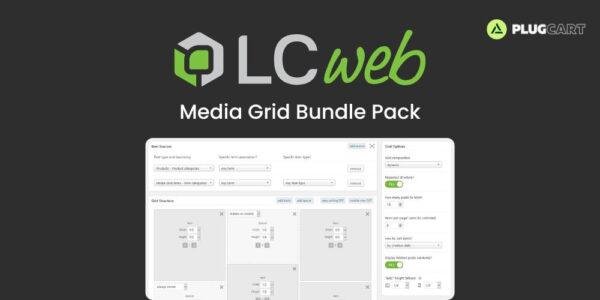
🖼 Media Grid Bundle Pack – Flexible WordPress Grids with Filters & Overlays
Media Grid Bundle Pack is the ultimate WordPress solution for creating fully customizable, filterable, and media-rich grids. This bundle includes the core Media Grid plugin along with two powerful add-ons: Advanced Filters and Overlay Manager. Build visually stunning grids for posts, images, videos, and WooCommerce products without any coding.
✨ Key Features
Media Grid – Core Plugin
Flexible Grid Builder – Create unique layouts mixing posts, images, and other media.
Visual Builder – Drag-and-drop interface with dynamic and mobile-ready modes.
Full Media Support – Handle images, audio, and video seamlessly.
Responsive Lightbox – Display any content in multiple lightbox layouts.
Preset Styles – One-click setup with 10 ready-to-use grid styles.
WooCommerce Integration – Display products alongside your posts or media.
Comments Support – Integrate user feedback directly into your grids.
Advanced Filters Add-on
Unlimited Filters – Add filters to grids for easier navigation and sorting.
Multiple Layouts – Top, button, right, and left side filter positions.
Single & Multi-Option Filters – Let users choose one or multiple filter options.
Numeric Range Filters – Ideal for price or other numerical attributes.
WooCommerce Integration – Filters work seamlessly with product grids.
Deep Link Support – Enable direct links to filtered grid views.
Overlay Manager Add-on
Unlimited Overlays – Add overlays to any grid item with full control.
Editable Presets – 15 customizable overlay presets with layered elements.
Hover Behavior Control – Adjust what appears when users hover on items.
Item Description & Auto-Shortener – Keep overlay content concise and readable.
Social Buttons – Add sharing options directly on the overlay.
Grid-Specific Overlays – Assign different overlays for different grids.
💡 Why Use Media Grid Bundle Pack
Fully Customizable – Create grids tailored to your design needs.
Enhanced User Experience – Filters and overlays make navigation intuitive.
Multimedia Friendly – Images, audio, video, and WooCommerce products supported.
Quick Setup – Start with pre-built styles and customize as needed.
Engage Visitors – Interactive grids encourage longer time on site and higher engagement.
🚀 Conclusion
The Media Grid Bundle Pack is your all-in-one solution for building dynamic, interactive, and visually stunning WordPress grids. With advanced filters and overlays, it’s perfect for portfolios, WooCommerce products, blogs, and media-heavy websites. Create engaging grids that captivate your audience effortlessly.




Reviews
There are no reviews yet.