
- ✔ Verified by VirusTotal
- ✔ 100% Original Product & Virus-Free
- ✔ Lifetime Free Updates on Single Purchase
- ✔ Unlimited Website Usage
- ✔ Prices in USD (Tax Included)
🔥 Limited-Time Deal — Ends Soon!
MonsterInsights eCommerce Addon 8.5.4
$199.00 Original price was: $199.00.$2.99Current price is: $2.99.
Instant Access
7 Day Money Back Guarantee
Online Support 24/7
Secure Payment
Description
🛒 MonsterInsights eCommerce Addon (Latest Version)
This is a GPL-distributed version ✅. No official support. Clean, secure, and legally redistributed under the GPL license.
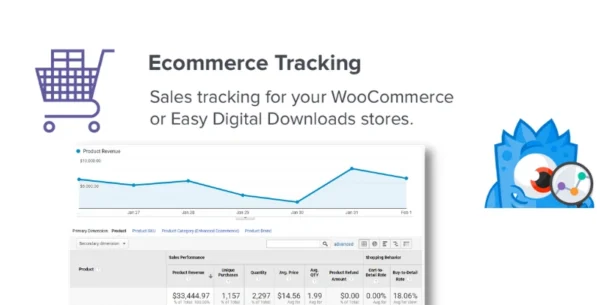
The MonsterInsights eCommerce Addon is the easiest way to set up Google Analytics Enhanced eCommerce tracking for your WordPress store. Whether you use WooCommerce or Easy Digital Downloads, this addon helps you track key metrics, analyze customer behavior, and make data-driven decisions to increase sales.
📊 Key Benefits of MonsterInsights eCommerce Tracking
Quick Setup – Enable advanced Google Analytics eCommerce tracking with just a few clicks.
Actionable Insights – See real numbers like revenue, conversions, transactions, and customer behavior inside your WordPress dashboard.
Smarter Marketing – Identify which referral sources bring the most profitable customers, and stop wasting time on low-performing channels.
Optimize Store Performance – Understand shopper behavior to improve your products, funnels, and overall shopping experience.
🏆 Features & Reporting
Once installed, the eCommerce addon gives you powerful reporting directly in WordPress:
Conversion Rate Tracking – Measure how many visitors actually buy 🛍️
Revenue Reports – Instantly see your store’s earnings
Transaction Data – Track number of sales and order details
Average Order Value (AOV) – Know how much customers spend per order
Top Products – Discover your best-sellers and optimize your inventory
Referral Sources – See which websites and campaigns drive the most sales
🔎 Shopper Behavior Insights
Beyond sales numbers, MonsterInsights helps you understand how customers shop in your store:
Which products are most popular 📈
Where customers drop off in the buying process
Which traffic sources convert best into paying customers
How product performance impacts your overall revenue
This kind of data is invaluable for conversion optimization and scaling your business.
🌐 Why Use MonsterInsights eCommerce Addon?
Without eCommerce tracking, you’re guessing. With this addon, you’ll know:
✔️ What’s working (and what’s not)
✔️ Which marketing campaigns bring in sales
✔️ How to increase revenue with actionable insights
Everything is simplified and presented in easy-to-read reports inside WordPress, so you don’t need to dig through complicated Google Analytics dashboards.
⚡ The MonsterInsights eCommerce Addon is perfect for store owners who want to boost sales, optimize funnels, and maximize ROI with reliable data – all without hiring a developer or messing with code.
Be the first to review “MonsterInsights eCommerce Addon 8.5.4” Cancel reply
How to Install
Follow these quick steps to install from a .zip file or directly from your WP dashboard.
-
1
Go to Plugins → Add New
In your WordPress dashboard, open Plugins and click Add New.
-
2
Click Upload Plugin
Press Upload Plugin → Choose File and select the downloaded
plugin-name.zip. -
3
Install & Activate
Click Install Now, then Activate. You’re done!
-
4
(Optional) Enter License / Use Shortcode
Open Plugins → Your Plugin → Settings to enter your license. Add the box on the product page with:
[plugin_info_box]
Alternative: Install from WordPress directory
Go to Plugins → Add New, search the plugin name, click Install then Activate.
Manual (FTP) method
Unzip locally → upload the folder to /wp-content/plugins/ using FTP → activate from Plugins.
-
1
Go to Appearance → Themes
Click Add New → Upload Theme.
-
2
Upload the .zip file
Select
theme-name.zip, click Install Now, then Activate. -
3
Install Required Plugins
If prompted, click Begin installing plugins and activate them.
-
4
(Optional) Import Starter Content
Use the theme’s Demo Import (if provided) to load sample pages and settings.
Manual (FTP) theme install
Unzip the theme → upload to /wp-content/themes/ → activate from Appearance → Themes.

Reviews
There are no reviews yet.