
- ✔ Verified by VirusTotal
- ✔ 100% Original Product & Virus-Free
- ✔ Lifetime Free Updates on Single Purchase
- ✔ Unlimited Website Usage
- ✔ Prices in USD (Tax Included)
🔥 Limited-Time Deal — Ends Soon!
Muzze Theme- Museum Art Gallery Exhibition WordPress Theme 1.6.9
$59.00 Original price was: $59.00.$2.99Current price is: $2.99.
Instant Access
7 Day Money Back Guarantee
Online Support 24/7
Secure Payment
Description
Muzze Theme
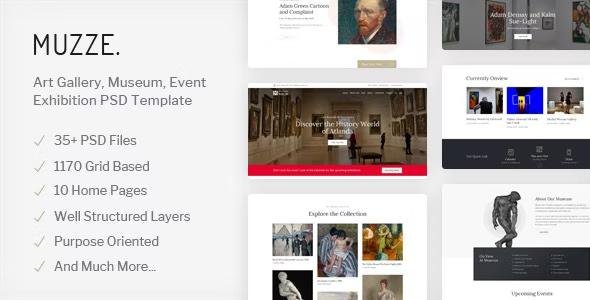
Muzze – Art Gallery, Museum, Exhibition & Event WordPress Theme is a premium WordPress theme designed exclusively for museums, art galleries, exhibitions, cultural events, history centers, and creative institutions that want to showcase their work, engage visitors, and build a strong online presence. It is a complete package for anyone looking to create a professional, responsive, and SEO-optimized website for art and culture-related projects.
Muzze comes with 10 beautifully crafted homepage layouts that cover a variety of styles – from modern art galleries to classic museums and science exhibitions. With the Elementor page builder, you can design custom layouts by simply dragging and dropping elements, making it easy to build a unique website without any coding knowledge. You can change colors, typography, headers, and footers instantly with live customization options.
This theme is not just about design—it is built with powerful features to support the needs of museums, galleries, and cultural businesses. Muzze includes dedicated systems for managing exhibitions, scheduling events, adding artist profiles, accepting online donations, and booking tickets. It also allows you to display art collections in a professional gallery format with multiple layout styles.
Muzze Theme
For organizations that want to sell tickets, art pieces, or merchandise online, Muzze is fully integrated with WooCommerce, providing a complete eCommerce solution. It is also WPML compatible, enabling you to run a multilingual website and reach global audiences. With mega menu support, you can organize your content in a structured and user-friendly way, making navigation simple for visitors.
Performance and SEO are at the core of Muzze. The theme is optimized for fast loading speed, responsive design, and search engine ranking, ensuring that your website works flawlessly on desktop, tablet, and mobile devices. Whether your visitors are booking event tickets, exploring collections, or reading about artists, Muzze delivers a smooth and engaging browsing experience.
Muzze Theme
Muzze also includes one-click demo import, so you can instantly launch a ready-made website and then customize it to fit your brand. Additional tools like Contact Form 7 integration, 675+ Font Awesome and Themify icons, unlimited color options, Google Fonts, elegant typography, wide & boxed layouts, and detailed step-by-step documentation make website building simple and professional.
Built on a 1170px grid system, Muzze provides a clean, balanced design that highlights artwork and exhibitions beautifully. It is ideal for art galleries showcasing paintings and sculptures, museums preserving history and culture, science and technology centers displaying innovations, and even event organizers who want to promote expos, fairs, and cultural festivals.
Muzze Theme
With 24/7 dedicated support and regular updates, Muzze ensures that your website stays modern, secure, and functional at all times. It is the perfect choice for institutions that value design, functionality, and professionalism in their online presence.
Whether you are an art gallery owner, museum curator, cultural event organizer, or history enthusiast, Muzze provides everything you need to create a professional and impactful website that attracts visitors, promotes exhibitions, and supports online engagement.
Be the first to review “Muzze Theme- Museum Art Gallery Exhibition WordPress Theme 1.6.9” Cancel reply
How to Install
Follow these quick steps to install from a .zip file or directly from your WP dashboard.
-
1
Go to Plugins → Add New
In your WordPress dashboard, open Plugins and click Add New.
-
2
Click Upload Plugin
Press Upload Plugin → Choose File and select the downloaded
plugin-name.zip. -
3
Install & Activate
Click Install Now, then Activate. You’re done!
-
4
(Optional) Enter License / Use Shortcode
Open Plugins → Your Plugin → Settings to enter your license. Add the box on the product page with:
[plugin_info_box]
Alternative: Install from WordPress directory
Go to Plugins → Add New, search the plugin name, click Install then Activate.
Manual (FTP) method
Unzip locally → upload the folder to /wp-content/plugins/ using FTP → activate from Plugins.
-
1
Go to Appearance → Themes
Click Add New → Upload Theme.
-
2
Upload the .zip file
Select
theme-name.zip, click Install Now, then Activate. -
3
Install Required Plugins
If prompted, click Begin installing plugins and activate them.
-
4
(Optional) Import Starter Content
Use the theme’s Demo Import (if provided) to load sample pages and settings.
Manual (FTP) theme install
Unzip the theme → upload to /wp-content/themes/ → activate from Appearance → Themes.




Reviews
There are no reviews yet.