
- ✔ Verified by VirusTotal
- ✔ 100% Original Product & Virus-Free
- ✔ Lifetime Free Updates on Single Purchase
- ✔ Unlimited Website Usage
- ✔ Prices in USD (Tax Included)
🔥 Limited-Time Deal — Ends Soon!
Myour Theme – CV WordPress Theme 1.5.7
$35.00 Original price was: $35.00.$2.99Current price is: $2.99.
Instant Access
7 Day Money Back Guarantee
Online Support 24/7
Secure Payment
Description
💼 Myour Theme GPL – CV Resume & Personal Portfolio WordPress Theme
🧾 Overview
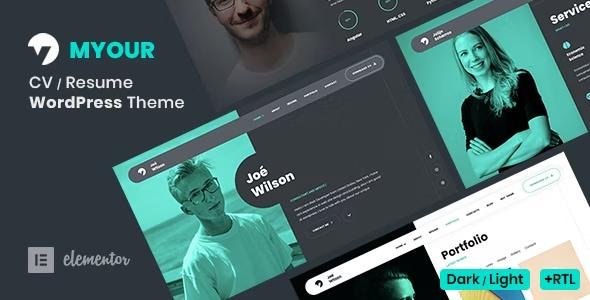
Myour Theme GPL is a stylish and professional Resume & CV WordPress theme perfect for developers, designers, freelancers, artists, coders, and photographers who want to showcase their skills, experience, and portfolio online.
With a minimal dark design, responsive layout, and Elementor Page Builder integration, creating your online resume or personal website has never been easier.
This is a GPL-distributed version — 100% clean, secure, and legally redistributed under the GPL license. No official support is included.
🎨 Myour Theme GPL Features
🧠 Design & Layout Options
Dark & Light Versions: Choose between sleek dark or elegant light themes.
One Page & Multi Page Layouts: Build a single-page portfolio or a full site.
5+ Homepage Backgrounds: Default, Gradient, Video, Circle, and Slider variants.
Minimal & Clean Design: Focused on clarity and user experience.
RTL Support: Perfect for right-to-left languages like Arabic or Hebrew.
Fully Responsive: Looks perfect on desktops, tablets, and mobile devices.
⚙️ Page Building & Customization
Elementor Page Builder: Create visually with drag & drop editing.
ACF Pro Included: Advanced Custom Fields for flexible content management.
One-Click Demo Import: Get started quickly with pre-built demo content.
Unlimited Colors: Match your brand or personality effortlessly.
FontAwesome & Google Fonts: Access a wide range of icons and typography.
Clean Code & Easy Customization: Developer-friendly structure.
Child Theme Support: Safely customize without losing updates.
💼 Portfolio & Resume Features
Powerful Portfolio with Isotope Filters: Showcase projects in style.
6+ Lightbox Portfolio Types: Image, Gallery, Video (YouTube/Vimeo), Audio (SoundCloud), Media, and Links.
Animated Transitions: Smooth page animations for an engaging user experience.
Skills Section: Display expertise with percentage bars, dotted bars, or circles.
Timeline Resume: Present your career milestones in a professional layout.
Testimonials Carousel: Highlight client or colleague feedback.
Pricing Tables: Great for freelancers and service-based professionals.
🧩 Integration & Compatibility
Contact Form 7: Easily manage and customize contact forms.
Blog Ready: Includes Default and Grid layouts plus Single Post template.
Cross-Browser Compatible: Works seamlessly on all modern browsers.
Localization Support: Ready for translation (.pot file included).
Widgets Ready: Add custom functionality anywhere on your site.
🔄 Additional Highlights
Regular Theme Updates
Detailed Documentation Included
24/7 Support (from community or GPL resources)
Demo Content (.xml file) Included
🚀 Why Choose Myour Theme GPL?
100% GPL-licensed – modify, redistribute, and use freely.
Built for personal branding and creative professionals.
Fast, modern, and SEO-friendly.
Easy setup – ideal for beginners and pros alike.
🏁 Conclusion
The Myour Theme GPL is a refined and feature-rich WordPress resume and portfolio theme designed for creative professionals who want to stand out. With Elementor integration, dark/light modes, one-click demo import, and stunning portfolio options, it’s the ultimate solution for building a modern online presence that impresses clients and employers alike.
Be the first to review “Myour Theme – CV WordPress Theme 1.5.7” Cancel reply
How to Install
Follow these quick steps to install from a .zip file or directly from your WP dashboard.
-
1
Go to Plugins → Add New
In your WordPress dashboard, open Plugins and click Add New.
-
2
Click Upload Plugin
Press Upload Plugin → Choose File and select the downloaded
plugin-name.zip. -
3
Install & Activate
Click Install Now, then Activate. You’re done!
-
4
(Optional) Enter License / Use Shortcode
Open Plugins → Your Plugin → Settings to enter your license. Add the box on the product page with:
[plugin_info_box]
Alternative: Install from WordPress directory
Go to Plugins → Add New, search the plugin name, click Install then Activate.
Manual (FTP) method
Unzip locally → upload the folder to /wp-content/plugins/ using FTP → activate from Plugins.
-
1
Go to Appearance → Themes
Click Add New → Upload Theme.
-
2
Upload the .zip file
Select
theme-name.zip, click Install Now, then Activate. -
3
Install Required Plugins
If prompted, click Begin installing plugins and activate them.
-
4
(Optional) Import Starter Content
Use the theme’s Demo Import (if provided) to load sample pages and settings.
Manual (FTP) theme install
Unzip the theme → upload to /wp-content/themes/ → activate from Appearance → Themes.




Reviews
There are no reviews yet.