
- ✔ Verified by VirusTotal
- ✔ 100% Original Product & Virus-Free
- ✔ Lifetime Free Updates on Single Purchase
- ✔ Unlimited Website Usage
- ✔ Prices in USD (Tax Included)
🔥 Limited-Time Deal — Ends Soon!
NinjaFirewall WP Edition 4.8
$58.00 Original price was: $58.00.$2.99Current price is: $2.99.
Instant Access
7 Day Money Back Guarantee
Online Support 24/7
Secure Payment
Description
🛡️ NinjaFirewall WP Edition – Advanced WordPress Web Application Firewall
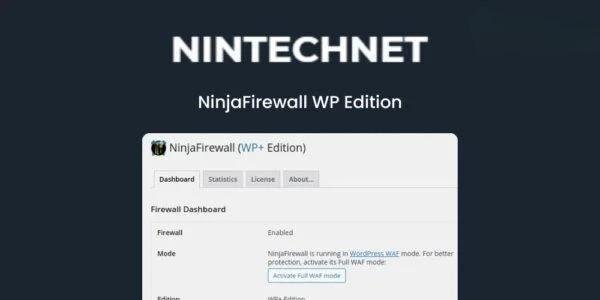
NinjaFirewall WP Edition is a stand-alone Web Application Firewall designed to protect WordPress websites from malicious attacks, hackers, and unauthorized access. Unlike traditional plugins, NinjaFirewall operates before WordPress loads, scanning, sanitizing, and filtering all HTTP/HTTPS requests to block threats at the earliest stage.
Compatible with Unix-like servers, this powerful firewall shields your site, plugins, and even non-WordPress scripts, including encoded PHP files, shells, and backdoors. NinjaFirewall is the ultimate solution for site administrators seeking advanced security features usually found only in enterprise-level applications.
✨ Key Features
Powerful Filtering Engine – Detects obfuscation, evasion techniques, and malicious payloads.
Brute-Force Protection – Safeguard
wp-login.phpandxmlrpc.phpfrom large-scale attacks, including distributed attempts.Real-Time Detection – Alerts you instantly when a newly modified or created PHP file is accessed.
File Integrity Monitoring – Scan files for changes in content, permissions, ownership, timestamps, and deletions.
Pre-WordPress Filtering – Blocks malicious requests before reaching WordPress or plugins.
Comprehensive Script Protection – Protects all PHP scripts in your site, including non-WordPress and encoded files.
IP, Role, Country & URL Control – Restrict access based on IP, user roles, geolocation, or specific URLs.
Bot Detection & Blocking – Identify and block suspicious automated traffic.
Fast & Efficient – Utilizes Unix shared memory for high performance and low server load.
💡 What We Offer
NinjaFirewall WP Edition provides enterprise-grade security for WordPress websites without complex server configurations. It combines firewall filtering, real-time alerts, and file integrity checks to prevent attacks and detect potential vulnerabilities before damage occurs. Suitable for any website needing proactive protection against hackers and malware.
🚀 Conclusion
NinjaFirewall WP Edition is the ultimate WordPress security solution, offering real-time detection, advanced firewall protection, and file monitoring. Keep your website safe from brute-force attacks, malicious scripts, and unauthorized access with this robust, high-performance plugin.
Be the first to review “NinjaFirewall WP Edition 4.8” Cancel reply
How to Install
Follow these quick steps to install from a .zip file or directly from your WP dashboard.
-
1
Go to Plugins → Add New
In your WordPress dashboard, open Plugins and click Add New.
-
2
Click Upload Plugin
Press Upload Plugin → Choose File and select the downloaded
plugin-name.zip. -
3
Install & Activate
Click Install Now, then Activate. You’re done!
-
4
(Optional) Enter License / Use Shortcode
Open Plugins → Your Plugin → Settings to enter your license. Add the box on the product page with:
[plugin_info_box]
Alternative: Install from WordPress directory
Go to Plugins → Add New, search the plugin name, click Install then Activate.
Manual (FTP) method
Unzip locally → upload the folder to /wp-content/plugins/ using FTP → activate from Plugins.
-
1
Go to Appearance → Themes
Click Add New → Upload Theme.
-
2
Upload the .zip file
Select
theme-name.zip, click Install Now, then Activate. -
3
Install Required Plugins
If prompted, click Begin installing plugins and activate them.
-
4
(Optional) Import Starter Content
Use the theme’s Demo Import (if provided) to load sample pages and settings.
Manual (FTP) theme install
Unzip the theme → upload to /wp-content/themes/ → activate from Appearance → Themes.




Reviews
There are no reviews yet.