
- ✔ Verified by VirusTotal
- ✔ 100% Original Product & Virus-Free
- ✔ Lifetime Free Updates on Single Purchase
- ✔ Unlimited Website Usage
- ✔ Prices in USD (Tax Included)
🔥 Limited-Time Deal — Ends Soon!
NotificationX Pro 3.0.4
$57.00 Original price was: $57.00.$2.99Current price is: $2.99.
Instant Access
7 Day Money Back Guarantee
Online Support 24/7
Secure Payment
Description
🚀 NotificationX Pro – Ultimate WordPress Marketing Solution
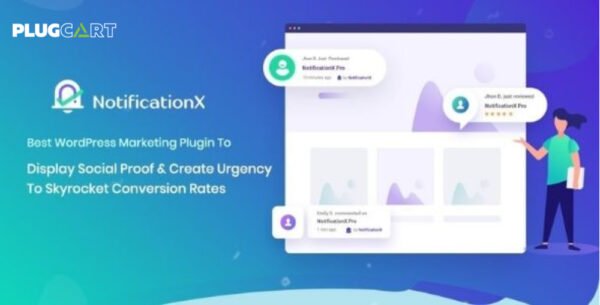
NotificationX Pro is the leading WordPress marketing plugin designed to boost your website’s conversion rates using powerful social proof and FOMO (Fear of Missing Out) techniques. Whether you’re running an online store, blog, or digital product site, NotificationX Pro helps you attract attention, engage visitors, and increase sales effortlessly.
🌟 Key Features
💡 Quick Builder
Create notification alerts instantly with a user-friendly builder — no coding needed!
🛒 Sales & Engagement Alerts
Display real-time Sales Notification Alerts, Blog Comment Alerts, Email Subscription Alerts, and Download Count Alerts to build trust and urgency.
🧩 Wide Integration Support
Seamlessly integrates with top platforms like WooCommerce, Easy Digital Downloads, MailChimp, Zapier, LearnDash, Tutor LMS, GiveWP, and more for ultimate flexibility.
🧠 Advanced Customization
Design personalized notifications using Advanced Templates, UTM Controls, Custom Display Locations, and White Labeling options.
🔔 Smart Notification Tools
Enable Sound Alerts, Multiple Notification Types, and Custom Notification Bars to enhance engagement and visibility.
💼 What We Offer
Real-time activity popups to boost credibility
Conversion-focused notification designs
Easy setup with quick builder
24/7 dedicated support team
🏁 Conclusion
NotificationX Pro is the perfect WordPress marketing plugin to increase conversions, build trust, and skyrocket engagement with live social proof popups. If you want to turn visitors into loyal customers — NotificationX is your go-to tool!
Be the first to review “NotificationX Pro 3.0.4” Cancel reply
How to Install
Follow these quick steps to install from a .zip file or directly from your WP dashboard.
-
1
Go to Plugins → Add New
In your WordPress dashboard, open Plugins and click Add New.
-
2
Click Upload Plugin
Press Upload Plugin → Choose File and select the downloaded
plugin-name.zip. -
3
Install & Activate
Click Install Now, then Activate. You’re done!
-
4
(Optional) Enter License / Use Shortcode
Open Plugins → Your Plugin → Settings to enter your license. Add the box on the product page with:
[plugin_info_box]
Alternative: Install from WordPress directory
Go to Plugins → Add New, search the plugin name, click Install then Activate.
Manual (FTP) method
Unzip locally → upload the folder to /wp-content/plugins/ using FTP → activate from Plugins.
-
1
Go to Appearance → Themes
Click Add New → Upload Theme.
-
2
Upload the .zip file
Select
theme-name.zip, click Install Now, then Activate. -
3
Install Required Plugins
If prompted, click Begin installing plugins and activate them.
-
4
(Optional) Import Starter Content
Use the theme’s Demo Import (if provided) to load sample pages and settings.
Manual (FTP) theme install
Unzip the theme → upload to /wp-content/themes/ → activate from Appearance → Themes.




Reviews
There are no reviews yet.