
- ✔ Verified by VirusTotal
- ✔ 100% Original Product & Virus-Free
- ✔ Lifetime Free Updates on Single Purchase
- ✔ Unlimited Website Usage
- ✔ Prices in USD (Tax Included)
🔥 Limited-Time Deal — Ends Soon!
Novashare – WordPress Social Sharing Plugin 1.6.2
$20.00 Original price was: $20.00.$2.99Current price is: $2.99.
Instant Access
7 Day Money Back Guarantee
Online Support 24/7
Secure Payment
Description
🚀 Novashare – WordPress Social Sharing Plugin (Latest GPL Version)
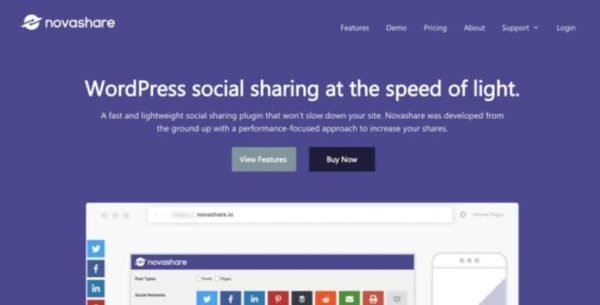
Boost your content’s visibility across social platforms with Novashare, the fast and lightweight social sharing plugin for WordPress. Designed with performance in mind, Novashare helps you increase shares without slowing down your site.
👉 This is the GPL-distributed version — clean, secure, and legally redistributed.
⚡ Why Choose Novashare?
Unlike bloated plugins, Novashare runs lean and efficient:
🏎️ Under 5 KB front-end size for maximum speed
🎨 Inline SVG icons with clean code
🗄️ Custom database tables to reduce bloat
⚙️ Scripts only run where needed
The result? A social sharing plugin that’s lightning-fast ⚡ and built to perform.
🌟 Key Features of Novashare
🔘 Social share buttons & counts (Twitter, Facebook, Pinterest, Reddit & more)
📊 Social share count recovery
📝 Click to Tweet block + shortcode support
📌 Pinterest image hover pins
🎯 GDPR-friendly & privacy-focused
📱 Fully responsive across all devices
🎨 Match buttons to your branding style
🔗 Link shortening & analytics integration
👥 Follow widget for building your audience
🌐 Multisite support
🛠️ Easy Setup, Minimal UI
settings are clean and minimal, using WordPress’ native styling so you won’t waste time learning a complicated interface. With just a few clicks, you can:
🖼️ Add responsive share buttons
📍 Set custom breakpoints for display
✍️ Embed “Click to Tweet” boxes inside content
🎨 Customize button design to match your theme
📈 Increase Engagement & Social Visibility
isn’t just about buttons — it’s about results. By showing share counts and encouraging easy sharing, you can:
🚀 Drive more traffic from social media
📊 Improve visibility for popular posts
🧲 Boost engagement with “Click to Tweet” quotes
🔄 Build stronger brand awareness
Be the first to review “Novashare – WordPress Social Sharing Plugin 1.6.2” Cancel reply
How to Install
Follow these quick steps to install from a .zip file or directly from your WP dashboard.
-
1
Go to Plugins → Add New
In your WordPress dashboard, open Plugins and click Add New.
-
2
Click Upload Plugin
Press Upload Plugin → Choose File and select the downloaded
plugin-name.zip. -
3
Install & Activate
Click Install Now, then Activate. You’re done!
-
4
(Optional) Enter License / Use Shortcode
Open Plugins → Your Plugin → Settings to enter your license. Add the box on the product page with:
[plugin_info_box]
Alternative: Install from WordPress directory
Go to Plugins → Add New, search the plugin name, click Install then Activate.
Manual (FTP) method
Unzip locally → upload the folder to /wp-content/plugins/ using FTP → activate from Plugins.
-
1
Go to Appearance → Themes
Click Add New → Upload Theme.
-
2
Upload the .zip file
Select
theme-name.zip, click Install Now, then Activate. -
3
Install Required Plugins
If prompted, click Begin installing plugins and activate them.
-
4
(Optional) Import Starter Content
Use the theme’s Demo Import (if provided) to load sample pages and settings.
Manual (FTP) theme install
Unzip the theme → upload to /wp-content/themes/ → activate from Appearance → Themes.




Reviews
There are no reviews yet.