
- ✔ Verified by VirusTotal
- ✔ 100% Original Product & Virus-Free
- ✔ Lifetime Free Updates on Single Purchase
- ✔ Unlimited Website Usage
- ✔ Prices in USD (Tax Included)
🔥 Limited-Time Deal — Ends Soon!
Nuss Theme – Hotel Booking WordPress 1.3.6
$79.00 Original price was: $79.00.$2.99Current price is: $2.99.
Instant Access
7 Day Money Back Guarantee
Online Support 24/7
Secure Payment
Description
Nuss Theme – Hotel Booking & Reservation WordPress Theme
🏨 Overview
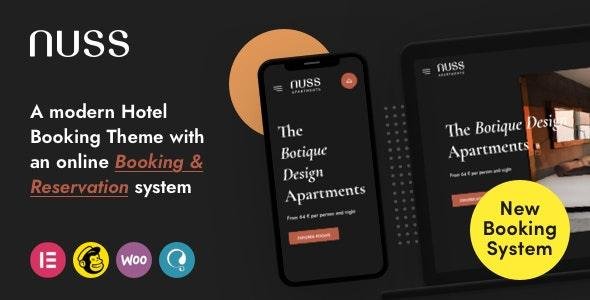
NUSS is a powerful and modern Hotel Booking WordPress Theme designed for hotels, resorts, hostels, homestays, chalets, cabins, urban guest houses, serviced apartments, and co-living spaces. With its clean UI/UX design and integrated Uxper Booking Plugin, NUSS provides a complete online booking & reservation system that makes it easy to manage rooms, availability, and reservations.
Packed with pre-built demos, multiple headers & footers, and Elementor integration, NUSS helps you create a professional hotel or accommodation website in just a few clicks. It is also SEO-friendly, WooCommerce ready, multilingual supported, and fully responsive, making it perfect for hospitality businesses of all sizes.
✨Nuss Theme Key Features
🏠 6 Predefined Homepage Layouts – Ready-to-use designs for hotels & resorts
🎨 5 Header Layouts + Header Builder – Customize desktop & mobile headers
🖋 3 Footer Layouts + Footer Builder – Design unique footers with Elementor
⚡ Uxper Booking Plugin Included – Advanced booking & reservation features
🧩 Elementor Page Builder – Drag-and-drop page customization
🛒 WooCommerce Ready – Sell hotel products, gifts, or services
📬 Contact Form 7 Integration – Easy communication with guests
🔄 One-Click Demo Import – Launch websites instantly
🌍 Polylang & Translation Ready – Create multilingual websites with ease
📑 Mega Menu Support – Add banners & organize navigation
👶 Child Theme Ready – Update safely with customizations
🔎 SEO Optimized – Built with best SEO practices
📱 Responsive & Retina Ready – Perfect on all devices
🔤 900+ Google Fonts – Advanced typography & real-time customization
🎨 Unlimited Color Options – Match your brand identity
🚀 Nuss Theme Why Choose NUSS?
Built specifically for the hospitality industry with a dedicated booking engine
Offers complete flexibility with Elementor & advanced customization tools
Provides multilingual support for global hotel and travel businesses
Optimized for SEO, speed, and responsive performance
Perfect for both small boutique stays and large hotel chains
📌 Nuss Theme Ideal For
Hotels & Resorts
Hostels & Homestays
Guest Houses & Serviced Apartments
Chalets & Cabins
Co-Living & Rental Properties
Be the first to review “Nuss Theme – Hotel Booking WordPress 1.3.6” Cancel reply
How to Install
Follow these quick steps to install from a .zip file or directly from your WP dashboard.
-
1
Go to Plugins → Add New
In your WordPress dashboard, open Plugins and click Add New.
-
2
Click Upload Plugin
Press Upload Plugin → Choose File and select the downloaded
plugin-name.zip. -
3
Install & Activate
Click Install Now, then Activate. You’re done!
-
4
(Optional) Enter License / Use Shortcode
Open Plugins → Your Plugin → Settings to enter your license. Add the box on the product page with:
[plugin_info_box]
Alternative: Install from WordPress directory
Go to Plugins → Add New, search the plugin name, click Install then Activate.
Manual (FTP) method
Unzip locally → upload the folder to /wp-content/plugins/ using FTP → activate from Plugins.
-
1
Go to Appearance → Themes
Click Add New → Upload Theme.
-
2
Upload the .zip file
Select
theme-name.zip, click Install Now, then Activate. -
3
Install Required Plugins
If prompted, click Begin installing plugins and activate them.
-
4
(Optional) Import Starter Content
Use the theme’s Demo Import (if provided) to load sample pages and settings.
Manual (FTP) theme install
Unzip the theme → upload to /wp-content/themes/ → activate from Appearance → Themes.




Reviews
There are no reviews yet.