
- ✔ Verified by VirusTotal
- ✔ 100% Original Product & Virus-Free
- ✔ Lifetime Free Updates on Single Purchase
- ✔ Unlimited Website Usage
- ✔ Prices in USD (Tax Included)
🔥 Limited-Time Deal — Ends Soon!
Openpos – WooCommerce Point Of Sale(POS) 8.0.5
$64.00 Original price was: $64.00.$2.99Current price is: $2.99.
Instant Access
7 Day Money Back Guarantee
Online Support 24/7
Secure Payment
Description
🧾 Openpos – WooCommerce Point Of Sale (POS) Plugin
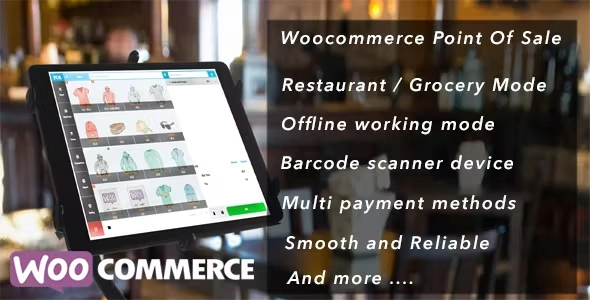
Openpos – WooCommerceis a complete Point of Sale (POS) system for WooCommerce that seamlessly connects your online store with your physical shop, café, or restaurant. Whether you run a retail store, grocery, or salon, OpenPOS allows you to manage sales, inventory, staff, and customers from one centralized system — without any monthly fees.
Built to run directly on your WooCommerce website, OpenPOS delivers real-time synchronization between in-store POS terminals and your online inventory. It even supports Progressive Web App (PWA) installation for a smooth, app-like experience on desktop or mobile devices.
⚙️ Key Features of Openpos – WooCommerce
🖥️ Progressive Web App (PWA)
Installable as a native app on desktop or mobile.
Works fast, offline, and loads instantly.
Smooth, integrated POS experience — no browser clutter.
🛍️ Multi-Business Compatibility
Ideal for retail stores, restaurants, cafés, salons, and rental services.
Switch between modes (Retail / Restaurant / Rental) with ease.
Perfect for hybrid businesses that combine online and offline sales.
🍽️ Restaurant & Café Mode
Full table management system: merge, transfer, and manage tables.
Real-time sync between waiters’ devices and kitchen screens.
Create and edit orders instantly from any connected device.
🏪 Retail & Grocery Mode
Customer pole display for checkout transparency.
Support for barcode scanners, digital scales, and camera scanning.
Manage weight-based pricing and decimal stock quantities.
🏷️ Inventory & Warehouse Management
Handle multiple warehouses or outlets effortlessly.
View stock levels and make real-time inventory adjustments.
Full stock overview for accurate product tracking.
💳 Checkout & Order Management
Add products by barcode, SKU, or manual search.
Manage multiple registers and staff accounts.
Support for negative quantities and currency rounding.
Add order notes and item notes for special instructions.
🚀 Why Choose Openpos – WooCommerce?
Unlike third-party SaaS POS systems, OpenPOS runs directly inside your WordPress and WooCommerce setup — giving you complete ownership and no subscription costs. It offers real-time sync between your online store and physical outlets, ensuring you never oversell or lose track of stock.
With PWA support, you can even use OpenPOS offline or install it as a native desktop app for faster, smoother transactions.
🧩 Core Highlights
✅ No Monthly Fees – Self-hosted POS solution
✅ Real-time Sync Between Store & Website
✅ Barcode & Camera Scanning Support
✅ Multi-Warehouse & Multi-Register Management
✅ PWA App for Desktop & Mobile
✅ Restaurant Mode with Kitchen View
✅ Compatible with Scales & Weight-Based Pricing
🔚 Conclusion
Openpos – WooCommerce Point Of Sale Plugin is the ultimate retail and restaurant POS system for WooCommerce users. It brings the power of an enterprise-grade POS directly into your website, letting you manage sales, stock, and staff with unmatched flexibility — online and offline.
Be the first to review “Openpos – WooCommerce Point Of Sale(POS) 8.0.5” Cancel reply
How to Install
Follow these quick steps to install from a .zip file or directly from your WP dashboard.
-
1
Go to Plugins → Add New
In your WordPress dashboard, open Plugins and click Add New.
-
2
Click Upload Plugin
Press Upload Plugin → Choose File and select the downloaded
plugin-name.zip. -
3
Install & Activate
Click Install Now, then Activate. You’re done!
-
4
(Optional) Enter License / Use Shortcode
Open Plugins → Your Plugin → Settings to enter your license. Add the box on the product page with:
[plugin_info_box]
Alternative: Install from WordPress directory
Go to Plugins → Add New, search the plugin name, click Install then Activate.
Manual (FTP) method
Unzip locally → upload the folder to /wp-content/plugins/ using FTP → activate from Plugins.
-
1
Go to Appearance → Themes
Click Add New → Upload Theme.
-
2
Upload the .zip file
Select
theme-name.zip, click Install Now, then Activate. -
3
Install Required Plugins
If prompted, click Begin installing plugins and activate them.
-
4
(Optional) Import Starter Content
Use the theme’s Demo Import (if provided) to load sample pages and settings.
Manual (FTP) theme install
Unzip the theme → upload to /wp-content/themes/ → activate from Appearance → Themes.




Reviews
There are no reviews yet.