
- ✔ Verified by VirusTotal
- ✔ 100% Original Product & Virus-Free
- ✔ Lifetime Free Updates on Single Purchase
- ✔ Unlimited Website Usage
- ✔ Prices in USD (Tax Included)
🔥 Limited-Time Deal — Ends Soon!
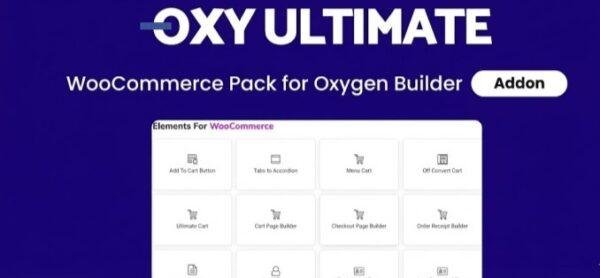
Oxy Ultimate Woo – WooCommerce Pack for Oxygen Builder 1.5.12
$39.00 Original price was: $39.00.$2.99Current price is: $2.99.
Instant Access
7 Day Money Back Guarantee
Online Support 24/7
Secure Payment
Description
Oxy Ultimate Woo GPL – Advanced WooCommerce Elements for Oxygen Builder 🛒✨
Oxy Ultimate Woo GPL is the most advanced WooCommerce Elements Pack for Oxygen Builder, designed to help you create beautiful, responsive, and user-friendly online stores quickly. ✅ This GPL version is clean, secure, and legally redistributed with no official support.
With Oxy Ultimate Woo, you can customize every aspect of your WooCommerce store, from product pages and grids to checkout layouts, ensuring your store looks modern, professional, and fully aligned with your brand. 🎨
Why Choose Oxy Ultimate Woo GPL? 💡
Oxy Ultimate Woo is perfect for WordPress developers, freelancers, and online store owners who want full control over WooCommerce design without bloated plugins slowing down their site. ⚡
Key Benefits:
Unlimited Site Usage 🌐 – Use on all your websites, including client projects.
Bloat-Free & Fast 🚀 – Only loads necessary files for optimized performance.
Seamless Oxygen Integration 🛠️ – Drag-and-drop WooCommerce elements with complete design flexibility.
Responsive & Mobile Ready 📱💻 – Your store will look perfect on desktops, tablets, and smartphones.
Fully Customizable 🎨 – Modify layouts, fonts, colors, and product pages effortlessly.
Features of Oxy Ultimate Woo GPL ✨
1. Complete WooCommerce Customization 🛍️
Customize product pages, category layouts, checkout pages, and product grids to create a unique and user-friendly shopping experience.
2. Unlimited Usage for Clients & Personal Sites 🔓
This GPL version allows unrestricted installation on any site, making it perfect for agencies and freelancers. Your clients do not need their own license.
3. High Performance & Bloat-Free ⚡
Oxy Ultimate Woo is designed to enhance your store without slowing it down, delivering a lightweight, fast-loading WooCommerce site.
4. Easy to Use with Oxygen Builder 🖱️
Drag-and-drop all WooCommerce elements directly in Oxygen Builder. Build fully customized responsive layouts without coding knowledge.
5. Responsive & Mobile Friendly 📱
All layouts are fully responsive. Preview and adjust your designs in real-time to ensure a smooth shopping experience across all devices.
Minimum Requirements ✅
Oxygen Builder (required)
WooCommerce (required)
WordPress 5.0+
PHP 7.0+
Ideal For 🎯
WordPress developers building custom WooCommerce stores
Freelancers managing client projects
Store owners wanting advanced design control and fast-loading sites
Agencies needing GPL unlimited site usage
Oxy Ultimate Woo GPL is your ultimate solution for creating professional WooCommerce stores with Oxygen Builder. Build fast 🚀, modern 🌟, and fully customizable online stores that stand out and convert visitors into loyal customers. 🛒💰
Be the first to review “Oxy Ultimate Woo – WooCommerce Pack for Oxygen Builder 1.5.12” Cancel reply
How to Install
Follow these quick steps to install from a .zip file or directly from your WP dashboard.
-
1
Go to Plugins → Add New
In your WordPress dashboard, open Plugins and click Add New.
-
2
Click Upload Plugin
Press Upload Plugin → Choose File and select the downloaded
plugin-name.zip. -
3
Install & Activate
Click Install Now, then Activate. You’re done!
-
4
(Optional) Enter License / Use Shortcode
Open Plugins → Your Plugin → Settings to enter your license. Add the box on the product page with:
[plugin_info_box]
Alternative: Install from WordPress directory
Go to Plugins → Add New, search the plugin name, click Install then Activate.
Manual (FTP) method
Unzip locally → upload the folder to /wp-content/plugins/ using FTP → activate from Plugins.
-
1
Go to Appearance → Themes
Click Add New → Upload Theme.
-
2
Upload the .zip file
Select
theme-name.zip, click Install Now, then Activate. -
3
Install Required Plugins
If prompted, click Begin installing plugins and activate them.
-
4
(Optional) Import Starter Content
Use the theme’s Demo Import (if provided) to load sample pages and settings.
Manual (FTP) theme install
Unzip the theme → upload to /wp-content/themes/ → activate from Appearance → Themes.




Reviews
There are no reviews yet.