
- ✔ Verified by VirusTotal
- ✔ 100% Original Product & Virus-Free
- ✔ Lifetime Free Updates on Single Purchase
- ✔ Unlimited Website Usage
- ✔ Prices in USD (Tax Included)
🔥 Limited-Time Deal — Ends Soon!
Oxygen Builder The Visual Website Builder With Addons 4.9.1
$99.00
Instant Access
7 Day Money Back Guarantee
Online Support 24/7
Secure Payment
Description
Oxygen Builder – The Visual Website Builder (GPL Latest Version)
This is a GPL-distributed version. No official support is provided. Clean, secure, and legally redistributed under the GPL license.
🌟 Why Choose Oxygen Builder?
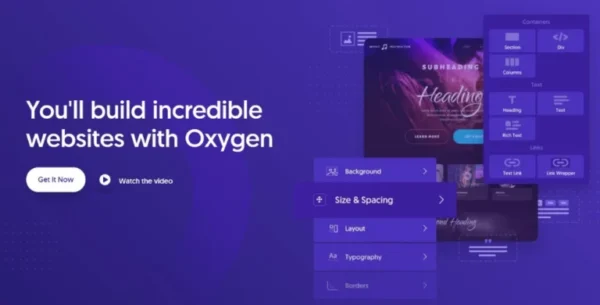
Oxygen Builder is not just another page builder — it’s a complete visual website builder for WordPress. Designed for performance, flexibility, and full design control, Oxygen gives you the power to create beautiful, lightning-fast, and fully responsive websites without writing a single line of code.
Unlike traditional page builders, Oxygen replaces the WordPress theme system entirely, giving you total freedom to design every part of your site — from headers and footers to custom post templates and WooCommerce stores.
✨ Key Features of Oxygen Builder
🎨 Design Anything You Imagine
Build stunning websites with sticky headers, overlay headers, and full responsive control.
Customize layouts, spacing, colors, and typography visually across all devices.
📱 Responsive Control
Hide or display elements per device.
Fine-tune designs with four media queries plus desktop view for pixel-perfect responsiveness.
🧩 Modern Layout Tools
CSS Flexbox & Grid support with visual controls.
Create advanced layouts, perfectly aligned sections, and dynamic responsive grids — no coding required.
🎬 Scroll Animations
Choose from 27 elegant scroll animations from the Animate on Scroll library.
Control timing, delays, triggers, and behavior for subtle, professional effects.
🔤 Custom Fonts & Icons
Use Google Fonts or Adobe Fonts directly.
Upload your own custom font files for unique branding.
Add icons from IcoMoon, LinearIcons, or upload custom SVG icon sets.
🖼️ Visual Effects
CSS Filters: Tweak blur, brightness, contrast, and saturation without Photoshop.
CSS Transforms: Create 3D rotations, zooms, and hover animations with layered transforms.
⚡ Advanced Styling & Logic
Classes & States: Apply styles globally to multiple elements at once.
Display Conditions: Show or hide elements based on user roles, dynamic data, or custom logic.
Extend functionality easily with Oxygen’s Conditions API.
🚀 Benefits of Using Oxygen Builder
Faster websites – Clean code output, optimized for speed and performance.
Complete design freedom – No theme restrictions, every pixel is under your control.
Developer-friendly – Add custom PHP, JS, or CSS directly when needed.
Perfect for agencies & freelancers – Build unlimited client sites with one tool.
WooCommerce support – Design product pages, carts, and checkout with full customization.
🎯 Who Is Oxygen Builder For?
Web designers who want pixel-perfect control over every element.
Freelancers and agencies needing a powerful, scalable builder for multiple client projects.
Business owners who want fast, professional websites without bloated code.
Developers looking for a builder that supports advanced logic and custom coding options.
Be the first to review “Oxygen Builder The Visual Website Builder With Addons 4.9.1” Cancel reply
How to Install
Follow these quick steps to install from a .zip file or directly from your WP dashboard.
-
1
Go to Plugins → Add New
In your WordPress dashboard, open Plugins and click Add New.
-
2
Click Upload Plugin
Press Upload Plugin → Choose File and select the downloaded
plugin-name.zip. -
3
Install & Activate
Click Install Now, then Activate. You’re done!
-
4
(Optional) Enter License / Use Shortcode
Open Plugins → Your Plugin → Settings to enter your license. Add the box on the product page with:
[plugin_info_box]
Alternative: Install from WordPress directory
Go to Plugins → Add New, search the plugin name, click Install then Activate.
Manual (FTP) method
Unzip locally → upload the folder to /wp-content/plugins/ using FTP → activate from Plugins.
-
1
Go to Appearance → Themes
Click Add New → Upload Theme.
-
2
Upload the .zip file
Select
theme-name.zip, click Install Now, then Activate. -
3
Install Required Plugins
If prompted, click Begin installing plugins and activate them.
-
4
(Optional) Import Starter Content
Use the theme’s Demo Import (if provided) to load sample pages and settings.
Manual (FTP) theme install
Unzip the theme → upload to /wp-content/themes/ → activate from Appearance → Themes.


Reviews
There are no reviews yet.